



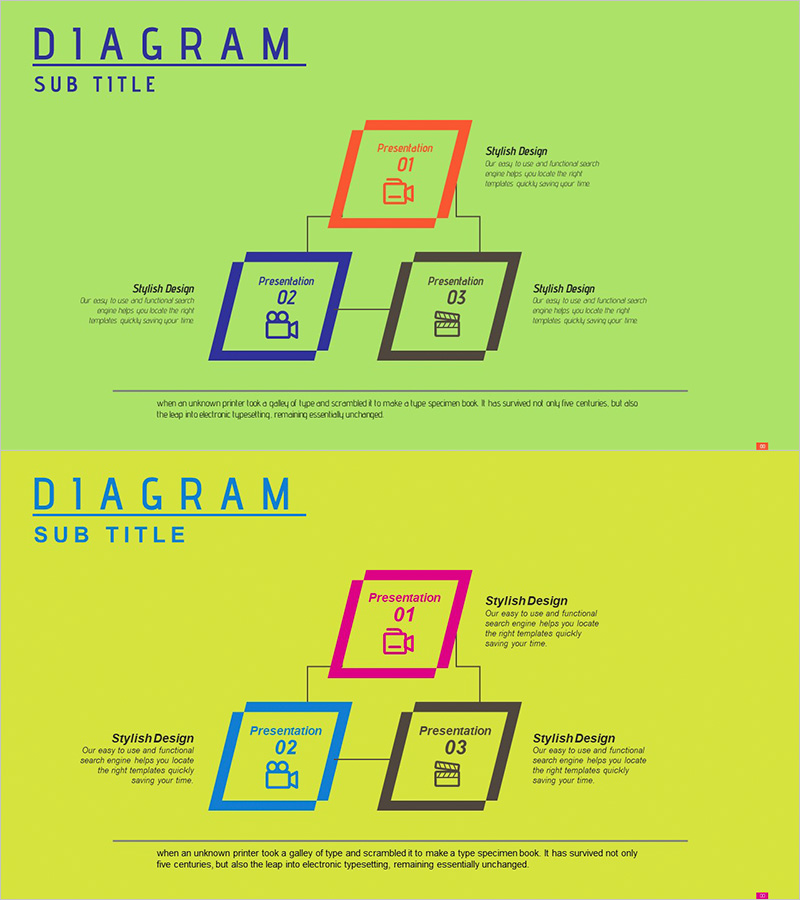
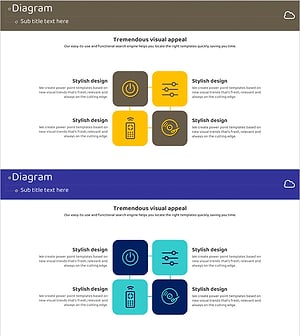
Entertainment Business Sector Diagram – Cluster Design
RJ0300049_16
- Last Update 05/01/2025
- File Size 1.6MB
- # of Slides 2
- File Format PPTX
- Slide Ratio 16:9
- Color
Keywords
- #Content-Based Slides
- #Design-Based Slides
- #Company Introduction
- #Business Introduction
- #Diagram
- #Business Areas
- #Business Areas
- #Cluster
- #Chain Diagram
- #16:9
- #hierarchical tree diagram PowerPoint
- #organizational structure slide template
- #parent-child node diagram
- #business sector diagram PPT
- #how to create tree diagram in PowerPoint
About the Product
A hierarchical tree diagram PowerPoint slide featuring a lime green background with three-color diamond-shaped nodes in red, blue, and black. The structure branches from a parent node at the top to two child nodes below, ideal for visualizing organizational hierarchies, business sectors, decision flows, and classification systems. Each node contains editable icon and text areas, with linear connector lines clearly showing parent-child relationships. This 16:9 widescreen presentation slide deck with 2 slides is ready for immediate use in business reports, strategic plans, and corporate presentations.
Usage Points
-
Main Usage
Visualize hierarchical relationships such as organizational structures, business divisions, decision-making processes, and classification systems. The parent-child node arrangement enables clear representation of complex information in a step-by-step manner.
-
How to Use
Double-click each diamond node to edit the icon and text content. Enter the main concept in the parent node and detailed items in the child nodes. Linear connector lines automatically adjust to node positions as you modify the layout.
-
Recommended For
Ideal for corporate organizational charts, business unit structures, product category classifications, decision trees, and project hierarchy explanations in executive reports, strategic planning presentations, organizational restructuring announcements, and training seminars.
-
Slide Structure
Lime green background with one red diamond parent node at top and two child nodes (blue and black diamonds) below. Each node includes icon area and text input field, connected by linear lines showing hierarchical relationships. Both slides maintain identical structure for consistency.
Related Products
-
Fountain Pen Business Area Diagram – Visualized Cluster Structure
#Company Introduction #Business Introduction #Diagram
-
Business Area Flower Diagram – Ideal for Company Introductions
#Company Introduction #Business Introduction #Diagram
-
Fountain Pen Business Area Diagram – Overview for Business Presentation
#Company Introduction #Business Introduction #Diagram
-
Internet of Things Service Area Diagram – Business Introduction and Visualization
#Company Introduction #Business Introduction #Diagram
