



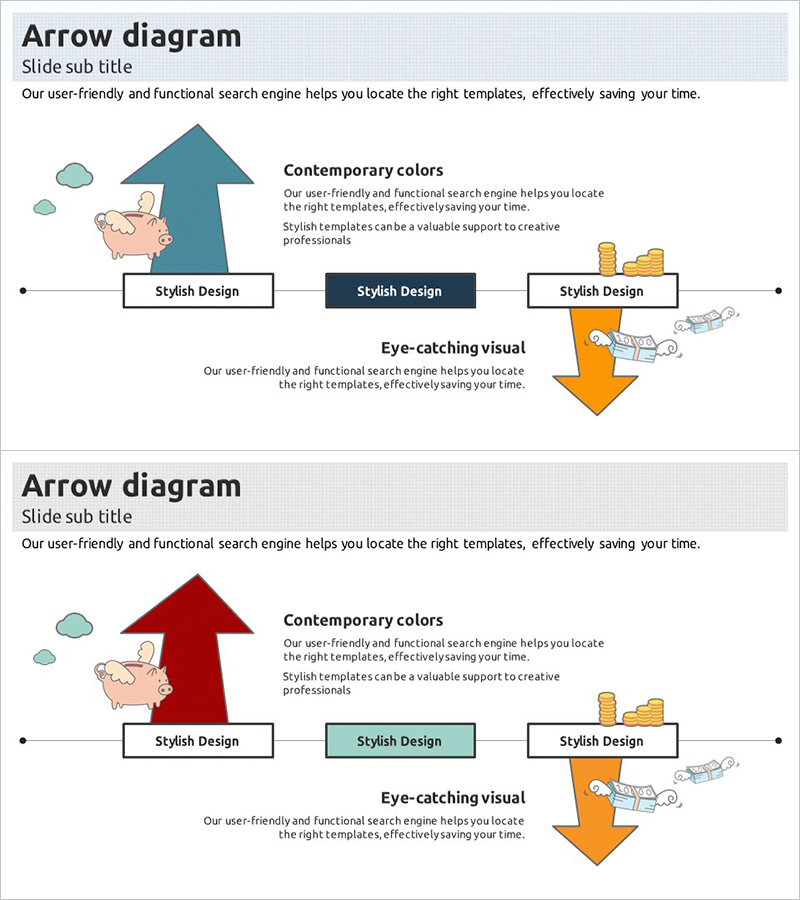
Problem Solving Solutions Slide – Efficiently Communicated with Multidirectional Diagram
RJ0300016_16
- Last Update 04/22/2025
- File Size 1.5MB
- # of Slides 2
- File Format PPTX
- Slide Ratio 16:9
- Color
Keywords
- #Content-Based Slides
- #Design-Based Slides
- #Operational Plan
- #Diagram
- #Text Box
- #Mitigation Measures
- #Flow
- #Multidirectional Flow
- #Rectangle Text Box
- #16:9
- #diagram PowerPoint slide
- #arrow diagram template
- #problem solving process slide
- #multidirectional flowchart PPT
- #convergence divergence diagram
About the Product
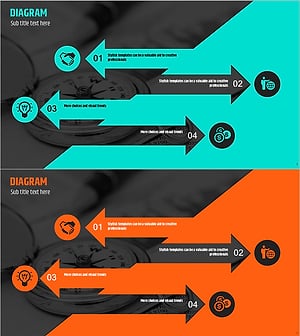
A 2-slide PowerPoint set that visualizes problems and solutions using a multidirectional arrow diagram. Teal and red arrows converge toward a central text box, allowing you to present multiple perspectives and solutions simultaneously. The design incorporates illustrations and icons to capture audience attention with striking visuals. Ideal for operational planning, strategy development, and improvement proposals. Delivered in 16:9 widescreen PPTX format for easy editing and immediate use in presentations.
Usage Points
-
Main Usage
This diagram converges multiple causes, perspectives, and solutions toward a central message. It effectively communicates problem analysis and solution development processes, making it ideal for explaining operational improvements, strategy formulation, and risk management decision-making.
-
How to Use
Customize the text boxes and arrow colors to match your content. Diverging arrows represent causes, factors, or viewpoints, while converging arrows emphasize conclusions, solutions, or key messages. Illustrations and icons can be replaced to suit your topic. All elements are fully editable in PowerPoint.
-
Recommended For
Executives, project managers, consultants, marketers, and planners can use this for strategy meetings, reports, and improvement proposals. It is particularly effective when explaining complex problems clearly and simply, and when visualizing organizational decision-making processes.
-
Slide Structure
The 2-slide set features a central text box with 3-4 arrows converging toward it in a divergence-convergence pattern. The first slide uses teal arrows while the second uses red arrows to distinguish stages by color. Each arrow endpoint has a text input area, and illustrations and icons are positioned throughout to enhance visual completeness.
Related Products
-
Rhombus Presentation Template Infographic – Business Strategy Presentation
#Business Strategy #Diagram #Text Box
-
ABC Strategy Depicted Through Multi-directional Arrows
#Operational Plan #Diagram #Risk Management
-
Ribbon Item Overview – Operational Planning and Problem Solving
#Operational Plan #Diagram #Text Box
-
Arrow Reverse Slide – Emphasizing Innovative Flow
#Product/Service Introduction #Operational Plan #Diagram
