



Marketing Program and Business Introduction Slide Template
RJ0300015_15
- Last Update 04/21/2025
- File Size 0.4MB
- # of Slides 2
- File Format PPTX
- Slide Ratio 16:9
- Color
Keywords
- #Content-Based Slides
- #Product/Service Introduction
- #Business Introduction
- #Program Introduction
- #Business Areas
- #16:9
- #business area introduction PPT slide
- #marketing program PowerPoint template
- #4-item image layout slide
- #how to present business areas in PowerPoint
- #business introduction slide deck
About the Product
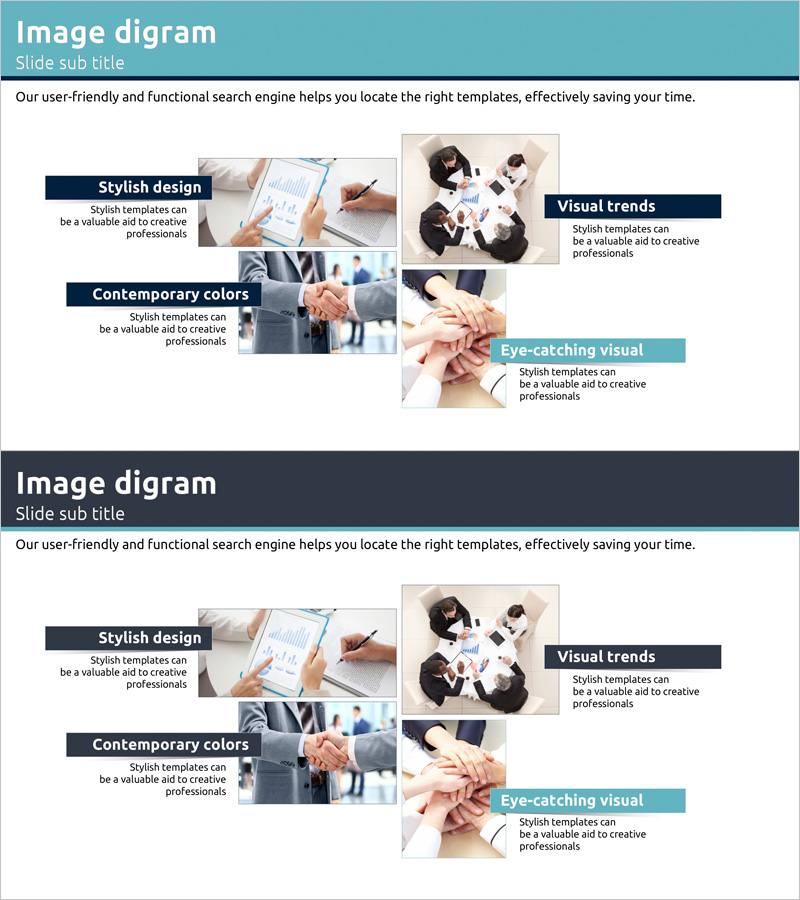
A PowerPoint slide template designed to present marketing programs and business areas with visual impact. The 2-slide set features a 4-item layout on each slide, combining images and text to showcase key business domains. The design uses a teal header and dark navy labels to convey professionalism, with dedicated image areas for inserting business photography. This slide template is ready to use in company presentations, business proposals, marketing plans, and investor pitches.
Usage Points
-
Main Usage
This slide effectively communicates your company's core business areas and marketing initiatives to investors, partners, and clients. The 4-item parallel layout gives equal visual weight to each business domain, while the image-text combination builds trust and engagement with your audience.
-
How to Use
Insert business-related photos or product images into the image areas for each item, then add business descriptions and key messages in the text boxes. The teal header and navy labels remain fixed, so you only need to edit the text content. The 16:9 widescreen format is optimized for modern projectors and online presentations.
-
Recommended For
Ideal for company introduction presentations, marketing plan overviews, investor pitch decks, business proposal sections, and employee onboarding materials. Works best for mid-size to large companies with 4 or more core business divisions that need to present their portfolio clearly.
-
Slide Structure
The 2-slide set contains 4 item areas per slide. Each item includes an image area at the top (for photo insertion), a left-side label (for item name), and a right-side text area (for description). The consistent color scheme of teal header, dark navy labels, and light gray background ensures visual cohesion throughout your presentation.
Related Products
-

Clustering Diagram Slide for Interior Business Program Overview
#Product/Service Introduction #Business Introduction #Diagram
-
Business Program Introduction Slides – Visualizing Program Structure
#Product/Service Introduction #Business Introduction #Diagram
-
Designing a Project for Success – Business Concept Visualization
#Product/Service Introduction #Business Introduction #Diagram
-
Business Program Introduction Diagram – Cluster-Based Data Visualization
#Product/Service Introduction #Business Introduction #Diagram
