



Business Program Introduction Slides – Visualizing Program Structure
RM0700003_6
- Last Update 02/26/2025
- File Size 54.8MB
- # of Slides 2
- File Format PPTX
- Slide Ratio 16:9
- Color
Keywords
- #Content-Based Slides
- #Design-Based Slides
- #Product/Service Introduction
- #Business Introduction
- #Diagram
- #Program Introduction
- #Business Areas
- #Cluster
- #Closed Cluster Diagram
- #16:9
- #circular cluster diagram PowerPoint
- #business structure slide template
- #4-element relationship diagram PPT
- #program introduction diagram
- #cluster diagram PowerPoint slide
About the Product
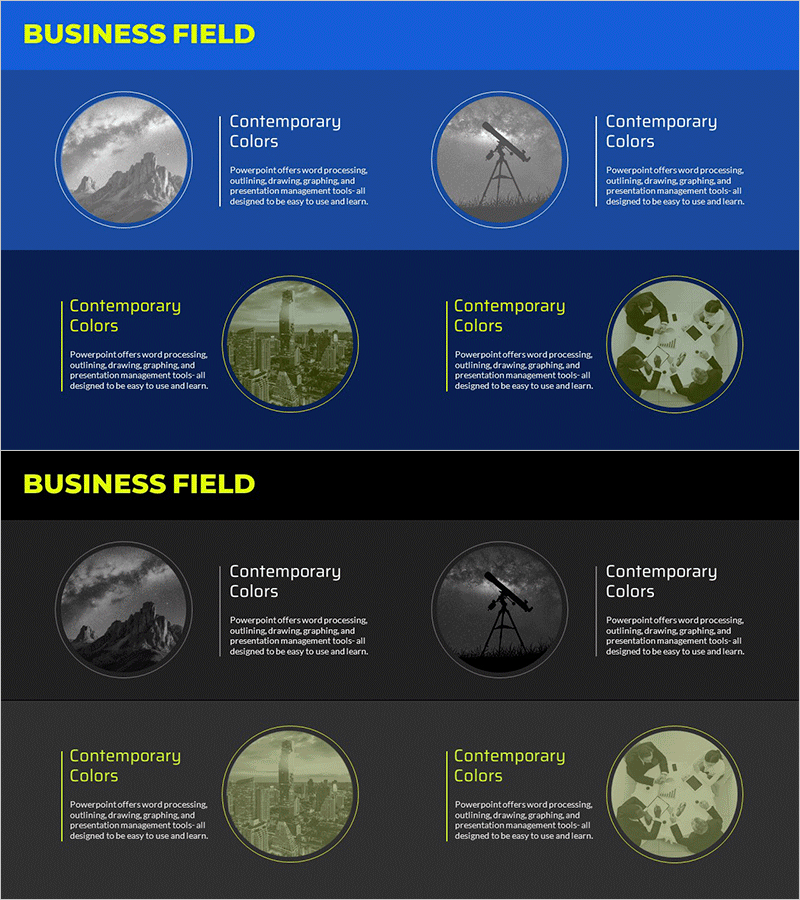
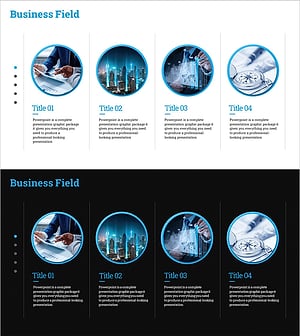
A PowerPoint slide featuring a circular cluster diagram that visualizes the core structure of a business program. Four related elements are arranged around a central circular node, effectively expressing mutual relationships and integration. The slide design uses blue and gray tones with circular frames enclosing image elements to provide visual cohesion. This presentation slide template is ideal for program structure explanations and can be immediately applied to business decks. The 2-slide set includes both blue and black background versions to accommodate diverse presentation environments and audience preferences.
Usage Points
-
Main Usage
Presents core program components and their interrelationships through a circular cluster diagram format. The four elements are symmetrically arranged around a central focal point, emphasizing integration and balance while enhancing audience comprehension during program introductions and structural explanations.
-
How to Use
Use this slide when presenting company program overviews, explaining business structures, or analyzing organizational functions. The blue background version suits formal corporate presentations, while the black background works well for sophisticated presentation atmospheres. Easily customize text and images to match various program structures and organizational contexts.
-
Recommended For
Recommended for business planners, marketing professionals, program managers, and consultants who need to explain organizational structures and program frameworks. Ideal for new business proposals, organizational restructuring announcements, integrated program introductions, and any business presentation requiring structural explanations.
-
Slide Structure
A 2-slide set presenting the same circular cluster diagram in both blue and black background versions. Each slide features one central circular element surrounded by four peripheral circular elements, all framed with circular borders for visual consistency. Designed in 16:9 widescreen format for optimal compatibility with modern presentation environments.
Related Products
-
Diagram for Description by Business Program – Conveying Connectivity and Clarity
#Product/Service Introduction #Business Introduction #Diagram
-
Introduction to Business Investment Program - Success and Opportunities
#Product/Service Introduction #Business Introduction #Diagram
-
Main Business Area Introduction Slide – Innovative Business Presentation
#Product/Service Introduction #Business Introduction #Diagram
-
Business Program Introduction Diagram – Cluster-Based Data Visualization
#Product/Service Introduction #Business Introduction #Diagram
