



Real User Feedback & Reactions – Insights from Real Testimonials
RJ0200071_6
- Last Update 09/09/2025
- File Size 2.8MB
- # of Slides 2
- File Format PPTX
- Slide Ratio 16:9
- Color
Keywords
- #Content-Based Slides
- #Design-Based Slides
- #Market and Competitor Analysis
- #Customer Success Stories
- #Text Box
- #Customer Analysis
- #Customer Testimonials and Feedback
- #Rounded Rectangle Text Box
- #16:9
- #user reactions PowerPoint slide
- #customer feedback presentation template
- #interview slide design
- #user testimonial PPT
- #customer success case study slide
About the Product
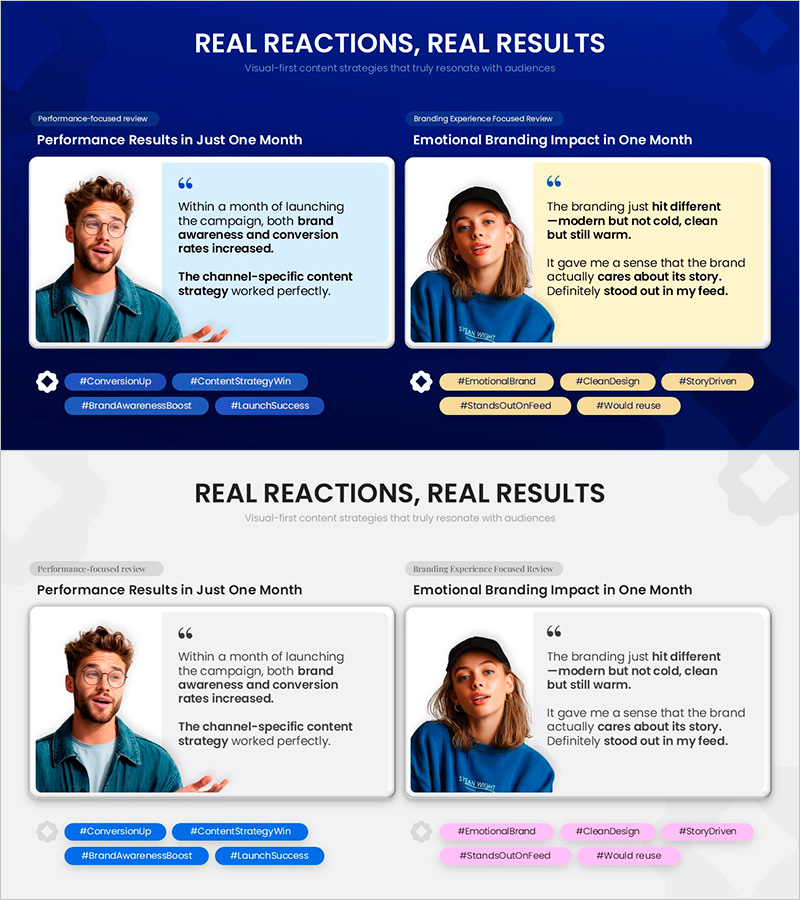
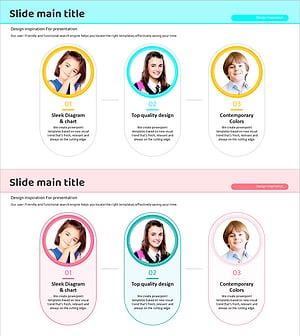
A two-column interview slide template designed to showcase authentic customer feedback and user reactions side by side. The left column highlights performance-focused results with quantitative metrics, while the right column emphasizes emotional branding impact and user experience. Each card features a user photo, direct quote, and key message tags, all framed in rounded rectangle containers for a trustworthy appearance. This PowerPoint slide deck is ready to use in customer success sections, case studies, or market analysis presentations. Provided in 16:9 PPTX format with fully editable text and image areas for seamless integration into your presentation.
Usage Points
-
Main Usage
This slide effectively communicates authentic customer reactions and real-world feedback to stakeholders. By presenting both quantitative performance results and qualitative emotional responses in a balanced two-column format, it builds credibility and demonstrates genuine product-market fit to investors, partners, and team members.
-
How to Use
Place performance metrics and data-driven feedback in the left card, and emotional branding insights in the right card. Replace user photos and quotes with your actual customer testimonials, update hashtags, and insert the slide into customer success sections of pitch decks, investor presentations, or marketing materials.
-
Recommended For
Ideal for startups reporting early product traction, marketing teams emphasizing customer satisfaction and brand perception, IR professionals proving real user validation to investors, and B2B sales teams building credibility through customer success stories.
-
Slide Structure
Two-slide set with identical two-column comparison layout. Each card contains a user photo area (top), quote text block (middle), and hashtag buttons (bottom), unified by rounded rectangle frames that maintain consistent visual hierarchy throughout.
Related Products
-
Expert Profiles Overview at a Glance
#Market and Competitor Analysis #Customer Success Stories #Diagram
-
Kids Horoscope Card – Customer Analysis and Success Stories
#Market and Competitor Analysis #Customer Success Stories #Diagram
-
Diagram Template Visualizing Contrasting Feedback
#Market and Competitor Analysis #Customer Success Stories #Diagram
-
Target Settings Rounding Diagram – Customer Analysis and Success Cases
#Market and Competitor Analysis #Customer Success Stories #Diagram
