



Target Settings Rounding Diagram – Customer Analysis and Success Cases
RJ0500035_7
- Last Update 06/16/2025
- File Size 1.4MB
- # of Slides 2
- File Format PPTX
- Slide Ratio 16:9
- Color
Keywords
- #Content-Based Slides
- #Design-Based Slides
- #Market and Competitor Analysis
- #Customer Success Stories
- #Diagram
- #Text Box
- #Customer Analysis
- #Introduction of Key Customers
- #Cluster
- #Closed Cluster Diagram
- #Rounded Rectangle Text Box
- #16:9
- #rounding diagram PowerPoint
- #target setting slide template
- #customer analysis diagram
- #3-step cluster PPT
- #marketing presentation slides
About the Product
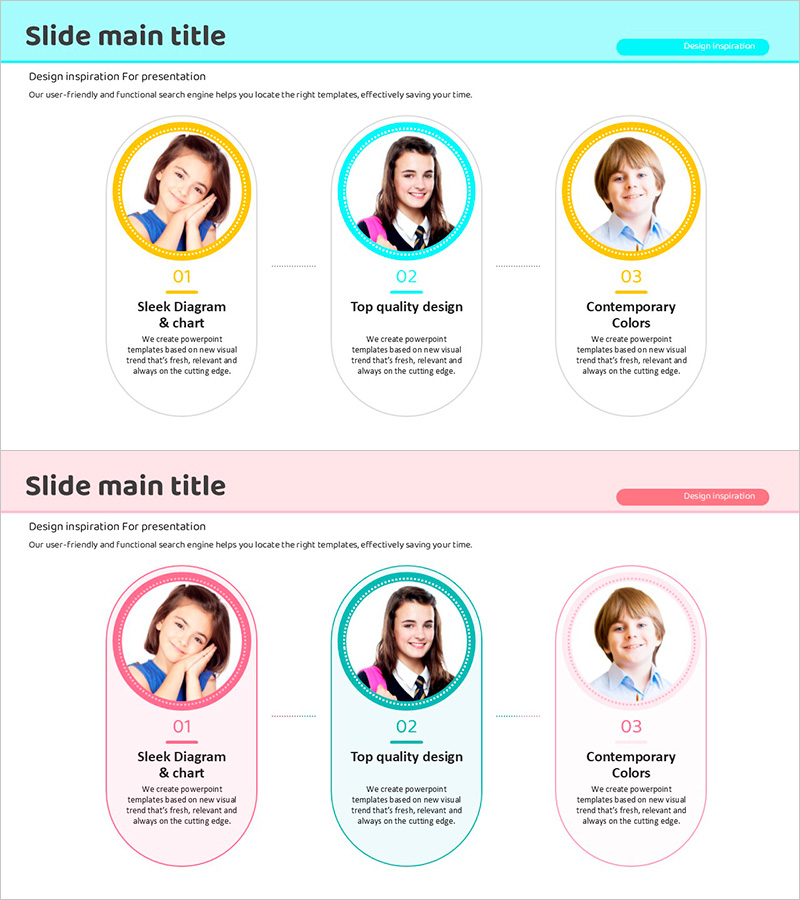
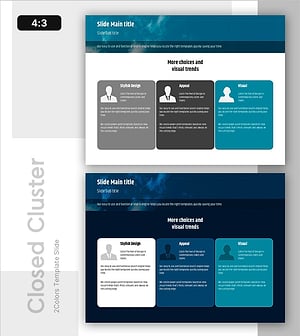
A 3-step rounding diagram PowerPoint slide that visualizes customer analysis and success cases. Each rounded section is clearly separated by cyan and yellow dual-tone backgrounds, creating a distinct hierarchical structure. This PPT template effectively organizes target setting, customer analysis, and success case information for marketing presentations. The 2-slide set is ready to use immediately, with fully editable text and image areas for customization.
Usage Points
-
Main Usage
Visualize marketing strategy stages including target setting, customer analysis, and success cases across three distinct sections. Each rounded area functions as an independent information block, making step-by-step explanations highly effective.
-
How to Use
Use in marketing plans, business proposals, and customer analysis reports to present target customer segment analysis. Input customer segments, characteristics, and success cases in each rounding box to enhance audience comprehension.
-
Recommended For
Marketing managers, sales strategy teams, business development professionals, and consultants presenting customer analysis results. Ideal for startup investment pitches and new business proposals.
-
Slide Structure
2-slide set featuring the first slide with cyan background and three rounding boxes, and the second slide with pink background and three rounding boxes. Each box includes a circular border with editable text areas for numbering (01, 02, 03), titles, and descriptive content.
Related Products
-
Expert Profiles Overview at a Glance
#Market and Competitor Analysis #Customer Success Stories #Diagram
-
Introduction to Representative Students – Engaging Presentation
#Company Introduction #Customer Success Stories #Diagram
-
Participant Feedback Review Slide – Capturing Customer Voices
#Market and Competitor Analysis #Customer Success Stories #Diagram
-
User Interviews & Personas Slide – Essential Tool for Customer Analysis
#Market and Competitor Analysis #Customer Success Stories #Diagram
