



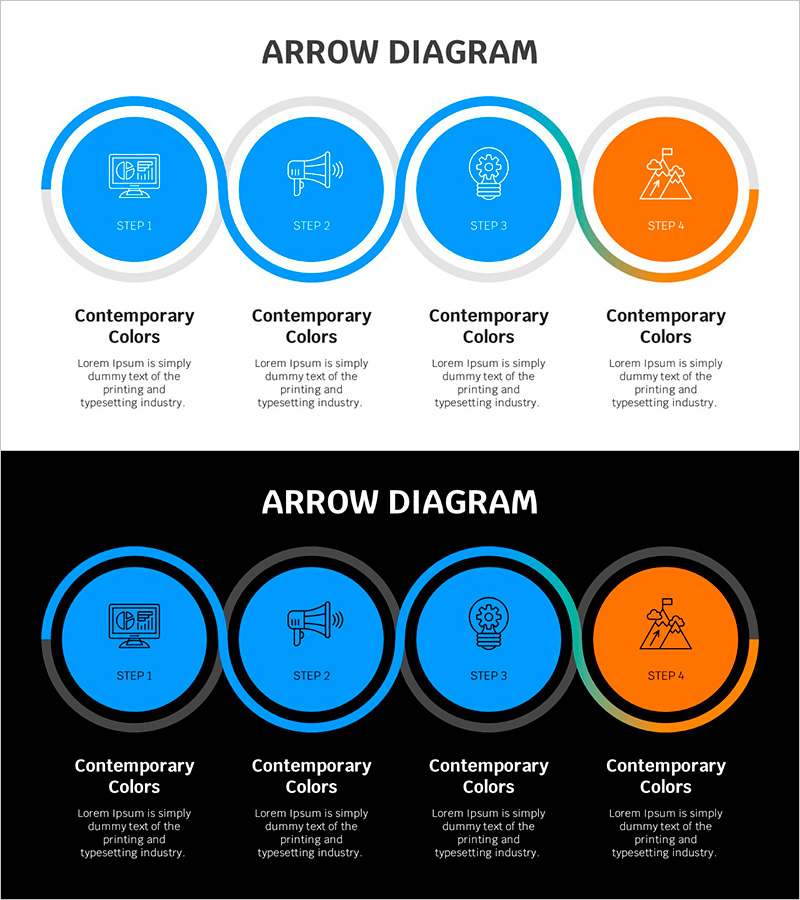
Blue Line Wide Template Connection Diagram – Presenting Service Operation Plans
RJ0200066_9
- Last Update 04/18/2025
- File Size 0.2MB
- # of Slides 2
- File Format PPTX
- Slide Ratio 16:9
- Color
Keywords
About the Product
A process flow diagram PowerPoint slide featuring four circular nodes arranged in a sequence and connected by directional arrows. The design uses a light gray background with three blue nodes and one orange node to emphasize the final step. Each node contains an icon (chart, speaker, gear, mountain) to represent different stages of a business process. Ample text areas below each node allow for detailed descriptions of service operations, marketing strategies, or project phases. The 2-slide set includes both a light background version and a dark background version, enabling you to select the layout that best suits your presentation environment.
Usage Points
-
Main Usage
Visualize business processes, service operation stages, marketing campaign flows, or project timelines across four sequential steps. The circular node design with connecting arrows clearly communicates the relationship between stages and the direction of progression.
-
How to Use
Enter stage names and descriptions in the text areas below each node. Icons can be customized to match the characteristics of each step. Use the light background version for standard presentations and the dark background version for sophisticated, high-impact presentations. Colors are fully editable to align with your corporate brand identity.
-
Recommended For
Ideal for executive reports, business plans, marketing strategies, product launch timelines, organizational restructuring proposals, and operational improvement initiatives. Recommended for executives, planning teams, marketing departments, and project managers who need to explain sequential processes and stage-by-stage progress in business presentations.
-
Slide Structure
Four circular nodes positioned at top-left, top-right, bottom-right, and bottom-left, connected by directional arrows in sequence. Each node contains an icon and 'STEP 1–4' label, with a title and description text area below. Two layout versions provided: light gray background and dark background.
Related Products
-
Halloween Connection Diagram – Creative Service Operations
#Technical Approach #Diagram #Service Operation Plan
-
Connection Diffusion Composite Diagram for Service Operations
#Technical Approach #Diagram #Service Operation Plan
-
Gardening System - Effective Service Operation Diagram
#Technical Approach #Diagram #Service Operation Plan
-
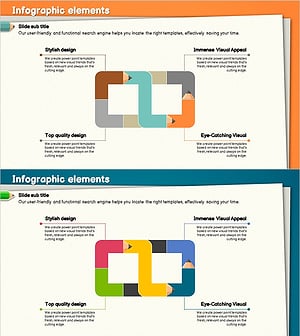
Colored Pencil Connected Diagram – Service Operations and Execution
#Technical Approach #Diagram #Service Operation Plan
