



Visualizing Business Strategy with Linear Flow Diagram in PowerPoint
RJ0200065_21
- Last Update 04/17/2025
- File Size 0.1MB
- # of Slides 2
- File Format PPTX
- Slide Ratio 16:9
- Color
Keywords
- #Content-Based Slides
- #Design-Based Slides
- #Business Strategy
- #Operational Plan
- #Diagram
- #Roadmap
- #Project Implementation Schedule
- #Flow
- #Linear Flow
- #16:9
- #linear flow diagram PowerPoint
- #4-stage process slide
- #business strategy timeline template
- #how to create flow diagram in PowerPoint
- #project roadmap slide download
About the Product
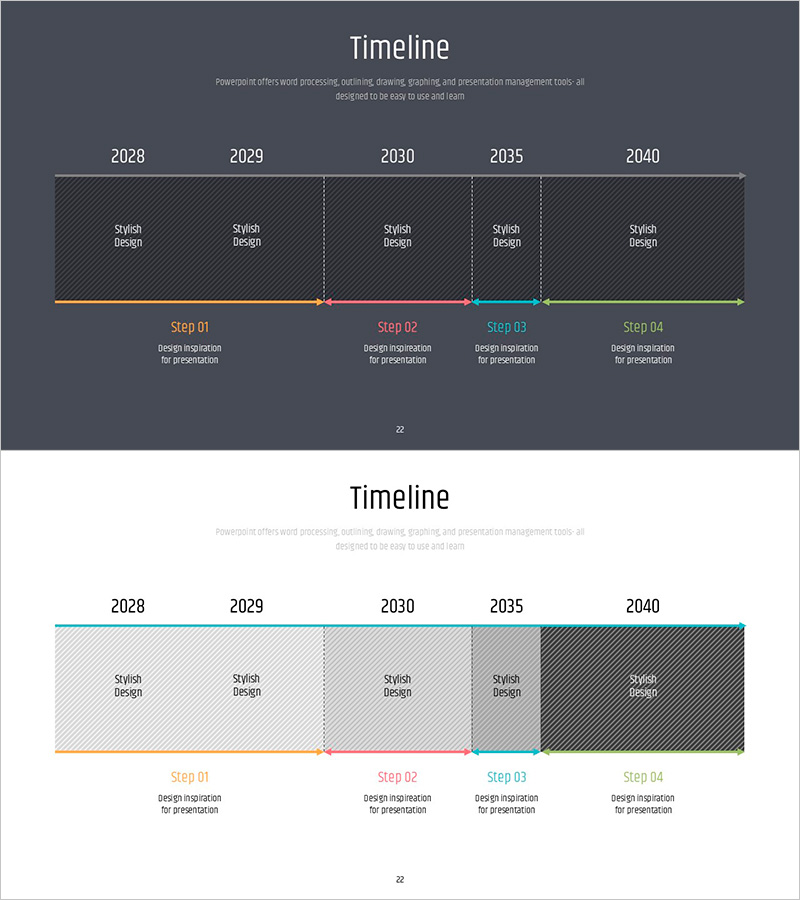
A linear flow diagram PowerPoint slide designed to visualize business strategy execution across four sequential stages. This 2-slide template features a dark gray background with orange, pink, cyan, and green accent colors connected by directional arrows in a left-to-right progression. Each stage includes a 'Stylish Design' content area and labeled 'Step 01–04' sections for milestone markers spanning 2028 to 2040. The 16:9 widescreen PPTX format is fully editable and ideal for presenting project timelines, operational roadmaps, and strategic implementation phases. The linear structure emphasizes cause-and-effect relationships and sequential dependencies in organizational planning.
Usage Points
-
Main Usage
Communicate multi-year business strategies, project execution roadmaps, and operational milestones in a clear, time-based sequence. Color-coded stages differentiate phases while directional arrows establish logical progression and dependencies between steps.
-
How to Use
Enter key activities, objectives, and deliverables in each 'Stylish Design' box. Add stage names, years, and durations in the 'Step' labels below. Customize accent colors by department or project phase. Duplicate slides to extend the timeline for additional stages or parallel initiatives.
-
Recommended For
Executive presentations, investor pitch decks, strategic planning meetings, and cross-functional team briefings. Particularly suited for manufacturing, construction, IT, finance, and consulting sectors where phased project execution is critical.
-
Slide Structure
2 slides total. Slide 1: Timeline spanning 2028–2040 with 5 year markers and 4-stage arrow flow (orange→pink→cyan→green), editable 'Stylish Design' content areas above each stage, and 'Step 01–04' labels with description text below. Slide 2: Identical structure with alternate color scheme (white background, cyan/orange/gray tones) for document tone flexibility.
Related Products
-
Business Roadmap Diagram – Supporting Business Strategy Execution
#Business Strategy #Operational Plan #Diagram
-
Visualizing Business Strategy with Key Plan Roadmap – A Journey to Success
#Business Strategy #Operational Plan #Diagram
-
Product Launch Roadmap PowerPoint – 4-Step Scale-up Timeline
#Business Strategy #Business Management #Operational Plan
-
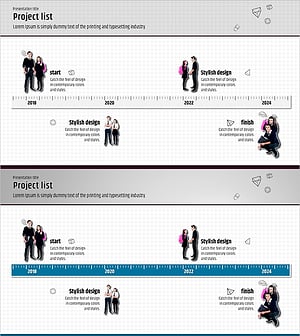
Slide of Business Strategy Using Year and High School Student Images
#Business Strategy #Operational Plan #Diagram
