



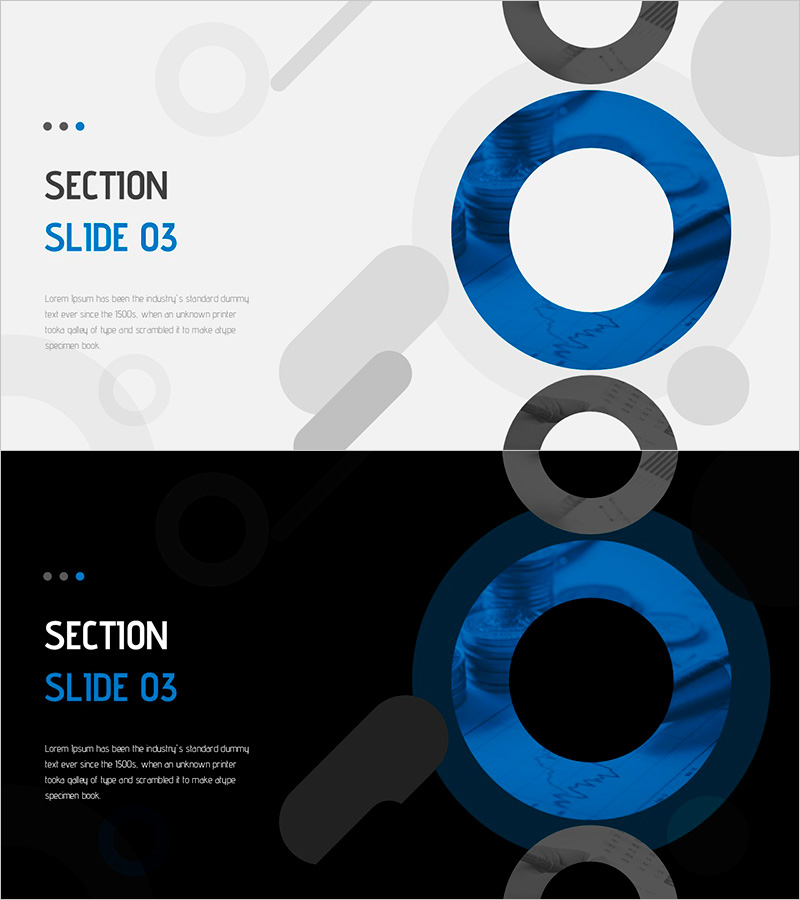
Sleek Presentation Template Highlighting Water Resource Utilization
RJ0200062_21
- Last Update 04/16/2025
- File Size 1.7MB
- # of Slides 2
- File Format PPTX
- Slide Ratio 16:9
Keywords
About the Product
A 2-slide PowerPoint template set designed for section transitions in corporate presentations. Featuring light and dark background versions, this slide deck uses dark blue circular shapes and gray geometric elements to create a contemporary visual structure. The layout places section titles and descriptive text on the left side while positioning a large circular visual element on the right, balancing information delivery with visual impact. Provided in 16:9 widescreen PPTX format compatible with all presentation environments, with fully editable text and image areas.
Usage Points
-
Main Usage
Clearly marks section transitions in lengthy presentations and refocuses audience attention when moving to new topics. The dark blue circular shape serves as a visual anchor point, effectively signaling the shift to a new content area.
-
How to Use
Edit the 'SECTION' text and section number on the left side, then add your section overview in the description area below. Use the light background version for daytime presentations and the dark version for evening events or formal business settings requiring a more sophisticated atmosphere.
-
Recommended For
Ideal for business plans, marketing proposals, investor pitch decks, consulting reports, educational seminars, and any corporate presentation requiring clear section breaks. Particularly effective for presentations with 5 or more major sections that need visual separation.
-
Slide Structure
Each slide contains a left text area with one title field and one description text block, plus a right visual area featuring one large circular shape and 3-4 supporting geometric elements. Three progress indicator dots positioned at the top left show the current section position within the presentation flow.
Related Products
-
Sales Strategy PowerPoint Slide – 4-Framework Client Hub
#Product/Service Introduction #Business Vision and Strategy #Diagram
-
Company Capabilities PowerPoint Slide – 3-Circle Icon Layout
#Company Introduction #Product/Service Introduction #Business Vision and Strategy
-
Procurement Table PowerPoint Slide – Item Photo Budget Dark
#Product/Service Introduction #Financial Plans and Performance #Features
-
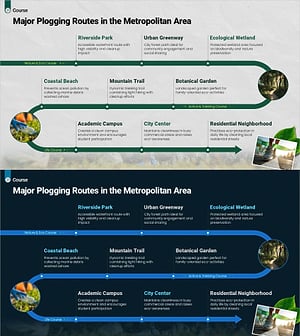
Plogging Route Presentation Slide – 9-Point S-Curve Timeline
#Company Introduction #Business Strategy #Corporate Social Responsibility
