



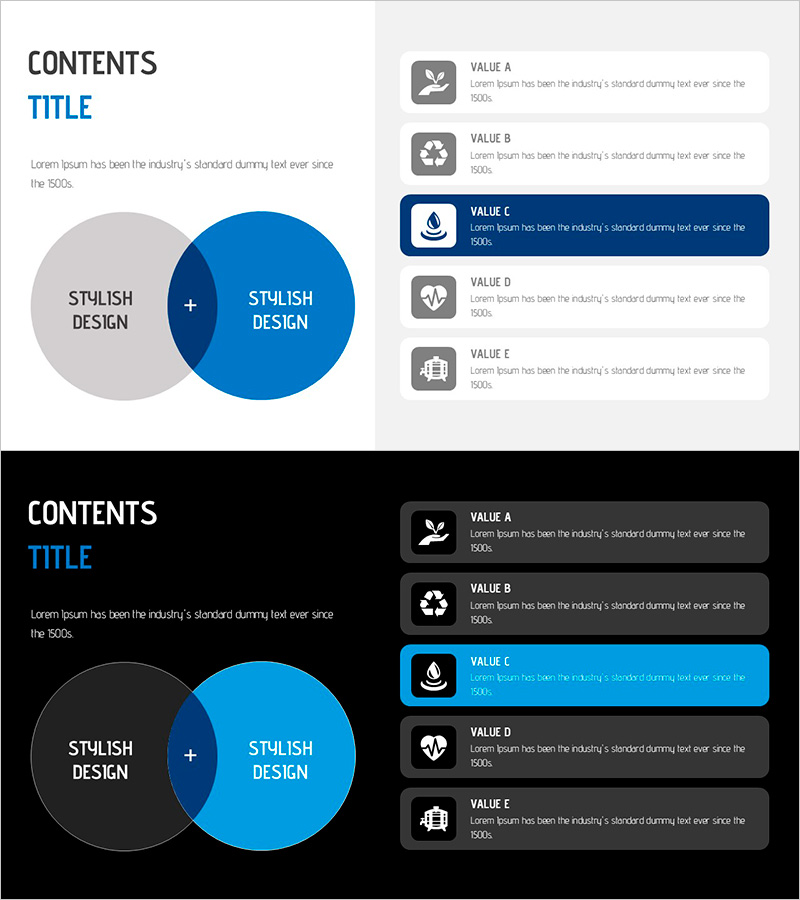
Water Resources Wide Presentation Template Overlapping Diagrams & Square Boxes
RJ0200062_18
- Last Update 04/16/2025
- File Size 0.5MB
- # of Slides 2
- File Format PPTX
- Slide Ratio 16:9
- Color
Keywords
- #Content-Based Slides
- #Design-Based Slides
- #Product/Service Introduction
- #Diagram
- #Features
- #Differentiation Strategy for Products/Services
- #Cluster
- #Chain Diagram
- #16:9
- #overlapping diagram PowerPoint
- #Venn diagram slide template
- #intersection diagram
- #relationship diagram PPT
- #PowerPoint diagram slide design
About the Product
A two-node overlapping diagram PowerPoint slide featuring intersecting circular shapes in light gray and deep blue. The central plus symbol represents the union of two concepts, while five rectangular text boxes are vertically aligned on the right side with the third item highlighted in blue. This 16:9 widescreen 2-slide template is ready for immediate use in presentations about water resources, environmental sustainability, and relational concepts. Each text box includes an icon and descriptive text for clear information delivery.
Usage Points
-
Main Usage
Ideal for visually expressing relationships, intersections, and commonalities between two concepts. Effectively communicates interactions in water resource management, environmental policy, and sustainable development. The right-side text boxes enable systematic organization of detailed information for each concept.
-
How to Use
Enter concept names in the left overlapping circles and fill the five right-side text boxes with detailed descriptions. Use the blue-highlighted item to emphasize key content and draw audience attention. Customize icons to match your industry or topic for enhanced visual impact.
-
Recommended For
Environmental policy specialists, water resource managers, sustainability report authors, government presenters, educators, and consulting analysts who need to explain relationships and intersections in their presentations.
-
Slide Structure
2-slide set: Slide 1 features two intersecting circles (gray and blue) connected by a central plus symbol, with five rectangular boxes on the right (icon + text). Slide 2 offers a layout variation. Both optimized for 16:9 widescreen displays and modern projectors.
Related Products
-
Auto Service Feature Diagram for Business Insights – Innovation and Quality
#Product/Service Introduction #Diagram #Features
-
3D Box Diagram – Highlighting Product Features and Benefits
#Product/Service Introduction #Diagram #Features
-
Dangerous Drug Material Description Diagram
#Product/Service Introduction #Diagram #Product/Service Introduction
-
Visualizing Logistics Business Process with Diagram Slide
#Product/Service Introduction #Operational Plan #Diagram
