



Modern Wide PowerPoint Template – Rectangular Diagram
RJ0200050_7
- Last Update 04/13/2025
- File Size 0.1MB
- # of Slides 2
- File Format PPTX
- Slide Ratio 16:9
- Color
Keywords
- #Content-Based Slides
- #Design-Based Slides
- #Business Management
- #Operational Plan
- #Diagram
- #Text Box
- #Implementation Plan
- #Business Processes
- #Cluster
- #Closed Cluster Diagram
- #Rectangle Text Box
- #16:9
- #rectangular diagram PowerPoint
- #4-section comparison slide
- #PowerPoint diagram template
- #comparison analysis slide
- #widescreen layout presentation
About the Product
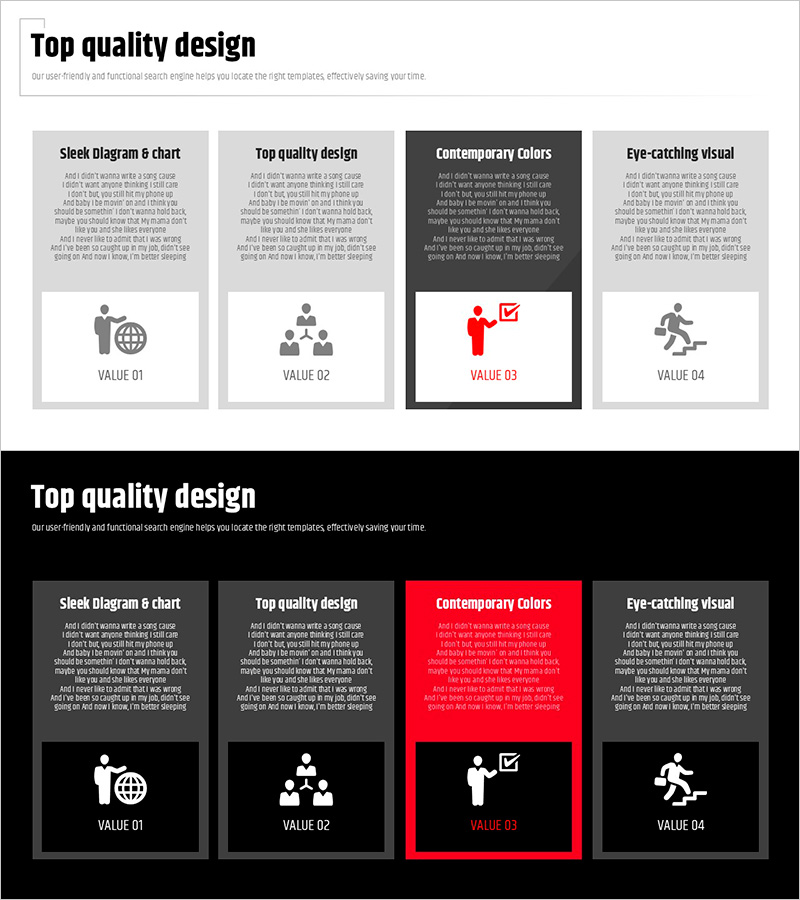
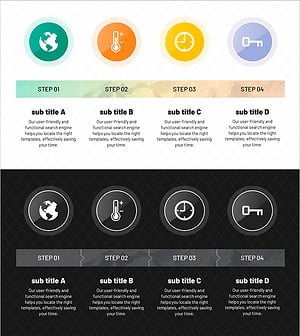
A rectangular diagram PowerPoint slide designed to visually compare and analyze four key elements side by side. Optimized for 16:9 widescreen format, each section features dedicated space for icons, titles, and descriptions to clearly structure information. Perfect for presenting company values, strategies, visions, and achievements, or any four-element framework in business plans, operational reports, and presentations. The 2-slide set includes a standard version and a highlighted version with accent colors, allowing you to choose the best fit for your context.
Usage Points
-
Main Usage
Designed to present four key elements with equal emphasis, enabling audiences to compare and understand relationships between items at a glance. Each rectangular section accommodates an icon, title, and description, creating a clear visual hierarchy that makes complex information accessible and memorable.
-
How to Use
Replace the placeholder icons with ones matching your industry or topic, then edit the title and description text for each section. Colors, fonts, and backgrounds are fully customizable to align with your corporate branding. Use the first slide for overview and the second for detailed explanations.
-
Recommended For
Ideal for business plans, operational reports, strategy presentations, and performance reviews where you need to explain four core elements. Suitable for frameworks like company values-vision-strategy-results, product-service-technology-support, or SWOT analysis (strengths-weaknesses-opportunities-threats).
-
Slide Structure
2-slide set with each slide divided into four equal rectangular sections. Each section includes space for an icon (top), title (middle), and descriptive text (bottom). The first slide presents the standard design, while the second features a highlighted version with accent colors (red and black backgrounds) for emphasis.
Related Products
-
Food Truck Sales Strategy – The First Step to Successful Business Operations
#Business Management #Operational Plan #Diagram
-
Challenge and Winning Diagrams for Process Decision Making
#Business Management #Operational Plan #Diagram
-
Stylish Design Presentation Template – Setting New Standards for Data Delivery
#Product/Service Introduction #Operational Plan #Diagram
-
Characteristics and Strategies of Mountain Temperature – Business Operations Plan
#Business Management #Operational Plan #Diagram
