



Typographic Wide Template Process Diagram – Efficient Business Strategy Development
RJ0200047_29
- Last Update 04/11/2025
- File Size 0.2MB
- # of Slides 2
- File Format PPTX
- Slide Ratio 16:9
- Color
Keywords
- #Content-Based Slides
- #Design-Based Slides
- #Business Strategy
- #Operational Plan
- #Diagram
- #Implementation Framework
- #Business Processes
- #Flow
- #Circular Flow
- #16:9
- #circular diagram PowerPoint
- #6-stage process diagram
- #business strategy PowerPoint slide
- #operational planning presentation
- #how to create circular diagram in PowerPoint
About the Product
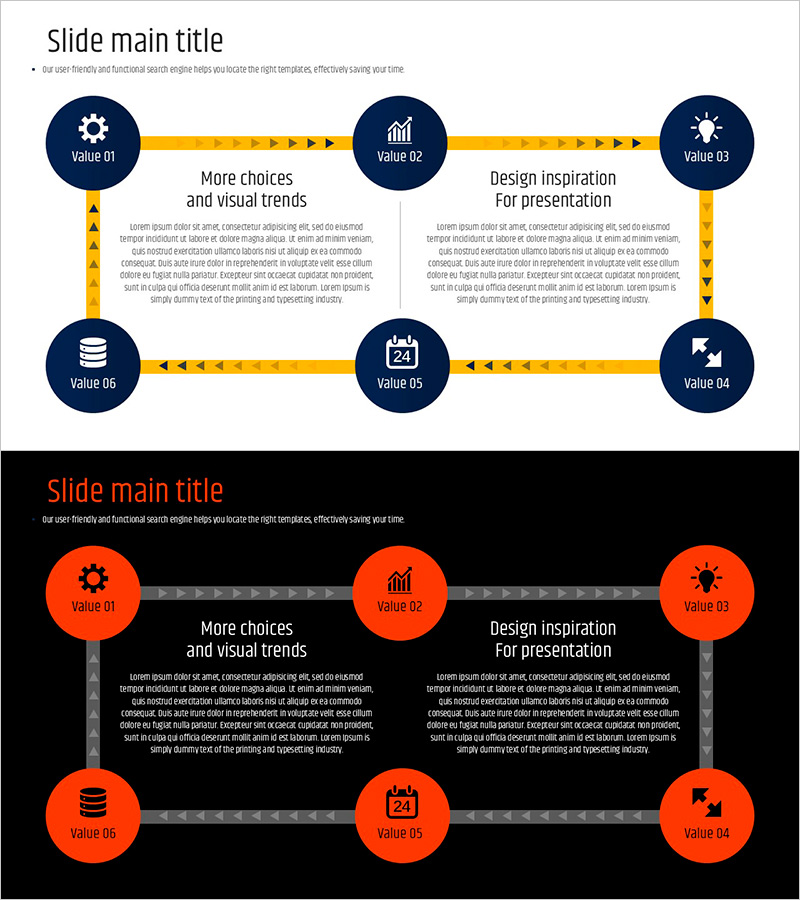
A 6-stage circular diagram PowerPoint slide designed to visualize business strategy execution and operational planning in sequential flow. Dark blue circular nodes connected by yellow arrows create a clear, continuous process representation. Each stage includes an icon and text area for efficient content delivery. Two color variations (dark blue & yellow, orange & gray) allow flexible adaptation to different presentation contexts and brand guidelines. Available in 16:9 widescreen PPTX format for immediate editing and use.
Usage Points
-
Main Usage
Effectively communicate cyclical business processes, operational planning phases, and strategic execution steps. The circular flow structure emphasizes continuity and repetition, enhancing audience comprehension of interconnected stages.
-
How to Use
Enter stage titles and descriptions in the 6 nodes, and customize icons as needed. Select the color variation that best matches your presentation theme and corporate branding, then apply directly to your slides.
-
Recommended For
Executive reports, business strategy presentations, strategic planning meetings, operational process explanations, and organizational improvement project pitches. Ideal for consulting, finance, manufacturing, and service industries presenting strategy development and implementation phases.
-
Slide Structure
Six dark blue circular nodes arranged in clockwise rotation, connected by yellow directional arrows. Each node contains an icon (gear, chart, lightbulb, database, calendar, arrow) and text input area. Central text box provides additional explanation space for process details.
Related Products
-

Color Pen Circulation Diagram - Visualizing Business Strategy
#Business Strategy #Operational Plan #Diagram
-
Water Resources Presentation Template - Circular Diagram
#Business Strategy #Operational Plan #Diagram
-
Work Principles & Collaboration Stack Slide – Dark & Light
#Business Strategy #Operational Plan #Diagram
-
Strategy Execution Cycle PowerPoint Slide – 5-Step Loop
#Business Strategy #Business Management #Operational Plan
