



Origami Presentation Template Icons & Text – Innovative Service Execution Plans
RJ0200041_13
- Last Update 04/09/2025
- File Size 0.4MB
- # of Slides 2
- File Format PPTX
- Slide Ratio 16:9
- Color
Keywords
About the Product
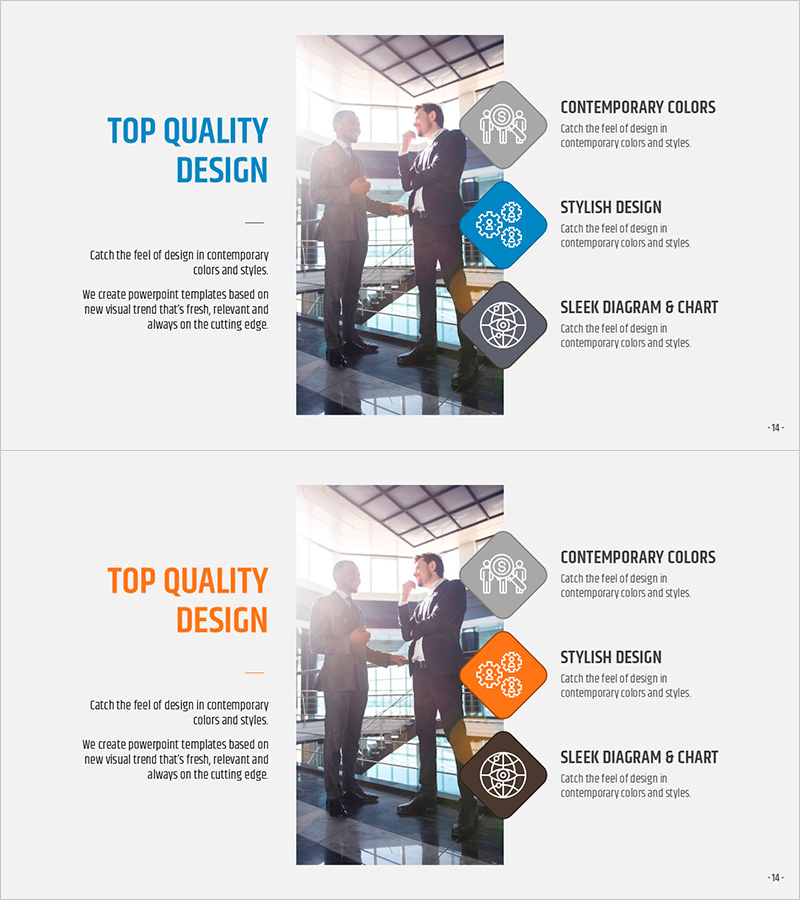
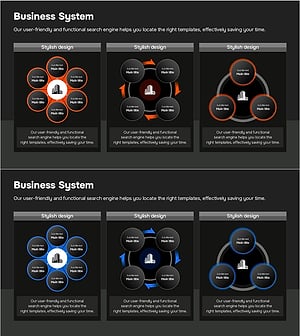
A 2-slide PowerPoint presentation designed to communicate service execution strategies with visual clarity. The layout features geometric icons and text areas arranged in three sequential steps, enabling companies to structure innovative initiatives effectively. The contemporary color palette of blue, orange, and gray tones makes it ideal for business presentations, strategic proposals, and technical department materials. Each step separates icon space from descriptive text, ensuring intuitive information entry. The 16:9 widescreen format optimizes compatibility with modern presentation environments and conference displays.
Usage Points
-
Main Usage
This slide visualizes corporate service execution strategies in sequential steps, enhancing stakeholder comprehension. The three distinct icon areas allow clear differentiation of innovation technology, service components, and implementation phases, strengthening strategic credibility in investor, partner, and internal team presentations.
-
How to Use
Insert relevant icons representing each service element into the designated icon spaces, then populate the adjacent text areas with objectives, features, and outcomes. Maintain the blue tone for technology and trust elements, and orange for innovation and action elements to ensure brand consistency throughout the presentation.
-
Recommended For
Technology leaders, product development teams, strategy planners, and consultants presenting service roadmaps, technical architectures, and business execution plans. Particularly effective for startup investor pitches, technical proposals, and internal strategic planning sessions.
-
Slide Structure
The 2-slide set divides each slide into a large image area on the left and three-step icon-text area on the right. Each step features a geometric hexagon icon in gray, blue, or orange, paired with a descriptive text box in horizontal alignment, creating clear information hierarchy.
Related Products
-
Function of Entertainment: The Value of Fun
#Product/Service Introduction #Technical Approach #Diagram
-
Car Cleaning Service Slide – Stylish Design and Practicality
#Product/Service Introduction #Technical Approach #Diagram
-
Business Problem Solutions Slide
#Operational Plan #Technical Approach #Mitigation Measures
-
Business Model Structure – Visualization of Service Operations
#Technical Approach #Diagram #Service Operation Plan
