



Business Problem Solutions Slide
RM0800001_10
- Last Update 02/27/2025
- File Size 2.5MB
- # of Slides 2
- File Format PPTX
- Slide Ratio 16:9
- Color
Keywords
About the Product
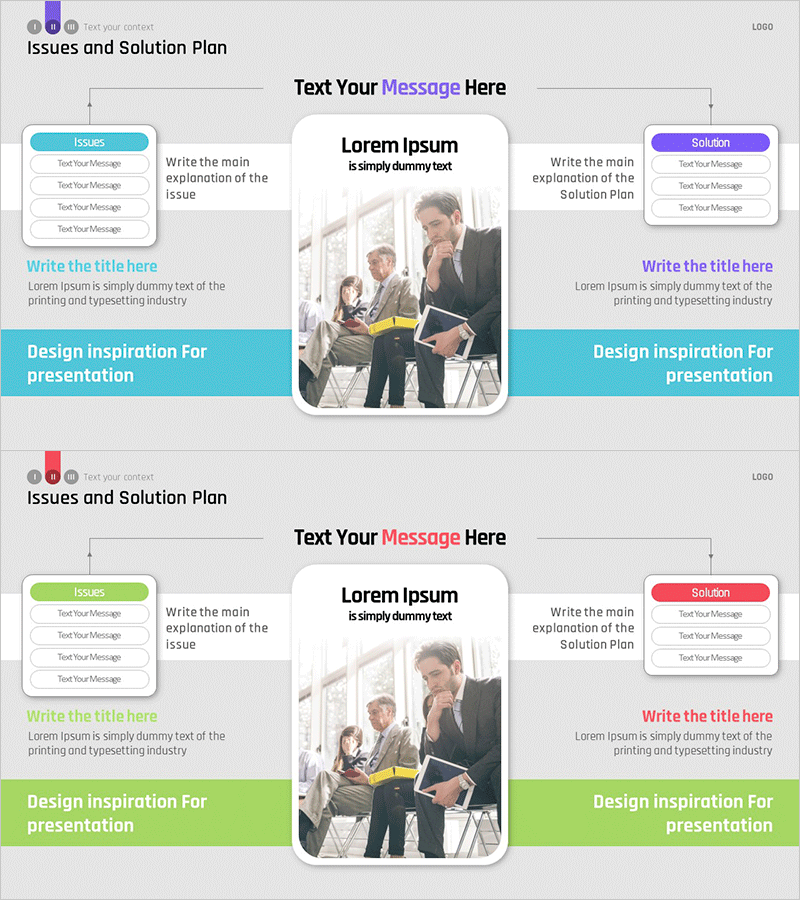
A PowerPoint slide that clearly contrasts business problems and solution strategies using a left-right symmetrical layout. The left section (Issues) is highlighted in blue, while the right section (Solution) uses purple, with a central message and image area creating visual balance. Each section contains 3-4 text input fields for itemizing specific issues and corresponding solutions. This 16:9 widescreen 2-slide presentation template is ready for immediate use in proposals, business plans, and strategic presentations.
Usage Points
-
Main Usage
Clearly define business problems and present corresponding solutions simultaneously to enhance stakeholder understanding. The symmetrical left-right structure visually emphasizes the cause-and-effect relationship between issues and solutions, enabling credible strategy presentation to investors, executives, and clients.
-
How to Use
Enter 3-4 identified problems in the left Issues section and corresponding solutions in the right Solution section. Place a key message or representative image in the central area to strengthen visual impact. The color differentiation (blue and purple) intuitively distinguishes problems from solutions, making the slide easy to follow.
-
Recommended For
Ideal for proposal documents, business plans, investor presentations, strategic briefings, and consulting reports where current situation analysis and improvement strategies are presented. Effectively builds both problem awareness and solution credibility when presenting to decision-makers such as executives, investors, clients, and team leaders.
-
Slide Structure
Two-slide format with each slide featuring a left Issues box (3-4 text input areas), central message and image zone, and right Solution box (3-4 text input areas). A design inspiration section at the bottom allows for additional explanations or brand messaging.
Related Products
-
Science Promotion System and Progress – The Master Plan of Technological Advancement
#Business Strategy #Technical Approach #Service Implementation Plan
-
Colored Pencil Connected Diagram – Service Operations and Execution
#Technical Approach #Diagram #Service Operation Plan
-
Diagram for Education-Related Measures
#Technical Approach #Service Operation Plan #Service Implementation Plan
-
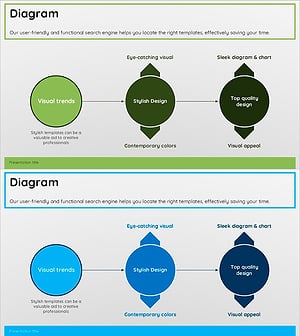
Green Blue Multidirectional Diagram
#Technical Approach #Diagram #Service Implementation Plan
