



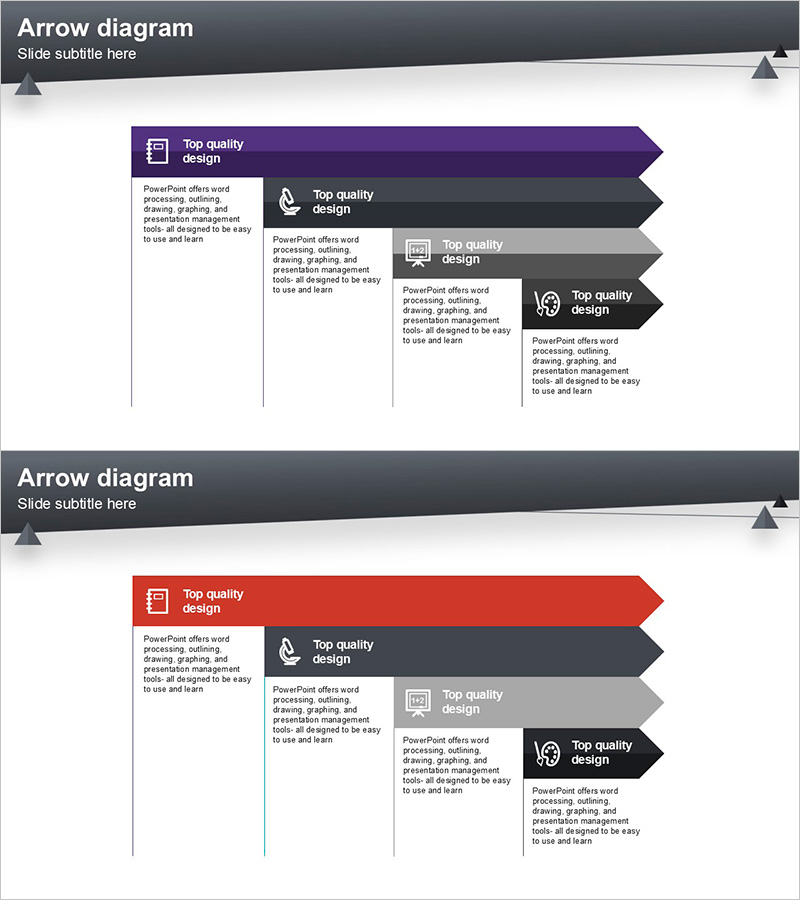
Presentation Template for Business Strategy Using Arrow Diagram
RJ0200029_22
- Last Update 04/05/2025
- File Size 0.1MB
- # of Slides 2
- File Format PPTX
- Slide Ratio 16:9
- Color
Keywords
- #Content-Based Slides
- #Design-Based Slides
- #Business Strategy
- #Operational Plan
- #Diagram
- #Roadmap
- #Business Processes
- #Flow
- #Linear Flow
- #16:9
- #arrow diagram PowerPoint
- #flow diagram slide template
- #5-step process slide
- #business strategy presentation
- #operational planning PPT
- #how to create arrow diagram in PowerPoint
About the Product
A professional arrow flow diagram PowerPoint slide designed to visualize business strategy and operational planning. This presentation template features a 5-step arrow structure flowing from left to right, clearly representing process progression and sequential workflows. Each step includes dedicated icon and text areas for detailed explanations and stage-specific information. The multi-color gradient design uses purple, black, and gray tones to visually distinguish each stage and emphasize priority levels. Comprising 2 slides optimized for 16:9 widescreen format, this template is ready for immediate use in modern presentation environments.
Usage Points
-
Main Usage
Visualize business strategy, operational planning, project phases, and process workflows using a clear 5-step arrow structure. Distinguish each stage's objectives and execution details through icons and text to enhance audience comprehension and engagement.
-
How to Use
Enter stage names and descriptions in each arrow box, and customize icons as needed. Adjust colors based on stage importance or category requirements. Add supplementary information or background context in the left text area to provide comprehensive details and support your narrative.
-
Recommended For
Ideal for executives, planning teams, project managers, and marketing professionals presenting business strategies, operational plans, product launch timelines, and marketing campaign phases. Suitable for executive briefings, company-wide announcements, investor presentations, and formal organizational communications.
-
Slide Structure
2-slide layout with each slide divided into left text area and right 5-step arrow diagram. First slide features purple starting arrow; second slide uses red starting arrow for design variation. Each stage arrow includes dedicated icon area and text input field for customization and content insertion.
Related Products
-

Mental Wellness Process Flow Diagram Slide
#Business Strategy #Operational Plan #Diagram
-
Directional Flow Diagram for Business Strategy PPT
#Business Strategy #Operational Plan #Diagram
-
Product Launch Roadmap PowerPoint – 4-Step Scale-up Timeline
#Business Strategy #Business Management #Operational Plan
-

Dark 4-Step Investment Process PowerPoint – Timeline Cards
#Business Strategy #Business Management #Operational Plan
