



Visualize Business Strategy with Online Presentation Template – Understanding and Execution
RJ0200025_33
- Last Update 04/04/2025
- File Size 3.2MB
- # of Slides 2
- File Format PPTX
- Slide Ratio 16:9
- Color
Keywords
- #Content-Based Slides
- #Design-Based Slides
- #Business Strategy
- #Operational Plan
- #Diagram
- #Implementation Framework
- #Business Processes
- #Flow
- #Linear Flow
- #16:9
- #linear process diagram PowerPoint
- #4-step workflow slide
- #business strategy visualization
- #process flow diagram
- #PowerPoint diagram slide template
About the Product
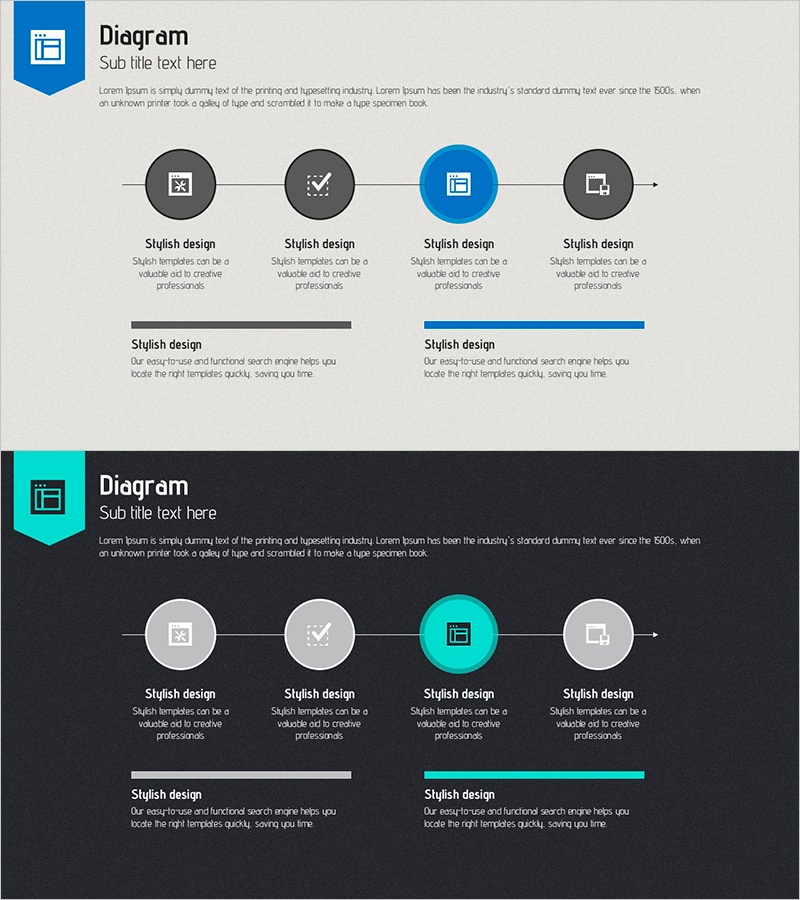
A 4-step linear process diagram PowerPoint slide that visualizes business strategy progression from left to right. Four circular nodes connected by an arrow flow represent sequential stages, with the center node highlighted in blue to emphasize the critical phase. Each node includes a text label area below, and two additional information boxes (gray and blue) at the bottom provide space for supplementary details. This 16:9 two-slide set is ready to use in presentations, operational plans, and strategic documents.
Usage Points
-
Main Usage
Clearly express business strategy progression, operational workflows, project phases, and decision-making flows in a left-to-right linear structure. The four sequential stages emphasize logical progression, while the blue-highlighted center node draws visual attention to the critical phase.
-
How to Use
Enter stage names (e.g., Planning, Execution, Verification, Completion) in each circular node and write stage-specific descriptions in the bottom text boxes. Adjust colors using the node and accent box to indicate priority levels. During presentation, follow the left-to-right flow to guide audience understanding through each phase.
-
Recommended For
Ideal for executives, planning teams, project managers, and consultants presenting strategy development, business plans, operational processes, and change management initiatives. Particularly effective for internal meetings and external presentations requiring phase-by-phase decision-making explanations.
-
Slide Structure
Four circular nodes (approximately 60px diameter, evenly spaced) connected by left-to-right arrow flow. Center node in blue, others in gray. Text label area below each node. Two information boxes at bottom (approximately 300px wide, 80px tall) for supplementary content.
Related Products
-

Online Presentation Template Mockup – Effective Business Strategy
#Business Strategy #Operational Plan #Diagram
-
Diagram of Building Facilities – Business Implementation Strategy
#Business Strategy #Operational Plan #Diagram
-
Sleek Presentation Template Emphasizing Business Context
#Business Strategy #Operational Plan #Technical Approach
-
Learning Process Diagram – Systematic Workflow
#Business Strategy #Operational Plan #Diagram
