



Centralized Structure Template Diagram – Business Introduction and Marketing Strategy
RJ0200018_7
- Last Update 04/02/2025
- File Size 1.3MB
- # of Slides 2
- File Format PPTX
- Slide Ratio 16:9
- Color
Keywords
- #Content-Based Slides
- #Design-Based Slides
- #Business Introduction
- #Marketing Plan and Strategy
- #Diagram
- #Business Areas
- #Key Marketing Activities
- #Spread
- #Centralized Diagram
- #16:9
- #central diagram PowerPoint
- #hexagon structure slide
- #radial diagram template
- #business strategy PPT
- #marketing plan diagram
- #organizational structure PowerPoint
About the Product
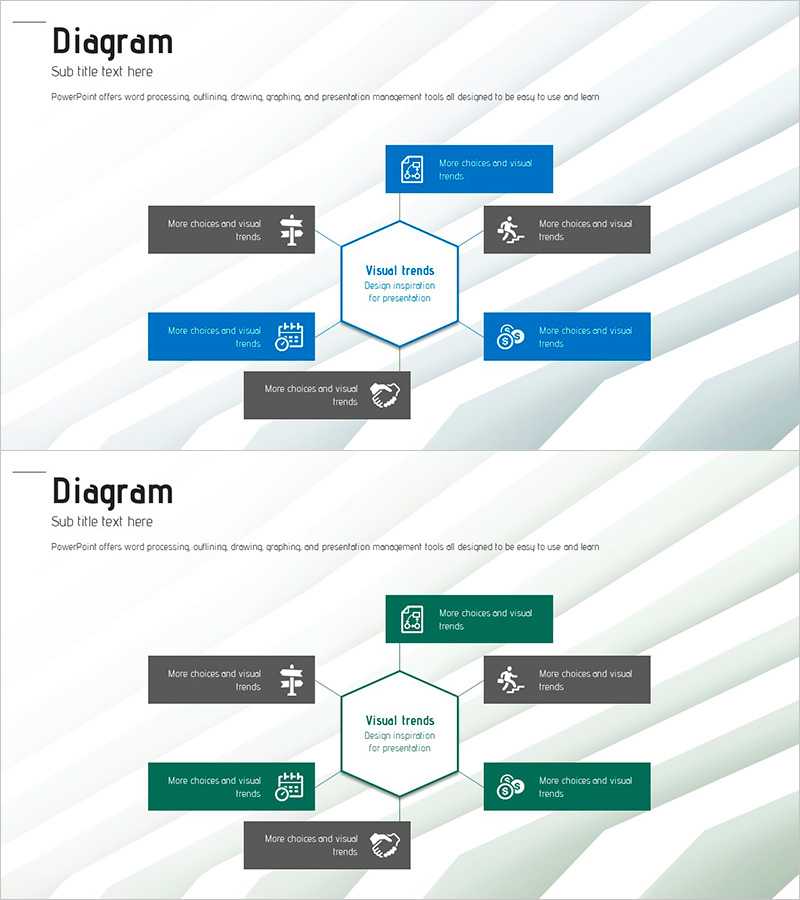
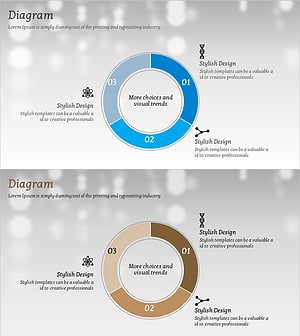
A radial structure diagram PowerPoint slide with a central hexagon radiating outward to six directional elements. The design features blue and gray text boxes arranged in a radial pattern around the core concept, each containing icons for visual clarity. This 2-slide presentation is optimized for 16:9 widescreen format and works effectively for business strategy, marketing planning, organizational structure, and business introduction presentations. The central-to-peripheral layout allows you to position a core concept in the middle and arrange supporting details around it, making it ideal for illustrating strategic relationships and hierarchical information.
Usage Points
-
Main Usage
Position your organization's core strategy or business objective at the center, then arrange six supporting strategies, departments, or functions around it to communicate an integrated vision. Ideal for business introductions, marketing strategy presentations, organizational structure explanations, and strategic planning sessions where you need to show how multiple elements support a central concept.
-
How to Use
Enter your core concept (such as business goal, marketing strategy, or organization name) in the central hexagon. Fill the six surrounding text boxes with supporting details or sub-strategies. Customize the icons in each box to match your content theme, and adjust colors to align with your presentation branding. All text and design elements are fully editable using PowerPoint's standard shape and text tools.
-
Recommended For
Executive presentations on business planning, marketing team strategy briefings, HR department organizational structure introductions, consultant strategy presentations, startup business model pitches, and any presentation requiring clear visualization of how multiple elements support a central concept. Suitable for C-level executives, strategy consultants, marketing professionals, and organizational leaders.
-
Slide Structure
2-slide set with identical layouts. Each slide features one central hexagon node surrounded by six directional text boxes positioned at top, bottom, left, right, top-left, and bottom-right. Color differentiation uses blue tones (top, left, bottom-right) and gray tones (top-left, bottom-left) to create visual hierarchy. Each text box includes an icon to enhance information clarity and visual appeal.
Related Products
-
Business Introduction and Area Diagram – Blue and Red
#Business Introduction #Diagram #Business Areas
-
Business Area Diffusion Diagram – Effectively Convey Your Business Areas
#Business Introduction #Diagram #Business Areas
-
Circular Diagram for Company Overview – Visualizing Information through Decentralized Spread
#Company Introduction #Business Introduction #Diagram
-
Key Chemical Composition Charts for Effective Data Visualization
#Business Introduction #Diagram #Business Areas
