



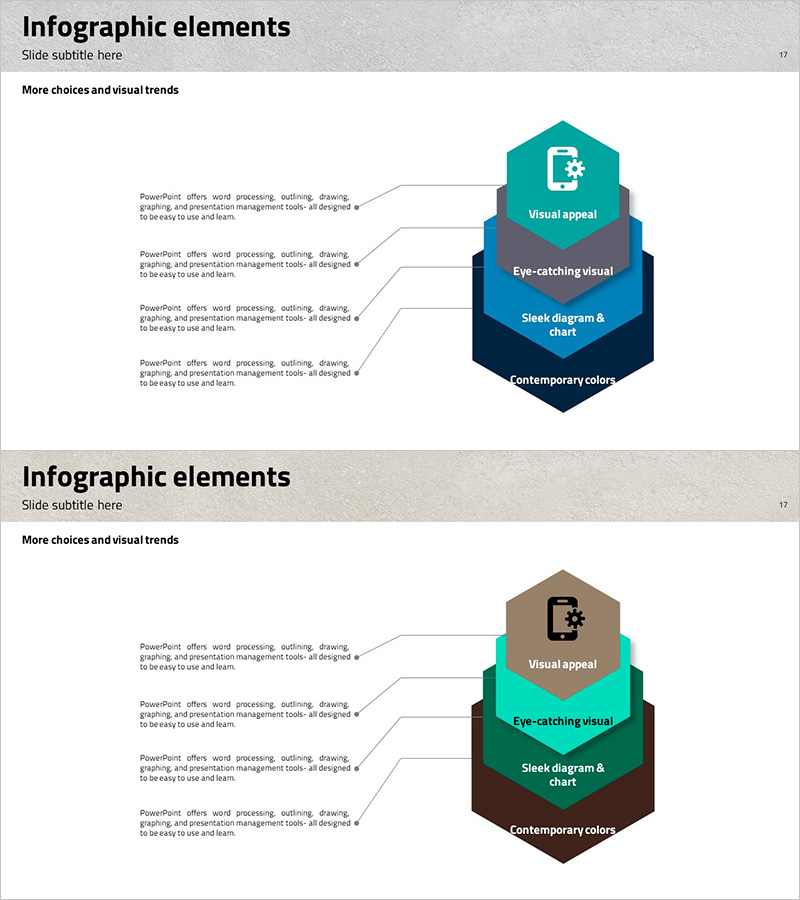
Hexagonal Layered Structure Diagram with Triangle Pattern – Harmony of Visuals and Information
RJ0200016_17
- Last Update 04/02/2025
- File Size 6.2MB
- # of Slides 2
- File Format PPTX
- Slide Ratio 16:9
- Color
Keywords
- #Content-Based Slides
- #Design-Based Slides
- #Product/Service Introduction
- #Diagram
- #Product/Service Introduction
- #Program Introduction
- #Structure
- #16:9
- #hexagonal diagram PowerPoint slide
- #layered structure presentation
- #4-level information visualization
- #product overview diagram
- #organizational structure PPT
About the Product
A professional hexagonal layered structure diagram PowerPoint slide designed to visually present product features and service components. The 4-level hierarchy is expressed through hexagonal shapes, clearly communicating information hierarchy and relationships. The two-column layout with text area on the left and diagram on the right allows simultaneous explanation and visualization. The teal-blue-black color scheme conveys professionalism and trust, while icons placed at each level enhance visual readability. Two color variations (teal-blue-black and brown-green-brown) are provided for flexible brand alignment.
Usage Points
-
Main Usage
Effectively breaks down product or service components into 4 hierarchical levels, helping audiences grasp the complete structure at a glance. The hexagonal representation clarifies the role and interconnection of each layer, making complex information digestible and memorable.
-
How to Use
Edit the text area on the left to add layer-specific descriptions, and modify the hexagon labels on the right to match your content. During presentation, emphasize the bottom-to-top progression to enhance audience comprehension and engagement with the structural flow.
-
Recommended For
Ideal for product feature presentations, service architecture explanations in IT contexts, organizational structure or business model descriptions in executive reports. Highly effective for investor pitches and partnership proposals where clear structural communication is essential.
-
Slide Structure
Two-slide set featuring the first slide in teal-blue-black tones and the second in brown-green-brown tones, both displaying identical 4-level hexagonal structures. Each slide includes four text input areas on the left and a corresponding four-tier hexagonal diagram on the right for complete customization.
Related Products
-
Green & Gray Template Wide Text box – Trustworthy Structure
#Product/Service Introduction #Diagram #Product/Service Introduction
-
Key Details Slide - Elegant Diagram Utilization
#Product/Service Introduction #Diagram #Product/Service Introduction
-
Mint Yellow Tree Structure - Intuitive Data Visualization
#Product/Service Introduction #Diagram #Product/Service Introduction
-
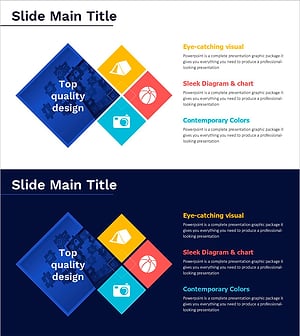
Hobby Diagram – Capturing Joy in Visualization
#Product/Service Introduction #Diagram #Product/Service Introduction
