



Key Details Slide - Elegant Diagram Utilization
RB0800002_10
- Last Update 03/17/2025
- File Size 0.1MB
- # of Slides 2
- File Format PPTX
- Slide Ratio 4:3
- Color
Keywords
- #Content-Based Slides
- #Design-Based Slides
- #Product/Service Introduction
- #Diagram
- #Product/Service Introduction
- #Program Introduction
- #Structure
- #Cluster
- #Tree Diagram
- #Closed Cluster Diagram
- #4:3
- #closed cluster diagram PowerPoint
- #hierarchical structure slide template
- #3-level diagram PowerPoint
- #product feature diagram
- #how to create hierarchy diagram in PowerPoint
About the Product
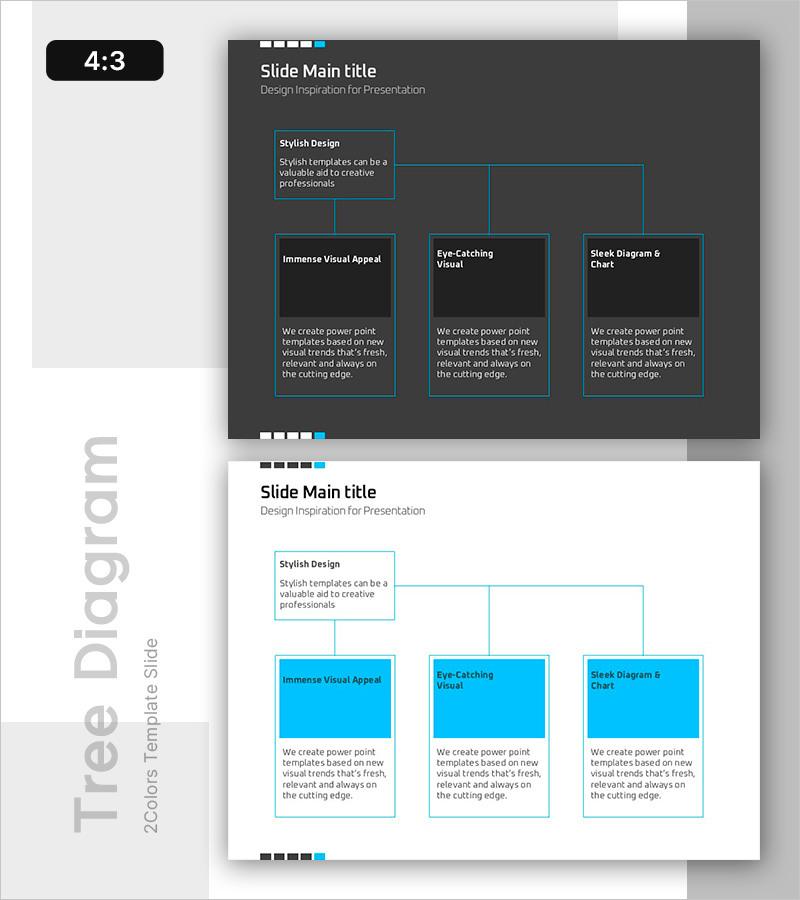
A closed cluster diagram PowerPoint slide that systematically presents information from a top-level concept to subordinate details. The three-tier structure with cyan-bordered boxes on a dark background clearly distinguishes key content such as product features, visual appeal, and differentiation factors. Each box includes dedicated text areas for descriptions, making it immediately applicable to presentations, product introductions, and strategy slides. The 4:3 aspect ratio with 2 slides adapts to various presentation environments.
Usage Points
-
Main Usage
Visualize hierarchical relationships between parent concepts and subordinate details to communicate information structure clearly. Categorize product features into three perspectives (style, visual appeal, differentiation) to enhance audience comprehension.
-
How to Use
At the beginning of a presentation, enter the core message in the top box and add specific examples or explanations in each subordinate box. Use in marketing plans, product introductions, and business proposals where information organization is critical for effective communication.
-
Recommended For
Product managers, marketing professionals, and sales presenters explaining product features systematically. Suitable for corporate reports, strategy presentations, and any new service introduction materials requiring information structuring.
-
Slide Structure
Closed hierarchical structure with one top box (parent concept) connected to three bottom boxes (subordinate items). Each box features independent text input areas with cyan borders for visual emphasis. Dark background with white text ensures readability and visual hierarchy.
Related Products
-
Mint Yellow Tree Structure - Intuitive Data Visualization
#Product/Service Introduction #Diagram #Product/Service Introduction
-
Combination of Academic Thinking and Business Strategy - Effective Diagram Template
#Product/Service Introduction #Diagram #Product/Service Introduction
-
Daily Diagrams with Exercise – Healthy Lifestyle
#Product/Service Introduction #Diagram #Product/Service Introduction
-
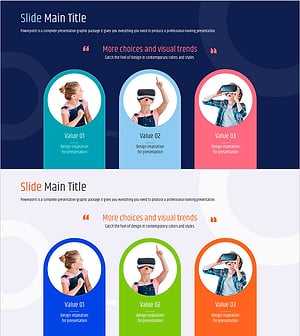
Cluster Diagram Slide for VR Education Kids Program
#Product/Service Introduction #Diagram #Product/Service Introduction
