



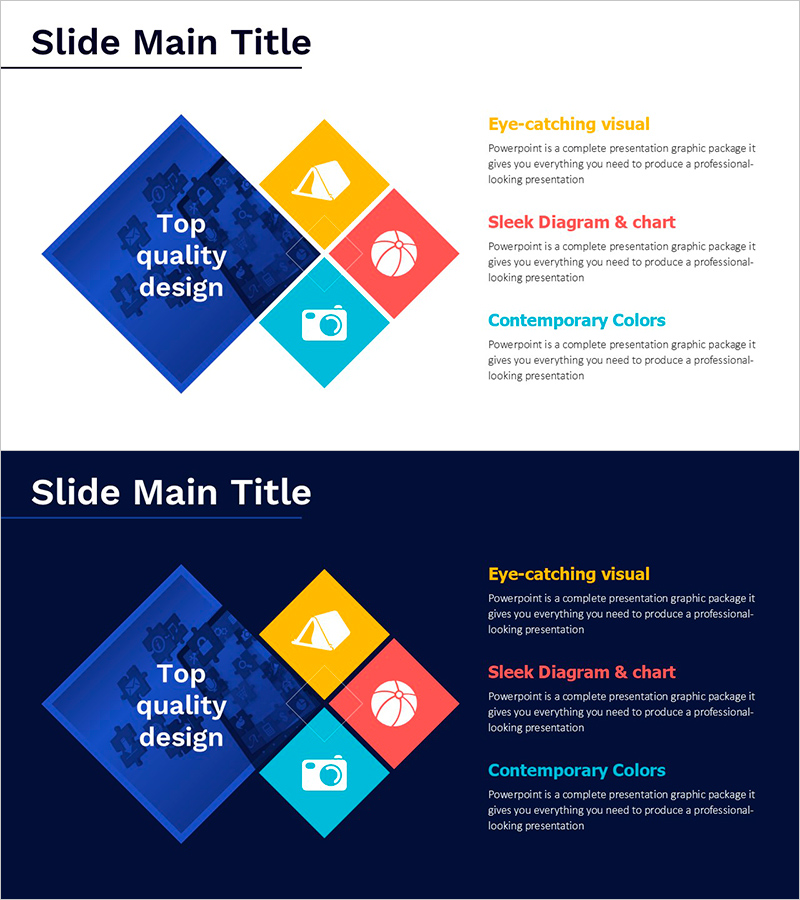
Hobby Diagram – Capturing Joy in Visualization
RJ0800026_28
- Last Update 08/07/2025
- File Size 0.5MB
- # of Slides 2
- File Format PPTX
- Slide Ratio 16:9
- Color
Keywords
- #Content-Based Slides
- #Design-Based Slides
- #Product/Service Introduction
- #Diagram
- #Product/Service Introduction
- #Program Introduction
- #Spread
- #Radial Diagram
- #16:9
- #radial diagram PowerPoint slide
- #hobby activities presentation template
- #4-item icon diagram
- #category classification slide
- #radial structure PowerPoint template download
About the Product
A radial diagram PowerPoint slide that extends from a central core message outward in four directions. Rotated squares in blue, yellow, red, and cyan contain icons (mountain, camera, basketball, tent) representing diverse hobby categories. The 2-slide set includes both light and dark background versions, allowing you to match your presentation's tone. Each item features dedicated text areas for descriptions, making it immediately applicable for hobby showcases, leisure planning, lifestyle introductions, and activity overviews.
Usage Points
-
Main Usage
Presents hobby activities, leisure options, and lifestyle categories radiating from a central core concept. Each item maintains equal visual weight while clearly showing its relationship to the center, making it ideal for introducing multiple choices, options, or interconnected topics.
-
How to Use
Enter your main topic in the central text area, then customize the four radial squares' icons and text to match your hobby categories. Colors and icons can remain as-is or be modified as needed. Add detailed descriptions in the text areas beneath each item to complete the slide.
-
Recommended For
Hobby introductions, leisure activity proposals, lifestyle planning, wellness program descriptions, club activity showcases, personal branding presentations, educational institution special activity introductions. Frequently used by HR, marketing, and education professionals.
-
Slide Structure
2-slide set. Each slide features a large central blue rotated square (text input area) with four directional rotated squares in yellow, red, and cyan positioned at top, right, bottom, and left (each containing icon + text area). Light background and dark background versions included.
Related Products
-

Core Graphic Icons for Product and Service Presentation – Visual Appeal
#Product/Service Introduction #Diagram #Product/Service Introduction
-
Overview of Features in Social Networking Platform – Visual Expansion Diagram
#Product/Service Introduction #Diagram #Product/Service Introduction
-
A Must-Go Course – Attractive Program Introduction
#Product/Service Introduction #Product/Service Introduction #Program Introduction
-
Interior Diagram Slide – Depicting Two Styles
#Product/Service Introduction #Diagram #Product/Service Introduction
