



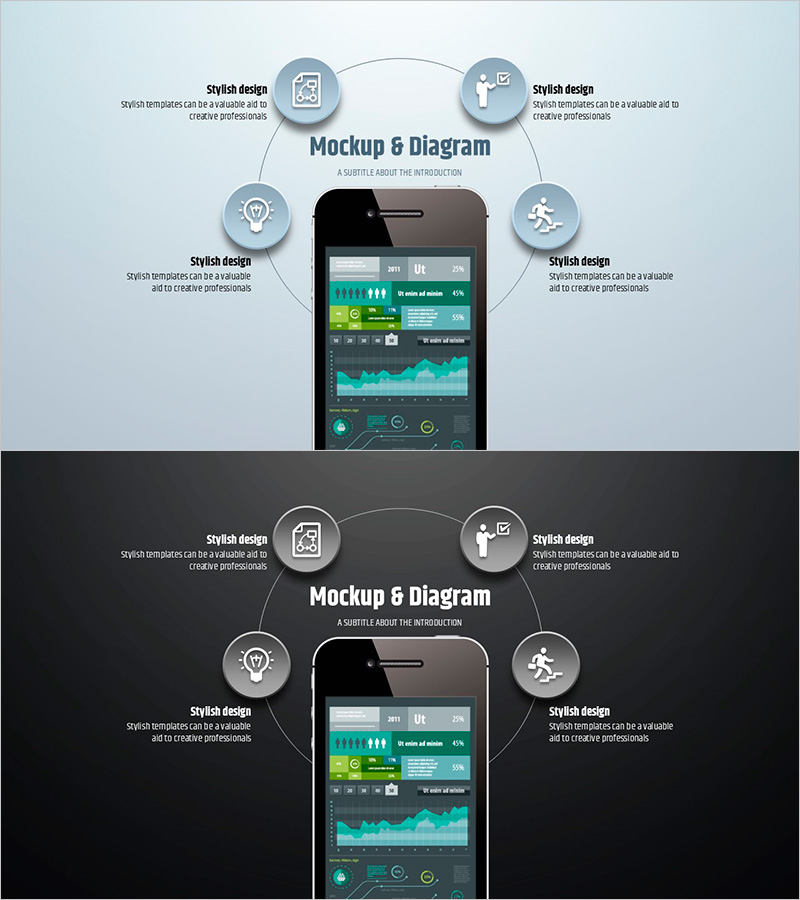
Simple Circle Presentation Template Mockup & Diagram – Highlighting Product Introduction and Benefits
RJ0200013_33
- Last Update 04/01/2025
- File Size 0.5MB
- # of Slides 2
- File Format PPTX
- Slide Ratio 16:9
- Color
Keywords
About the Product
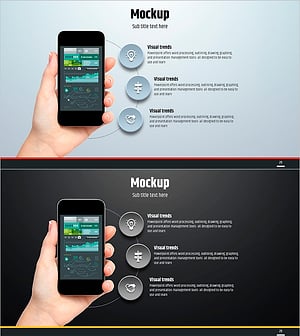
A PowerPoint slide featuring a four-section circular diagram that highlights product introduction and key benefits. The layout centers on a smartphone mockup image with four surrounding areas positioned at the top, bottom, left, and right, each containing icons and text to showcase product features, advantages, and characteristics. The light gray background combined with blue-toned circular elements creates a cohesive visual design, and each section is independently editable. This slide is ideal for product presentations, marketing materials, and corporate introduction decks to clearly communicate your product's value proposition.
Usage Points
-
Main Usage
This slide visually explains a product's core features, advantages, and characteristics by dividing them into four distinct areas. The central mockup image intuitively represents the product, while the four surrounding circular elements emphasize each benefit. It effectively communicates your product's value proposition to investors, partners, and customers.
-
How to Use
Use this slide in product presentations, marketing decks, and corporate introduction materials as your product introduction section. Replace the central mockup image with your own product photo, and modify the text and icons in the four areas to reflect your product's actual features and benefits. Each circular element can be independently edited for color and content.
-
Recommended For
Ideal for product marketing managers, corporate strategy teams, startup founders, and sales professionals explaining product value. Suitable for B2B proposals, B2C marketing materials, investor pitch decks, and customer presentations where emphasizing core product benefits is essential.
-
Slide Structure
A smartphone mockup image is centered with four circular icon and text areas positioned at the top, bottom, left, and right. Each circular element accommodates a title (one line) and description text (two to three lines), with icons replaceable as needed. The light gray background with blue-toned circular elements establishes visual hierarchy.
Related Products
-
Vibrant Slide Design for Introducing New Semester Programs
#Product/Service Introduction #Other #Product/Service Introduction
-
Smart Library Information Page - Modern Information Delivery
#Product/Service Introduction #Other #Product/Service Introduction
-
Sensuous Cloud Presentation Template Mock Up – Product/Service Introduction
#Product/Service Introduction #Other #Product/Service Introduction
-
Simple Circle Presentation Template Mockup2 – Effective Product/Service Introduction
#Product/Service Introduction #Other #Product/Service Introduction
