



Smart Library Information Page - Modern Information Delivery
RJ0500041_7
- Last Update 06/18/2025
- File Size 0.5MB
- # of Slides 2
- File Format PPTX
- Slide Ratio 16:9
- Color
Keywords
- #Content-Based Slides
- #Design-Based Slides
- #Product/Service Introduction
- #Other
- #Product/Service Introduction
- #Benefits and Advantages
- #Mockup
- #16:9
- #information guide PowerPoint slide
- #announcement page design template
- #mockup slide layout
- #information delivery presentation slide
- #asymmetrical layout PPT
About the Product
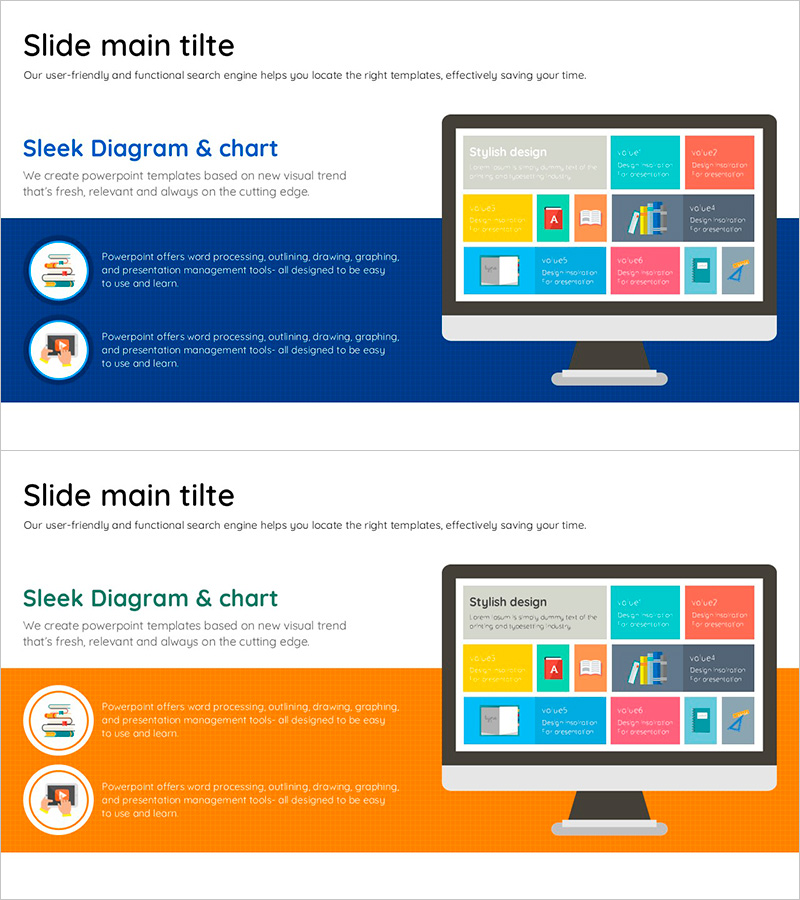
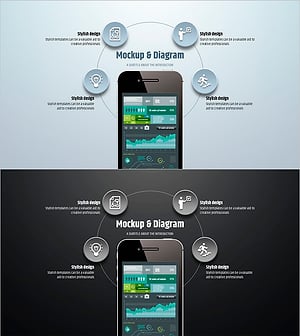
A PowerPoint slide template designed for smart library and information service announcements. The asymmetrical layout features a blue background on the left with two circular icons, while the right side displays a colorful mockup image. The slide is structured with a title and description area at the top, two text input spaces on the left, and a mockup image area on the right, creating a layered information hierarchy with visual balance. Two design variations are provided with blue, orange, and gray background options, allowing you to match your presentation theme and brand colors. This slide is ready to use for any presentation requiring information delivery, such as institutional introductions, service announcements, and product explanations.
Usage Points
-
Main Usage
This slide effectively communicates institutional, service, or product information through visual clarity. The left-side icons and text emphasize key messages, while the right-side mockup image demonstrates the actual service interface, enhancing audience comprehension. It is optimized for corporate introductions, library and museum announcements, public institution guides, and digital service explanations.
-
How to Use
Enter your slide topic in the title area at the top. Fill the two text boxes on the left with core features or key points. Insert actual service screenshots or product photos in the mockup image area on the right to increase information credibility. Select the background color (blue or orange) that matches your presentation theme to maintain brand consistency throughout.
-
Recommended For
Ideal for library and museum staff, digital service planners, corporate marketing teams, product presenters, and information systems managers. This layout is particularly effective when explaining user interfaces, app features, or online services, as the combination of mockup images and text helps audiences quickly grasp the information.
-
Slide Structure
The 2-slide set features an asymmetrical layout with four information layers per slide: a title and description area at the top (1), left-side icons with two text input spaces (2), and a right-side mockup image area (1). This balanced distribution of text and images maximizes information readability and visual impact.
Related Products
-
Simple Circle Presentation Template Mockup2 – Effective Product/Service Introduction
#Product/Service Introduction #Other #Product/Service Introduction
-
Sensuous Cloud Presentation Template Mock Up – Product/Service Introduction
#Product/Service Introduction #Other #Product/Service Introduction
-
Vibrant Slide Design for Introducing New Semester Programs
#Product/Service Introduction #Other #Product/Service Introduction
-
Simple Circle Presentation Template Mockup & Diagram – Highlighting Product Introduction and Benefits
#Product/Service Introduction #Other #Product/Service Introduction
