



Square Frame Template for Business Area Introduction – Innovation and Design
RJ0200010_7
- Last Update 03/31/2025
- File Size 0.5MB
- # of Slides 2
- File Format PPTX
- Slide Ratio 16:9
- Color
Keywords
- #Content-Based Slides
- #Design-Based Slides
- #Product/Service Introduction
- #Business Introduction
- #Composition
- #Business Areas
- #Spread
- #Radial Diagram
- #16:9
- #radial diagram PowerPoint
- #4-direction square frame slide
- #central expansion diagram
- #business area introduction slide
- #organizational structure PPT template
About the Product
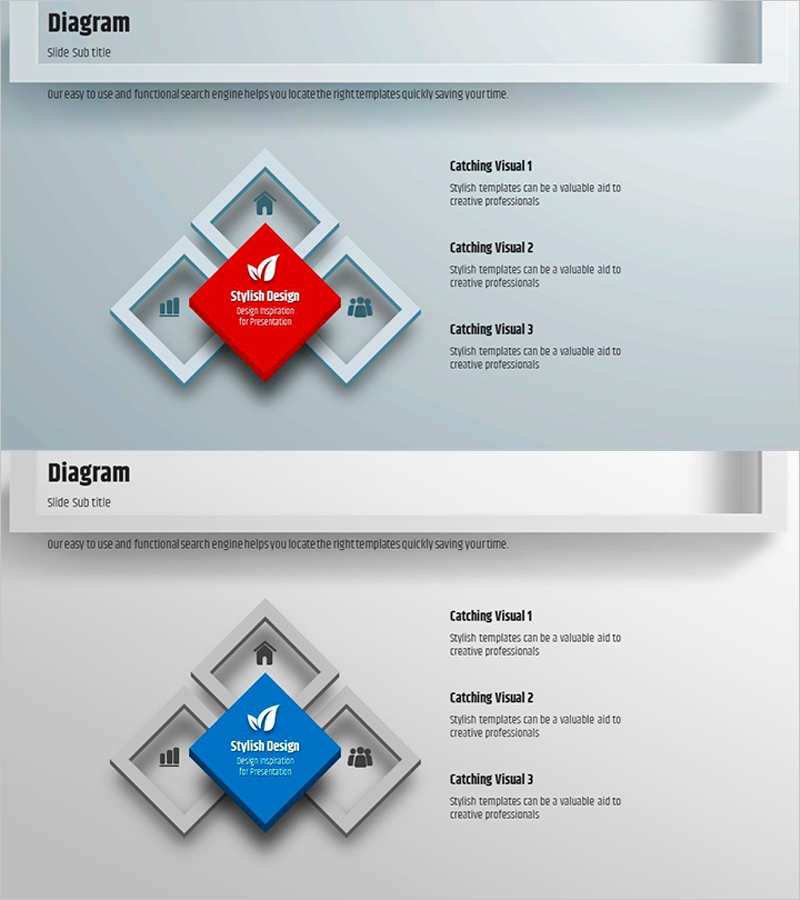
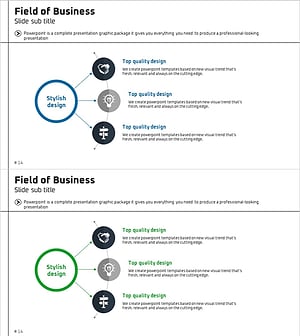
A radial diagram PowerPoint slide featuring a central concept extending outward in four directions with 3D square frames. The center contains a prominent red or blue accent box, surrounded by gray square frames positioned at four cardinal points. This 2-slide set provides color variations (red and blue) to match your presentation tone. Each directional frame includes icons and text areas, allowing you to present four key items such as business areas, core values, strategic directions, or organizational structure in a single visual. Optimized for 16:9 widescreen format and delivered as an editable PPTX file.
Usage Points
-
Main Usage
Simultaneously present four key areas, values, or directions emanating from a central concept. Ideal for business area introductions, organizational structure explanations, strategic direction presentations, and core value communications in corporate presentations.
-
How to Use
Enter your core concept (company name, strategy name, or value statement) in the central accent box. Distribute detailed items across the four directional frames. Customize icons to represent each area's characteristics and add images alongside text to enhance visual impact. Use color-variant slides to differentiate presentation sections.
-
Recommended For
Executive strategy presentations, company profile business area sections, organizational restructuring explanations, and new business launch presentations. Particularly effective when four key elements require equal emphasis and balanced visual hierarchy.
-
Slide Structure
2-slide set. Each slide contains one central accent box (red or blue) + four directional square frames + icon and text areas within each frame. Gray-toned 3D background with prominent accent colors creates strong visual contrast and depth.
Related Products
-
Mapping Key Business Areas – Effective Business Presentation
#Product/Service Introduction #Business Introduction #Diagram
-
Diffusion Connection Circular Diagram – Product/Service Introduction
#Product/Service Introduction #Business Introduction #Diagram
-
Core Structure of Global Trade Divisions – Multi-Dimensional Overview
#Business Introduction #Technical Approach #Diagram
-
Business Area Diffusion Diagram – Directions for Business Development
#Company Introduction #Business Introduction #Diagram
