



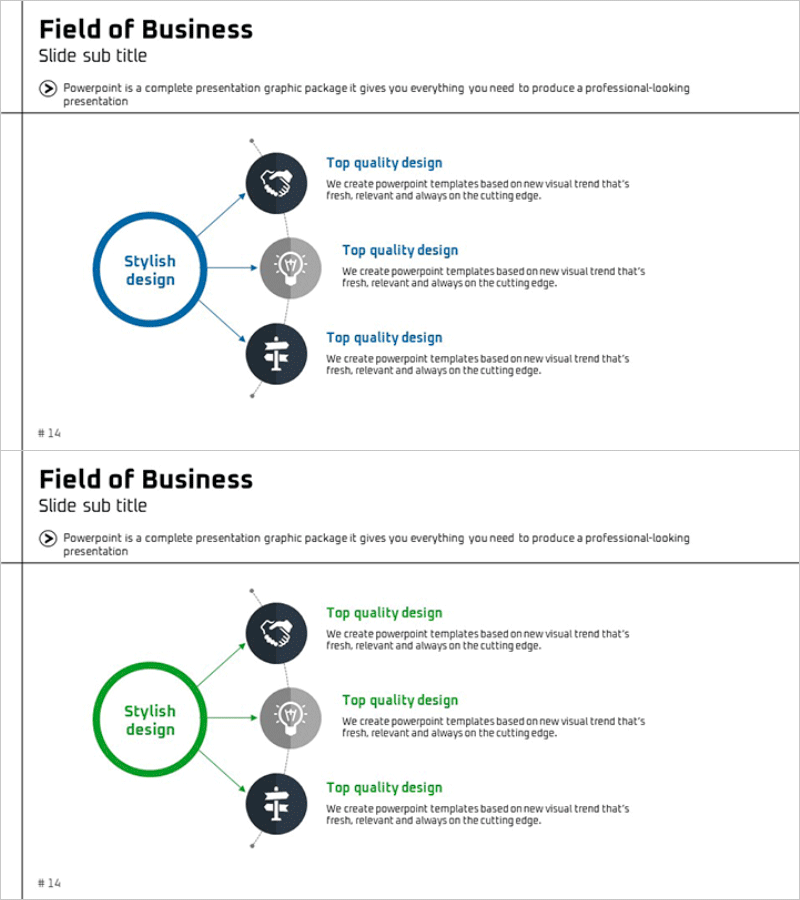
Business Area Diffusion Diagram – Directions for Business Development
RM0300003_13
- Last Update 02/07/2025
- File Size 0.3MB
- # of Slides 2
- File Format PPTX
- Slide Ratio 16:9
- Color
Keywords
- #Content-Based Slides
- #Design-Based Slides
- #Company Introduction
- #Business Introduction
- #Diagram
- #Business Areas
- #Business Areas
- #Cluster
- #Spread
- #Chain Diagram
- #Radial Diagram
- #16:9
- #radial diagram PowerPoint
- #diffusion diagram slide template
- #business area visualization
- #hub and spoke diagram
- #how to create radial diagram in PowerPoint
About the Product
A radial diffusion diagram PowerPoint slide with a central circular hub extending to three directional nodes. This design visualizes core business areas, related divisions, and strategic directions by positioning the main concept at the center and expanding outward to supporting elements. The structure uses a blue central circle and gray/dark navy peripheral nodes to establish clear hierarchy, with connecting lines and icons emphasizing relationships. The 2-slide set includes color variations (blue and green versions) allowing you to adapt the design to different presentation contexts and sections.
Usage Points
-
Main Usage
Illustrates how a core business area, concept, or organizational unit expands outward to related divisions, market segments, or functional roles. Ideal for presenting business portfolios, market expansion strategies, organizational structures, and multi-channel marketing approaches where information radiates from a central point.
-
How to Use
Enter your core concept (e.g., business domain, core competency, organization name) in the central circle. Populate the three peripheral nodes with supporting details and edit icons to match your content. Use the color-variant slide to apply different colors across presentation sections for visual distinction.
-
Recommended For
Effective for business strategy, marketing planning, and organizational restructuring presentations. Suitable for executive reports, investor pitch decks, new business introductions, and organizational role explanations where you need to clearly communicate how a central concept expands into multiple directions.
-
Slide Structure
2-slide set. Each slide features one central circular hub (blue or green) connected to three peripheral nodes (gray and dark navy). Connecting arrow lines and icons (handshake, lightbulb, cross) emphasize relationships between the center and nodes. Optimized for 16:9 widescreen format with fully editable text and shapes.
Related Products
-
Global Transportation Network Structure – Cluster Diagram
#Company Introduction #Business Introduction #Diagram
-
Diagram of Gaming Device Types – Business Vision and Diversity
#Company Introduction #Business Introduction #Diagram
-
Business Sector Structure Hexagon Diagram – Visual Trend Introduction
#Company Introduction #Business Introduction #Diagram
-
Fountain Pen Business Area Diagram – Visualized Cluster Structure
#Company Introduction #Business Introduction #Diagram
