



A Square Frame Presentation Template – Diagram Usage
RJ0200010_25
- Last Update 09/30/2025
- File Size 0.5MB
- # of Slides 2
- File Format PPTX
- Slide Ratio 16:9
- Color
Keywords
- #Content-Based Slides
- #Design-Based Slides
- #Product/Service Introduction
- #Marketing Plan and Strategy
- #Text Box
- #Benefits and Advantages
- #Marketing Strategy
- #Cluster
- #Closed Cluster Diagram
- #Rectangle Text Box
- #16:9
- #square diagram PowerPoint
- #4-section frame slide
- #center emphasis diagram
- #cluster diagram template
- #marketing presentation slide
About the Product
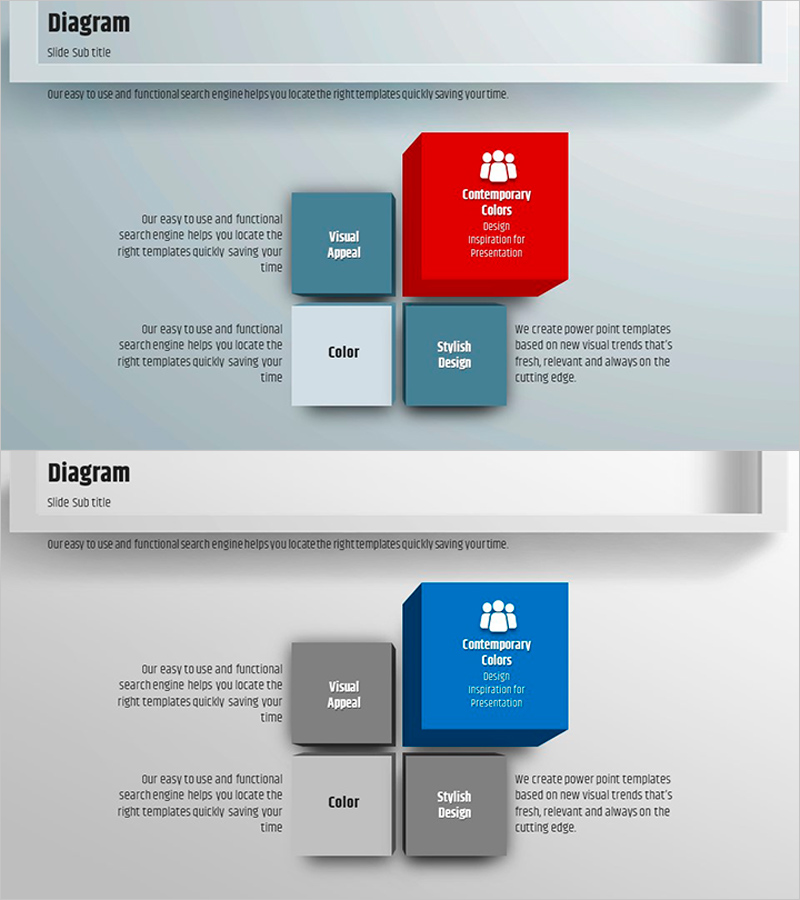
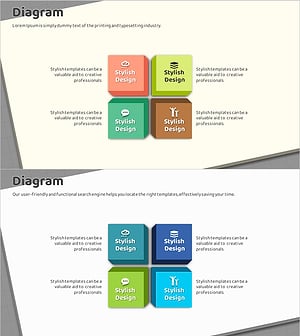
A cluster-style diagram PowerPoint slide composed of four square frames with center emphasis. The central red box highlights the core concept, while three surrounding squares in blue, gray, and white organize supporting details. Each frame accommodates text and icons, making it ideal for marketing strategy presentations, product feature comparisons, and organizational role assignments. The 2-slide set offers color variations (red and blue versions) and is optimized for 16:9 widescreen format in modern presentation environments.
Usage Points
-
Main Usage
Clearly distinguishes core concepts in the center from supporting details in surrounding frames, establishing visual information hierarchy. Ideal for expressing core-to-periphery relationships such as marketing 4Ps, four product features, or team role divisions.
-
How to Use
Input text into each square frame and add icons as needed to customize for your presentation content. Utilize color variation slides (red and blue versions) to strengthen visual differentiation across presentation sections.
-
Recommended For
Marketing planning presentations, product introduction pitches, organizational structure explanations, business strategy meetings, and sales presentations where clear relationships between core messages and supporting details are essential.
-
Slide Structure
Four square frames arranged with one central box and three surrounding boxes; central box available in red and blue color variations; surrounding boxes in blue, gray, and white combination; each frame includes text input area and icon insertion space.
Related Products
-
Detailed Analysis of the Living Environment – Efficient Marketing Strategy
#Business Strategy #Marketing Plan and Strategy #Diagram
-
Sunglasses Marketing Strategy – Design and Operational Plan
#Operational Plan #Marketing Plan and Strategy #Diagram
-
Closed Box Diagram for Visualizing Product Benefits
#Product/Service Introduction #Diagram #Text Box
-
Box Icon Diagram PowerPoint Template - Business Vision and Strategy
#Product/Service Introduction #Business Vision and Strategy #Diagram
