



Diagram PowerPoint Template for Application Presentation – Business Introduction
RJ0200001_5
- Last Update 03/28/2025
- File Size 0.8MB
- # of Slides 2
- File Format PPTX
- Slide Ratio 16:9
- Color
Keywords
- #Content-Based Slides
- #Design-Based Slides
- #Company Introduction
- #Business Introduction
- #Diagram
- #Business Areas
- #Cluster
- #Closed Cluster Diagram
- #16:9
- #3-section closed diagram PowerPoint
- #business introduction slide template
- #product explanation diagram
- #application presentation PPT
- #diagram PowerPoint slide design
About the Product
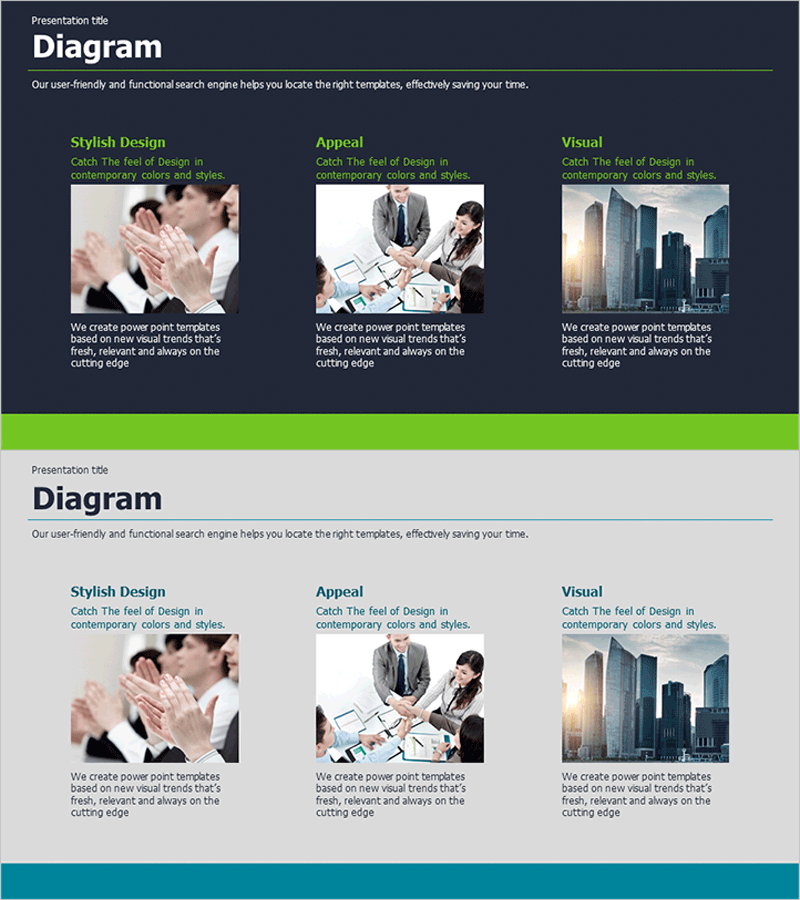
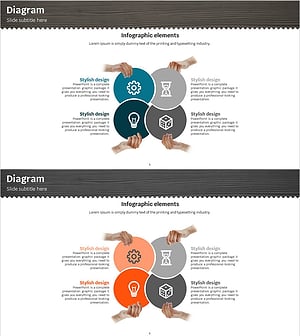
A 3-section closed diagram PowerPoint slide optimized for business presentations and product introductions. Featuring a dark navy background with lime green accent colors and high-contrast layout, each section accommodates images and text to communicate key messages clearly. The 2-slide set presents three perspectives—stylish design, appeal points, and visual impact—simultaneously, formatted in 16:9 widescreen PPTX for immediate editing. Ideal for corporate introductions, application explanations, service launches, and various business presentations.
Usage Points
-
Main Usage
Express three core business perspectives—design style, appeal, and visual impact—simultaneously in corporate presentations. Ideal for product launches, service introductions, and application explanations where each section displays images with supporting text to enhance audience comprehension.
-
How to Use
Insert relevant images into each section and modify text to match your presentation content. The dark navy background and lime green accents are pre-applied, requiring no color adjustments. Optimized for 16:9 widescreen displays and ready to use immediately.
-
Recommended For
Corporate executives, marketing managers, product strategists, and startup founders presenting business pitches, investor relations, and client presentations. Particularly effective when three key elements need balanced representation.
-
Slide Structure
2-slide format with each slide divided into 3 equal sections. Layout flows left to right: image area (square), center text area (title + description), and right image area. Each section features a lime green accent label at the top for visual hierarchy.
Related Products
-
Automotive Maintenance Service Business Area – Cluster Diagram
#Company Introduction #Business Introduction #Diagram
-
Automotive Maintenance Service Business Area Diagram – Effective Business Presentation
#Company Introduction #Business Introduction #Diagram
-
Idea Bulb Closed Diagram - Showcase Team Creativity
#Company Introduction #Business Introduction #Diagram
-
Circular Diagram – Business Presentation and Cluster Design
#Company Introduction #Business Introduction #Diagram
