



Three Strategies Presented Through Origami Design
RB0800044_9
- Last Update 03/25/2025
- File Size 5.6MB
- # of Slides 2
- File Format PPTX
- Slide Ratio 4:3
- Color
Keywords
- #Content-Based Slides
- #Design-Based Slides
- #Business Strategy
- #Diagram
- #Business Direction
- #Cluster
- #Closed Cluster Diagram
- #Project Progress
- #4:3
- #arrow diagram PowerPoint
- #3-step flow chart slide
- #business strategy presentation template
- #process flow PowerPoint slide
- #how to create arrow diagram in PowerPoint
About the Product
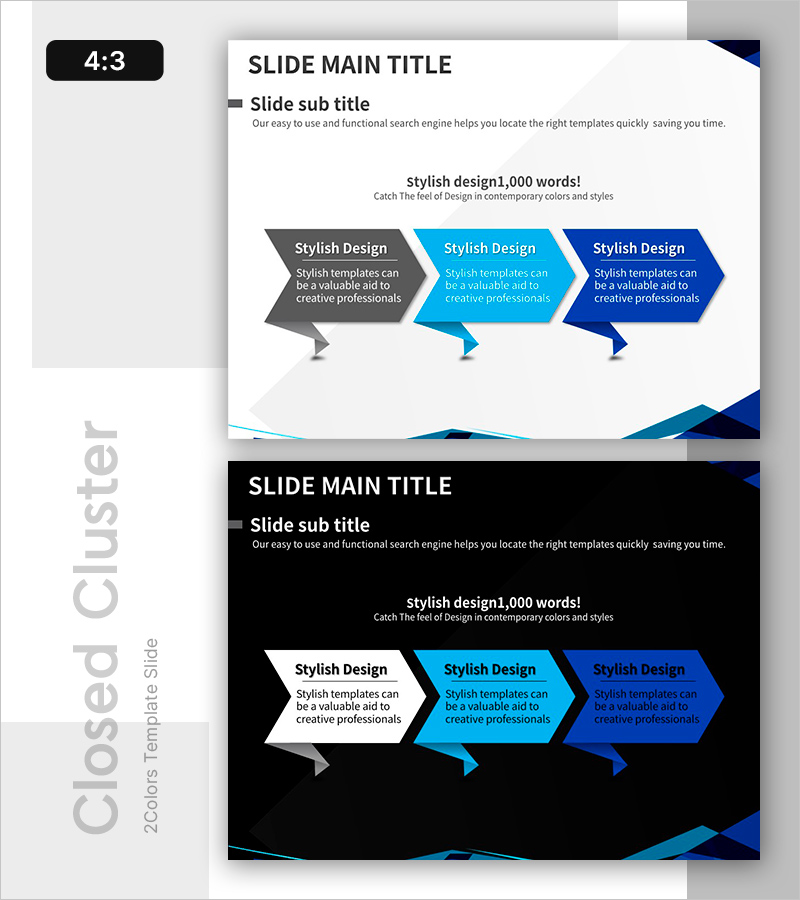
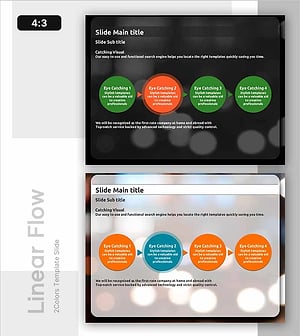
A PowerPoint slide featuring a 3-step arrow diagram to visualize business strategy progression and implementation phases. The diagram uses three distinct colors—gray, cyan, and navy blue—to represent sequential stages, with dedicated text areas for detailed descriptions under each arrow. Presented in 4:3 aspect ratio with 2 slides: one with a light background and one with a dark background for flexible presentation environments. Ideal for business plans, strategy presentations, project status reports, and organizational communications requiring clear phase-by-phase progression visualization.
Usage Points
-
Main Usage
Clearly communicate business strategy progression through a 3-step arrow diagram that guides the audience through sequential phases. Color differentiation (gray, cyan, navy) creates visual hierarchy, while dedicated text areas allow detailed explanation of each strategic stage or implementation phase.
-
How to Use
Open the slide and replace the placeholder text in each arrow box with your strategy stage names and descriptions. Adjust colors in the shape formatting menu if needed, and select the background version (light or dark) that matches your presentation theme. To add more steps, duplicate the arrow shape and adjust positioning accordingly.
-
Recommended For
Business plans, strategic planning presentations, project status reports, marketing campaign roadmaps, organizational restructuring announcements, new business initiative timelines, and any presentation requiring clear visualization of multi-phase processes or sequential implementation strategies.
-
Slide Structure
2-slide set in 4:3 format. Each slide displays 3 arrow shapes (gray, cyan, navy blue) arranged left-to-right to indicate forward progression. Each arrow contains a title text area and a description text area below. One slide features a light background; the other uses a dark background for presentation flexibility.
Related Products
-
Sheep and Progress Diagram – Effective Business Direction
#Business Strategy #Diagram #Business Direction
-
Aerobic Exercise after Strength Training Diagram – Business Strategy Direction
#Business Strategy #Diagram #Business Direction
-
Premium Idea Strategy Slide - Business Progress for Awards
#Business Strategy #Diagram #Business Direction
-
Business Progress Stage Process Visualization - Progress and Direction
#Business Strategy #Diagram #Business Direction
