



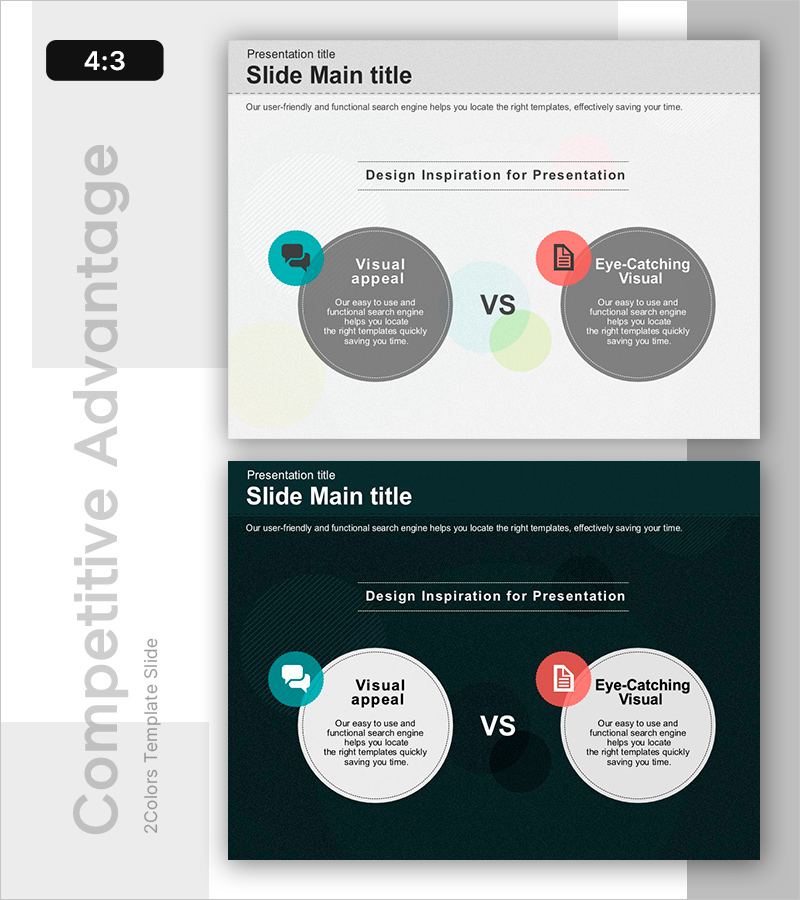
Contrasting Reactions and Results
RB0800037_7
- Last Update 03/25/2025
- File Size 4.3MB
- # of Slides 2
- File Format PPTX
- Slide Ratio 4:3
- Color
Keywords
- #Content-Based Slides
- #Design-Based Slides
- #Operational Plan
- #Market and Competitor Analysis
- #Text Box
- #Organizational Structure and Staffing Plan
- #Customer Analysis
- #Competitive Advantage
- #4:3
- #competitive advantage analysis PowerPoint
- #comparison analysis slide
- #two-panel VS diagram
- #competitor analysis slide
- #how to create a competitive comparison in PowerPoint
About the Product
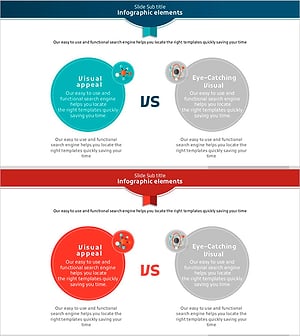
A comparison analysis PowerPoint slide that contrasts customer perception with quantitative results. This two-panel VS structure features a teal circular area on the left highlighting visual appeal and a coral circular area on the right emphasizing eye-catching visual elements. Designed with a light gray background, color icons, and circular diagrams to intuitively compare two competitive factors. Ideal for proposals, marketing plans, and business analysis presentations when explaining competitive strategy or product differentiation points. The 2-slide set offers both light and dark background options to match your overall presentation tone.
Usage Points
-
Main Usage
Clearly compare and analyze differentiation points and competitive advantages against competitors. This slide simultaneously expresses qualitative factors (visual appeal) and quantitative elements (numerical results) to strengthen decision-making rationale.
-
How to Use
Use in the competitive analysis section of proposals, differentiation strategy in marketing plans, or competitive strength analysis in business plans. Input comparison items in the left and right circular areas and customize icons to create tailored presentation materials.
-
Recommended For
Recommended for marketing professionals, sales teams, strategic planning departments, and executive presentations. Particularly useful for new product launch announcements, investment pitch decks, and client proposal presentations emphasizing competitive strength.
-
Slide Structure
2-slide set featuring a light gray background version and a dark navy background version. Each slide includes a title area at the top, a central two-panel comparison area (left teal circle + right coral circle), and icon and text input fields for customization.
Related Products
-
Korean Traditional Culture Share Chart – Highlighting Cultural Excellence
#Operational Plan #Market and Competitor Analysis #Graph
-
Soccer Match Silhouette – Market Analysis and Competitive Advantage
#Operational Plan #Market and Competitor Analysis #Text Box
-
Diagram of a Competitive Society – Business Insights
#Operational Plan #Market and Competitor Analysis #Diagram
-
Science Component Comparison Slide – Effective Data Delivery Through Visual Comparison
#Operational Plan #Market and Competitor Analysis #Text Box
