



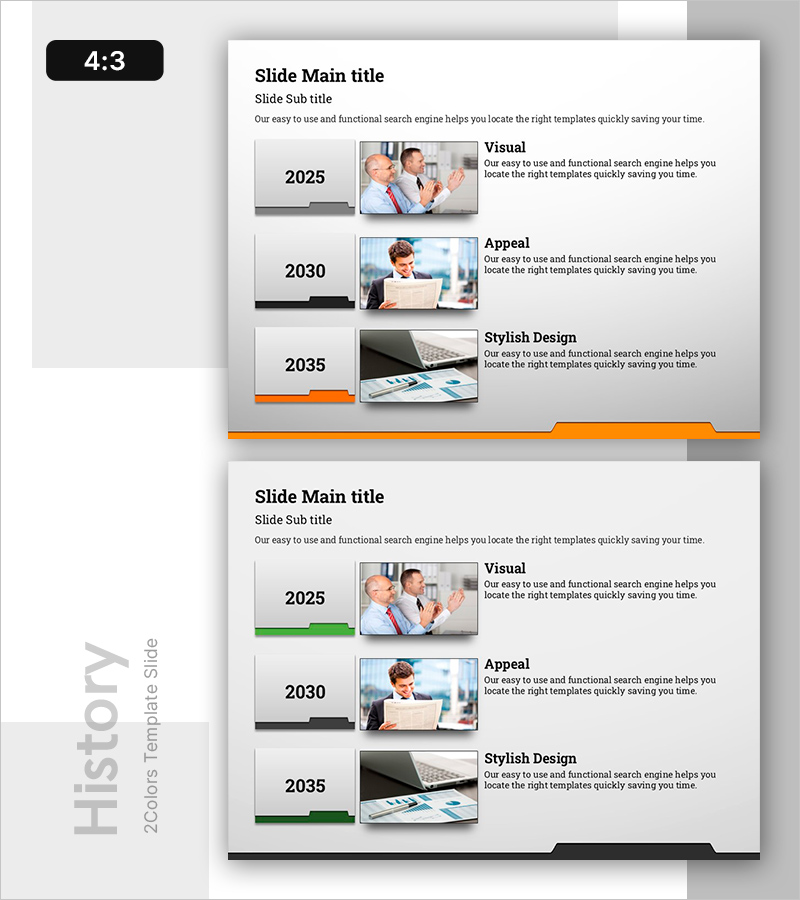
Folder Type History Slide – Visualizing Milestones
RB0800029-1_5
- Last Update 03/24/2025
- File Size 0.5MB
- # of Slides 2
- File Format PPTX
- Slide Ratio 4:3
- Color
Keywords
About the Product
A PowerPoint slide that visualizes corporate milestones and company history using a folder-type cluster structure. The 2-slide set features a symmetrical layout with folder nodes on the left (2025, 2030, 2035) and image-text areas on the right, allowing you to communicate both timeline progression and key events simultaneously. Orange and black accent lines clearly define the folder hierarchy, while each year's achievements are presented alongside supporting photos. This presentation template is ready to use in company profiles, annual reports, and executive presentations.
Usage Points
-
Main Usage
Clearly presents corporate milestones, growth stages, and organizational changes through a folder-node structure. The symmetrical arrangement of left-side folder nodes and right-side image-text areas simultaneously conveys timeline progression and specific events, enhancing audience comprehension.
-
How to Use
Insert into the 'Company History' section of corporate profiles, 'Growth Journey' slides in executive presentations, and 'Key Achievements' pages in annual reports. Modify folder node years and replace right-side images and text to reflect your company's actual milestones and accomplishments.
-
Recommended For
Marketing teams preparing corporate promotion and investor pitch presentations, executives emphasizing company history and achievements, HR teams creating new employee onboarding materials, and sales teams conveying corporate credibility to clients.
-
Slide Structure
2-slide set with distinct accent colors: orange line on the first slide, green line on the second. Each slide features 3 folder nodes on the left (2025, 2030, 2035) with image frame and title-description text areas on the right. 4:3 aspect ratio ensures widescreen compatibility.
Related Products
-
Mobile App Theme History Presentation Slide
#Company Introduction #Product/Service Introduction #Diagram
-
Company History Presentation Slides - Journey of Business Growth
#Company Introduction #Business Management #Diagram
-
Company History Introduction Slide – Flow and Cluster
#Company Introduction #Diagram #History
-
Timeline of Art Education Initiatives – Business Strategy and History
#Company Introduction #Business Strategy #Diagram
