



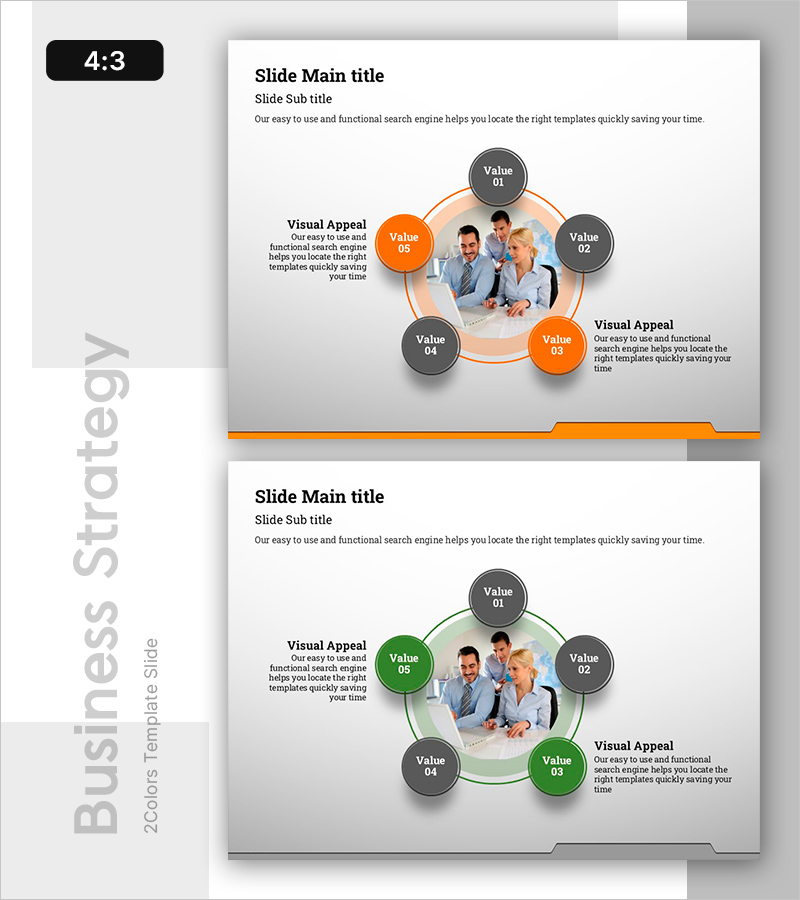
Visualizing the Five Core Ideas from the Meeting Discussion
RB0800029-1_27
- Last Update 03/24/2025
- File Size 0.5MB
- # of Slides 2
- File Format PPTX
- Slide Ratio 4:3
- Color
Keywords
- #Content-Based Slides
- #Design-Based Slides
- #Business Vision and Strategy
- #Diagram
- #Business Vision
- #Core Competencies
- #Spread
- #Decentralized Diagram
- #4:3
- #radial diagram PowerPoint
- #5-node idea visualization
- #business meeting slide template
- #circular diagram presentation
- #how to create radial diagram in PowerPoint
About the Product
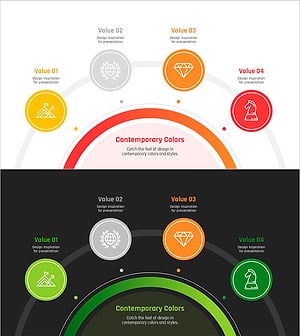
A radial diagram PowerPoint slide that visualizes five core ideas from meeting discussions with a central image surrounded by five circular nodes in orange and gray tones. The design emphasizes equal importance of each idea through symmetrical radial arrangement, with gradient effects enhancing visual hierarchy. This 4:3 ratio, 2-slide template is ready for immediate use in business presentations. Ideal for strategy sessions, brainstorming outcomes, and concept presentations where multiple ideas need balanced visual representation.
Usage Points
-
Main Usage
Designed to present five core ideas or concepts radiating from a central focal point, emphasizing equal weight and interconnection among all elements. Suitable for business strategy presentations, product development discussions, marketing planning sessions, and organizational vision statements where balanced multi-concept visualization is required.
-
How to Use
Insert your company logo or key concept image in the central circle. Add idea titles and descriptions to each of the five surrounding nodes. Use orange nodes (Value 03, 05) and gray nodes (Value 01, 02, 04) to differentiate priority levels or categories. Complete the left and right text areas with supporting explanations or additional context.
-
Recommended For
Executives, strategy planners, marketing teams, project managers, consultants, and business analysts presenting meeting outcomes, strategic initiatives, idea pitches, or organizational vision. Particularly effective when communicating five equally important elements or perspectives to stakeholders.
-
Slide Structure
Two-slide set with color variations: first slide features orange-accented nodes (Value 03, 05), second slide offers green-accented alternative (Value 05 node in green). Each slide contains a central circular image area, five surrounding nodes (approximately 80px diameter), left and right text boxes (capacity ~200 characters each), and bottom orange accent bar.
Related Products
-
Winning Diffusion Diagram for Visualizing Business Strategy Clusters
#Business Vision and Strategy #Diagram #Business Strategy
-
Logical Solution Diagram – Business Strategy and Core Competencies
#Business Vision and Strategy #Diagram #Business Strategy
-
Strategy and Expected Effects Diagram – Infographic Visualizing Business Action Strategy
#Business Vision and Strategy #Business Strategy #Diagram
-
Goal Achievement Diagram – Vision and Strategy Setup
#Business Vision and Strategy #Diagram #Business Vision
