



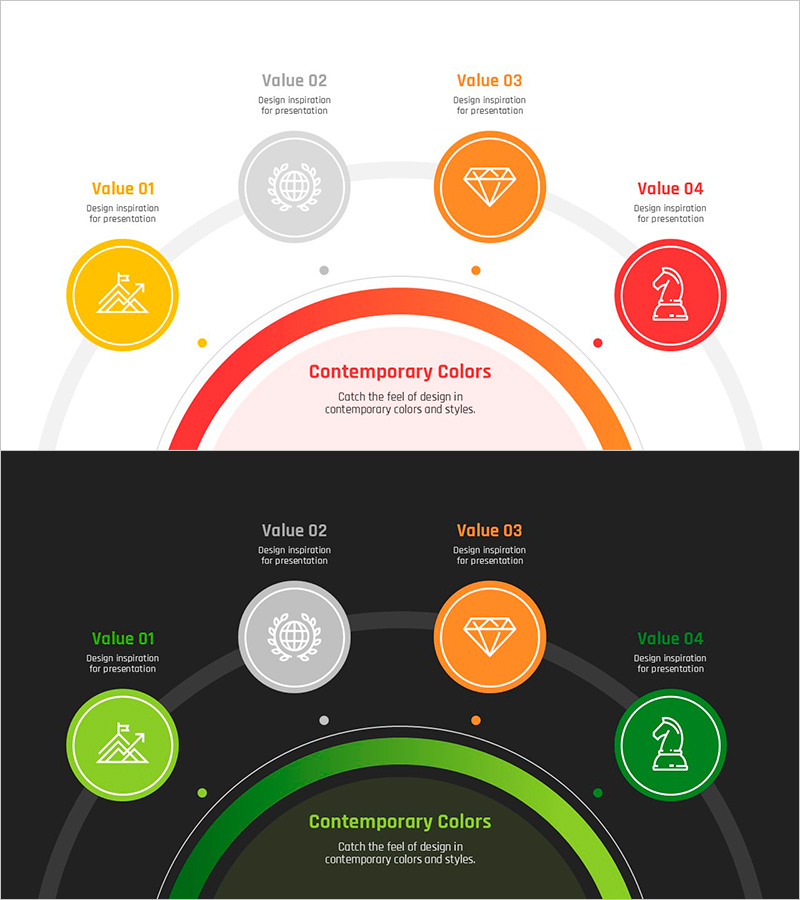
Goal Achievement Diagram – Vision and Strategy Setup
RJ0800047_10
- Last Update 08/13/2025
- File Size 0.2MB
- # of Slides 2
- File Format PPTX
- Slide Ratio 16:9
- Color
Keywords
- #Content-Based Slides
- #Design-Based Slides
- #Business Vision and Strategy
- #Diagram
- #Business Vision
- #Core Competencies
- #Spread
- #Radial Diagram
- #16:9
- #radial diagram PowerPoint
- #goal achievement slide template
- #vision strategy diagram
- #4-node radial slide
- #business objective PPT
- #how to create radial diagram in PowerPoint
About the Product
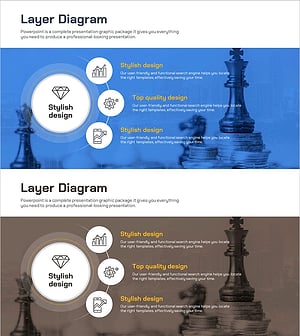
A radial diagram PowerPoint slide where four strategic elements branch outward from a central goal node. Each node features an icon and text area to clearly distinguish vision, strategy, and execution components. The light background version uses orange, red, yellow, and gray circular nodes, while the dark background version converts to green and gray tones for flexible presentation environments. With 2 slides providing color variations of the same structure, this template is ready to apply to corporate strategy presentations, business planning sessions, organizational goal sharing, and other professional contexts.
Usage Points
-
Main Usage
Visualizes an organization's core goal at the center with related strategies, vision, and execution items radiating outward, enabling stakeholders to grasp the entire structure at a glance. Ideal for executive briefings, team meetings, and business plan presentations to clearly communicate the relationship between primary objectives and detailed action items.
-
How to Use
Enter the core goal in the central circular node and populate the four directional nodes with related strategies, vision statements, and execution plans. Use distinct icons and colors for each node category to enhance visual comprehension. Two versions—light and dark backgrounds—are provided to match presentation room lighting and backdrop conditions.
-
Recommended For
Executives, strategy managers, project leaders, and organizational development professionals presenting goal-setting meetings, strategy rollouts, and business plan updates. Particularly effective when explaining organizational vision from multiple perspectives to diverse audiences.
-
Slide Structure
2-slide set. Each slide features 1 central circular node with 4 directional nodes (top, bottom, left, right), each containing an icon and text input area. Slide 1 uses orange, red, yellow, and gray tones; Slide 2 provides green and gray color variation for flexible presentation contexts.
Related Products
-
Global Travel Spread Diagram – Vision and Strategy Presentation
#Business Vision and Strategy #Diagram #Business Vision
-
Medical Core Competency Diagram – Vision and Strategy
#Business Vision and Strategy #Diagram #Business Vision
-
Dinosaur & Early Life Diagram – Business Vision and Strategy
#Business Vision and Strategy #Diagram #Business Vision
-
Chestema Core Competency Diagram – Visualizing Business Vision and Strategy
#Business Vision and Strategy #Diagram #Business Vision
