



Building a Information Framework – Effective Operations Plan
RB0800029-1_19
- Last Update 03/24/2025
- File Size 0.4MB
- # of Slides 2
- File Format PPTX
- Slide Ratio 4:3
- Color
Keywords
- #Content-Based Slides
- #Design-Based Slides
- #Operational Plan
- #Technical Approach
- #Diagram
- #Text Box
- #Organizational Structure and Staffing Plan
- #Service Implementation Plan
- #Service Implementation Plan
- #Cluster
- #Chain Diagram
- #4:3
- #circular diagram PowerPoint
- #4-node diagram slide
- #operations plan template
- #information framework PPT
- #process flow diagram PowerPoint
About the Product
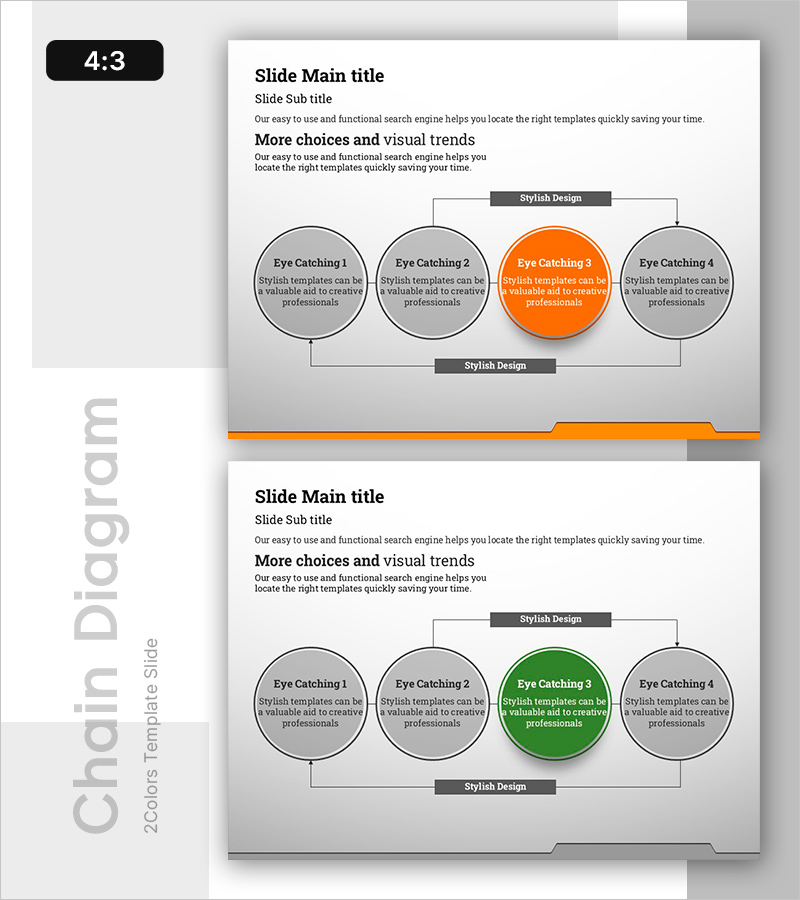
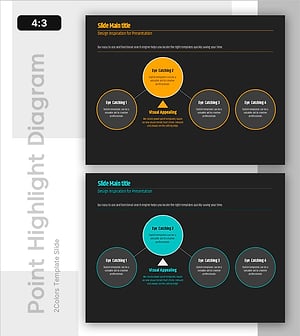
A 4-node circular diagram PowerPoint slide for building information frameworks and operations planning. The top and bottom connection structure clearly expresses process flow and mutual relationships, with an orange accent color highlighting the key stage. Ideal for visualizing information flow in operations planning, technical documentation, and organizational planning. Composed of 2 slides in 4:3 ratio, ready for immediate editing and direct use in presentations, planning documents, and reports.
Usage Points
-
Main Usage
Visualizes the cyclical relationship of four key stages when building information frameworks and operations plans. Clearly expresses technical processes, organizational planning, and workflow to enhance audience understanding, while the orange accent color highlights critical elements to focus attention.
-
How to Use
Enter stage names, descriptions, and responsible departments in each node, and use top-bottom connection lines to indicate information flow direction. When presenting, following the clockwise circular structure ensures a logical flow. Colors, text, and node sizes are fully editable.
-
Recommended For
Technology managers, operations directors, and planning teams use this when explaining information systems, business processes, and organizational structures. Suitable for business plans, operations reports, technical proposals, and organizational restructuring presentations, as well as internal meetings, external presentations, and training materials.
-
Slide Structure
Title area at top + four circular nodes in center (top-left, top-right, bottom-right, bottom-left arrangement) + top and bottom connection lines + description text area at bottom. Each node is independently editable, with one orange accent node and three gray nodes.
Related Products
-
System Connection Diagram – Sophistication in Operational Planning Tools
#Operational Plan #Technical Approach #Diagram
-
Circular Connection Diagram – Operations Plan and Service Execution
#Operational Plan #Technical Approach #Diagram
-
Connection Diagram & Emphasis Text – Business Strategy Proposal
#Business Vision and Strategy #Business Strategy #Operational Plan
-
Connection Diagram and Highlighted Areas – Effective Service Introduction
#Product/Service Introduction #Operational Plan #Technical Approach
