



Connection Diagram and Highlighted Areas – Effective Service Introduction
RB0800014_9
- Last Update 03/20/2025
- File Size 0.1MB
- # of Slides 2
- File Format PPTX
- Slide Ratio 4:3
- Color
Keywords
- #Content-Based Slides
- #Design-Based Slides
- #Product/Service Introduction
- #Operational Plan
- #Technical Approach
- #Diagram
- #Text Box
- #Differentiation Strategy for Products/Services
- #Organizational Structure and Staffing Plan
- #Service Components
- #Cluster
- #Chain Diagram
- #4:3
- #connection diagram PowerPoint
- #radial diagram slide
- #central node presentation
- #5-node structure slide
- #product introduction diagram
- #service highlight PowerPoint
About the Product
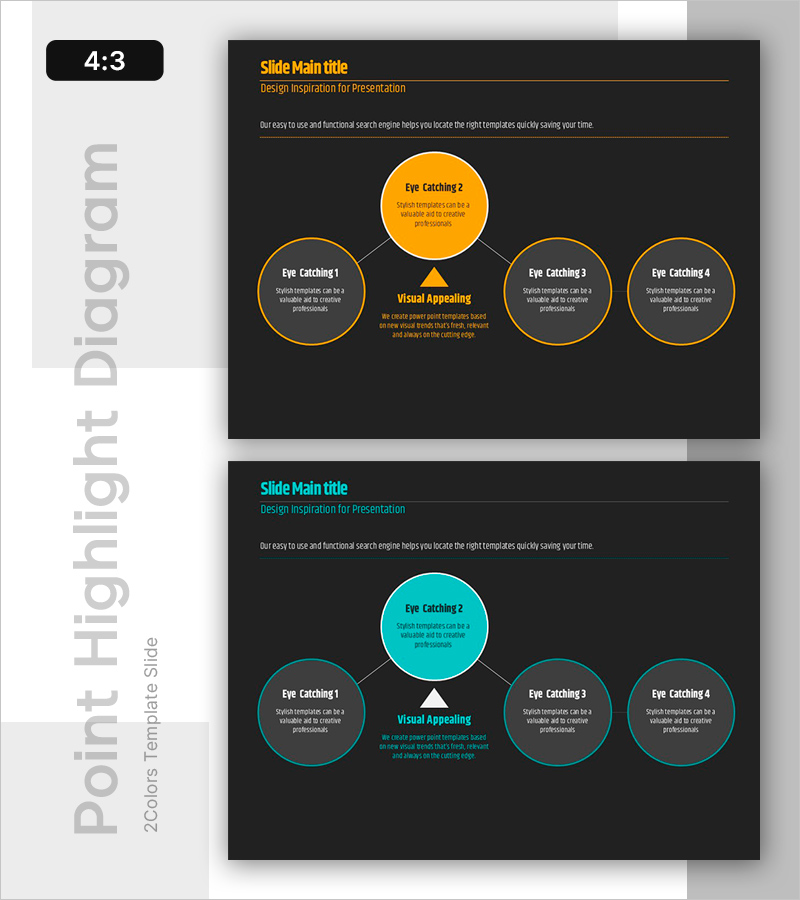
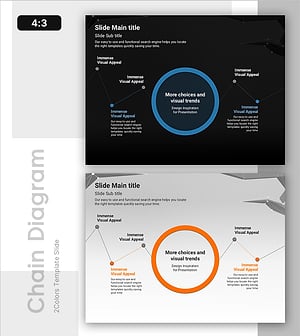
A radial-structure diagram PowerPoint slide with one central node connected to four surrounding nodes. Available in two color versions—orange and cyan—this slide emphasizes the central circular node while connecting four peripheral nodes with lines to express visual hierarchy. Each node includes text input areas, making it immediately applicable to product introductions, service features, operational plans, and technical presentations. Composed of 2 slides in 4:3 aspect ratio.
Usage Points
-
Main Usage
Place a core concept or product at the center and connect four key features, benefits, or functions in a radial pattern to establish clear visual hierarchy. The central emphasized node draws attention while peripheral nodes deliver supporting information, making it highly effective for core message delivery.
-
How to Use
Enter the core concept (e.g., product name, service name, strategic goal) in the central orange or cyan circular node, and input detailed content (features, benefits, functions, steps) in the four surrounding gray circular nodes. The triangular emphasis mark below the center further highlights the focal point, so use it according to your presentation flow.
-
Recommended For
Product introduction slides, service feature explanations, operational planning, technical architecture descriptions, marketing strategy presentations, organizational structure diagrams, business model proposals, and any presentation scenario requiring clear relationships between core concepts and supporting elements.
-
Slide Structure
2-slide composition. Each slide features a 5-node radial structure: one central emphasized node (orange or cyan) and four connected peripheral nodes (gray). Nodes are connected by lines, with a triangular emphasis mark below the center strengthening visual focus. 4:3 aspect ratio PPTX format.
Related Products
-
Circular Connection Diagram – Operations Plan and Service Execution
#Operational Plan #Technical Approach #Diagram
-
Business Roadmap Connection Diagram – Slide for Strategic Planning
#Business Strategy #Operational Plan #Diagram
-
Geometry Pattern Wide Diagram – Product Introduction and Operational Plan
#Product/Service Introduction #Operational Plan #Diagram
-
Operational Plan Slide with Line Graphic Elements and Text Boxes
#Operational Plan #Technical Approach #Diagram
