



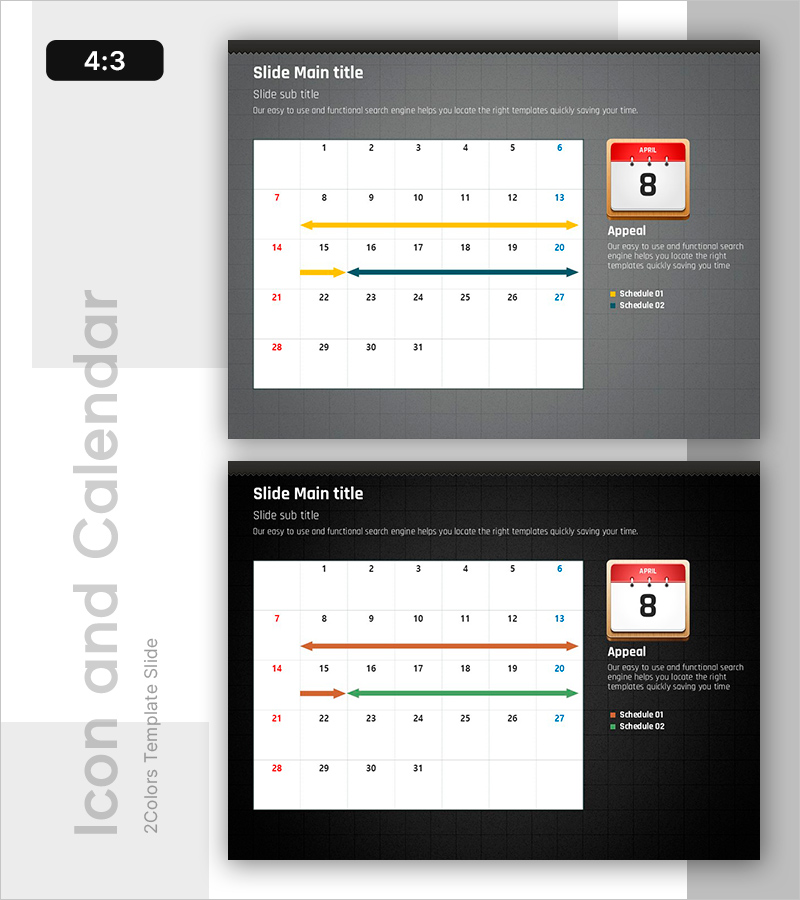
Schedule Management Slide – Essential Template for Task Planning
RB0800016_17
- Last Update 03/20/2025
- File Size 2.8MB
- # of Slides 2
- File Format PPTX
- Slide Ratio 4:3
Keywords
About the Product
A practical PowerPoint slide for task planning and schedule management. This 2-slide set combines a calendar grid with timeline arrows to display monthly schedules and phased implementation timelines simultaneously. The gray background with white calendar grid and color-coded arrows (red, orange, blue) provides clear visual distinction. Text input areas and legend sections are included for immediate use in presentations. Ideal for business plans, project proposals, quarterly operational plans, and other professional presentations.
Usage Points
-
Main Usage
This slide enables viewers to understand monthly schedules and phased implementation timelines at a glance. The calendar grid displays dates while timeline arrows highlight key periods, effectively communicating project progress, milestones, and critical deadlines.
-
How to Use
The first slide presents the overall monthly schedule in calendar format, while the second slide details specific periods and implementation phases marked with arrows. Fill in project names, responsible parties, and key activities in the text areas, then use the legend to distinguish schedule types.
-
Recommended For
Project managers, operations specialists, and planning teams presenting business plans, project proposals, quarterly operational plans, marketing campaign schedules, and product launch roadmaps will find this slide particularly useful.
-
Slide Structure
Two-slide format with the first featuring a 4:3 ratio calendar grid (7 columns × 5 rows of date cells) and calendar icon with legend on the right. The second slide includes the calendar grid and three timeline arrows (orange, blue, green). Both slides have title and subtitle input areas at the top.
Related Products
-
Market Overview PowerPoint Slide – Two Panel Market Analysis
#Market and Competitor Analysis #Graph #Market Status
-
AI sLLM Core Strategy PowerPoint Slide – Venn Diagram Layout
#Product/Service Introduction #Business Introduction #Business Vision and Strategy
-
Product Roadmap PowerPoint Slide – Q1 to Q4 Launch Matrix
#Product/Service Introduction #Business Strategy #Development Plan
-
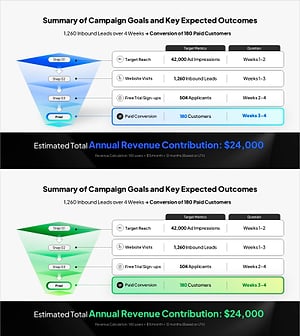
Campaign Goals & Funnel Outcomes Slide – Blue & Green
#Business Strategy #Marketing Plan and Strategy #Diagram
