



Keyword Box Connection Diagram – Effective Information Delivery
RB0800005_11
- Last Update 10/04/2025
- File Size 1.9MB
- # of Slides 2
- File Format PPTX
- Slide Ratio 4:3
- Color
Keywords
- #Content-Based Slides
- #Design-Based Slides
- #Product/Service Introduction
- #Business Vision and Strategy
- #Operational Plan
- #Diagram
- #Text Box
- #Benefits and Advantages
- #Business Strategy
- #Organizational Structure and Staffing Plan
- #Cluster
- #Closed Cluster Diagram
- #4:3
- #closed diagram PowerPoint
- #4-node connection slide
- #circular node diagram
- #process flow chart PPT
- #diagram slide template download
About the Product
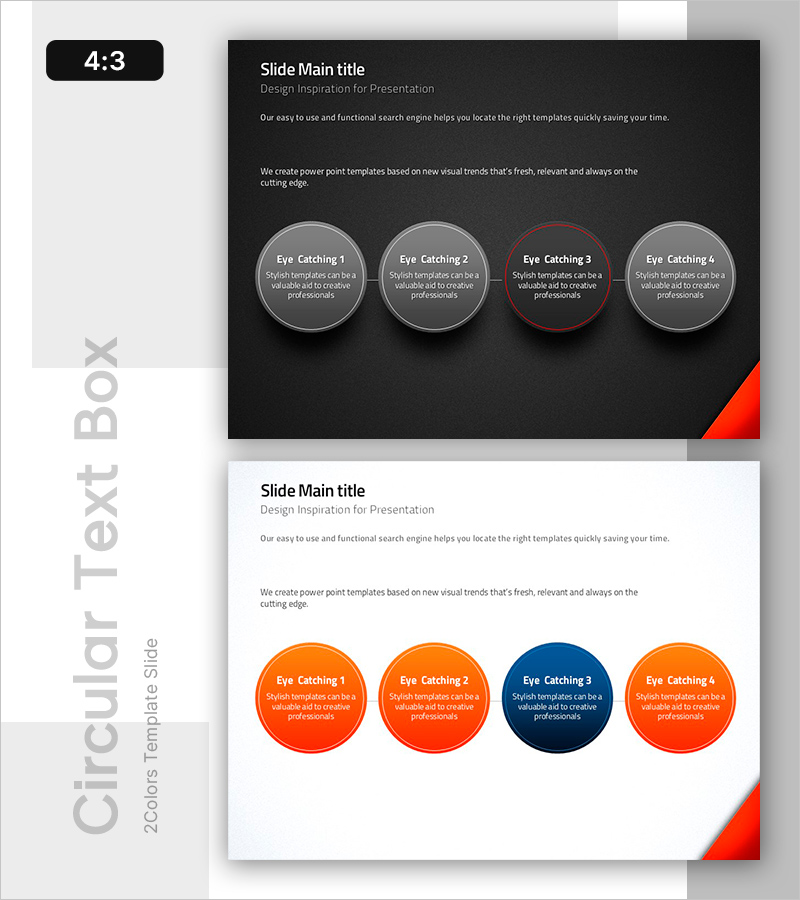
A closed-form diagram PowerPoint slide featuring four circular nodes connected in linear sequence. Set against a dark background with gray nodes and one red-accented node to highlight key information flow and critical items simultaneously. Each node contains editable title and description text fields, making it ideal for visualizing processes, stages, relationships, and comparative data in presentations. Delivered in 4:3 aspect ratio with 2 slides ready for immediate editing.
Usage Points
-
Main Usage
Visualizes sequential relationships between four items, cyclical processes, stage progression, and comparative elements. The red-accented node draws audience attention to critical stages or priority items, enhancing information hierarchy and engagement.
-
How to Use
Enter stage names or item titles in the node header area and add descriptions in the text field below. Customize colors to differentiate priority levels or status categories. The dark background creates a professional presentation atmosphere suitable for executive briefings.
-
Recommended For
Business process explanations, product development stages, marketing campaign timelines, organizational structure presentations, customer journey mapping, and project milestone reviews. Ideal for executives, planning teams, marketing departments, and project managers presenting strategies and progress reports.
-
Slide Structure
Four circular nodes arranged in linear sequence with connecting lines showing flow direction. Each node contains a title section (top) and descriptive text area (bottom). Three nodes feature gray borders while one displays a red border for emphasis, creating clear visual hierarchy.
Related Products
-
Denim PPT Keyword Box
#Product/Service Introduction #Operational Plan #Diagram
-
Core Strategy Rounding Diagram – Sharing Vision and Strategy
#Product/Service Introduction #Business Vision and Strategy #Diagram
-
Square Frame Diagram Template – Product Introduction and Vision Presentation
#Product/Service Introduction #Business Vision and Strategy #Text Box
-
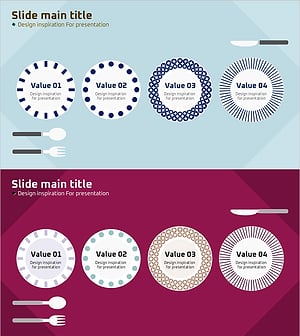
Plate Illustration Diagram – Slides Inspiring Design
#Product/Service Introduction #Operational Plan #Diagram
