



Square Frame Diagram Template – Product Introduction and Vision Presentation
RJ0200010_4
- Last Update 03/31/2025
- File Size 0.5MB
- # of Slides 2
- File Format PPTX
- Slide Ratio 16:9
- Color
Keywords
- #Content-Based Slides
- #Design-Based Slides
- #Product/Service Introduction
- #Business Vision and Strategy
- #Text Box
- #Benefits and Advantages
- #Business Strategy
- #Cluster
- #Closed Cluster Diagram
- #Rectangle Text Box
- #16:9
- #square diagram PowerPoint
- #3-step frame slide template
- #square frame presentation
- #product introduction diagram
- #business strategy PowerPoint slide
About the Product
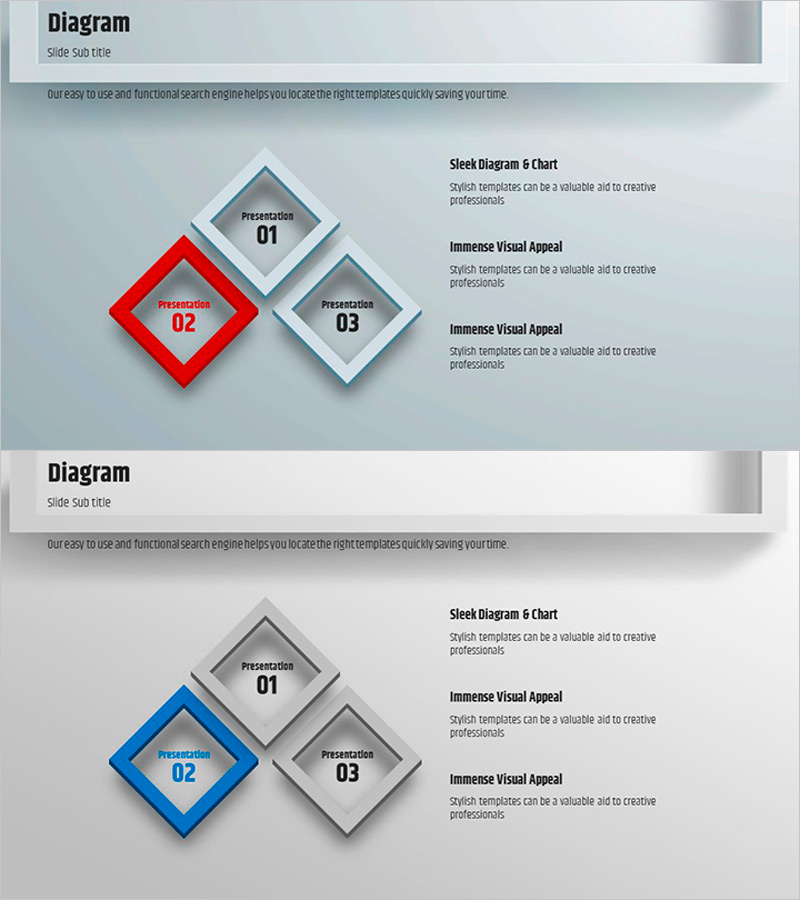
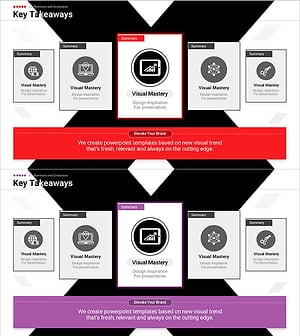
A PowerPoint diagram slide featuring three rotated square nodes arranged in a hierarchical layout. The central red accent box paired with left and right gray boxes creates a visual hierarchy ideal for presenting three key elements in parallel or sequential steps. Perfect for product introductions, vision statements, and business strategy presentations. This PPTX template uses a 16:9 widescreen format and allows full customization of colors, text, and layout. Each node includes dedicated areas for titles and descriptive content, making it easy to adapt to various presentation contexts.
Usage Points
-
Main Usage
Presents three key elements (product, vision, strategy) with equal visual weight, or illustrates sequential process steps. The gray and red color contrast emphasizes important items, while customizable text and icon areas enhance information delivery and audience engagement.
-
How to Use
Input title and description text into each square node to explain three topics. Ideal for company profile presentations (business domain overview), product introduction decks (feature comparison), business plan slides (strategy phases), and executive reports. Modify colors to match brand identity or add icons to increase visual impact and clarity.
-
Recommended For
Recommended for product managers, marketing professionals, business strategists, and executives preparing presentations. Effective for startup pitch decks, quarterly strategy reviews, product launch presentations, organizational restructuring announcements, and cross-functional team briefings.
-
Slide Structure
Two-slide layout: first slide features red central node with gray left and right nodes; second slide uses blue central node with gray left and right nodes. Each node contains a title input area (top) and description text area (bottom), optimized for 16:9 widescreen format with consistent spacing and alignment.
Related Products
-
Features of the Convenience Space – Beyond Modern Design Boundaries
#Product/Service Introduction #Business Vision and Strategy #Diagram
-
Blue Line Wide Diagram Template – Business Strategy and Innovation
#Business Vision and Strategy #Technical Approach #Diagram
-
Leaf Icons and Text Boxes for Product/Service Introduction
#Product/Service Introduction #Business Vision and Strategy #Diagram
-
Insights Summarized in X-Pattern Slide
#Business Vision and Strategy #Operational Plan #Diagram
