



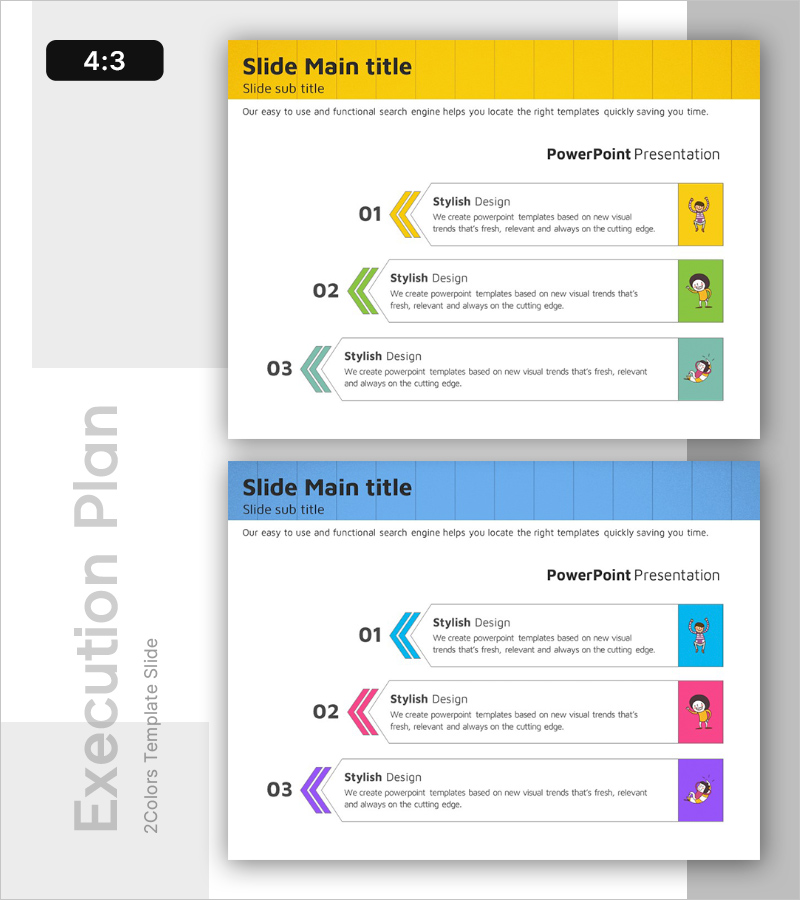
Three-Step Layered Learning Plan Diagram – Cluster for Business Strategy Implementation
RB0300016-1_6
- Last Update 03/10/2025
- File Size 4.9MB
- # of Slides 2
- File Format PPTX
- Slide Ratio 4:3
- Color
Keywords
- #Content-Based Slides
- #Design-Based Slides
- #Business Strategy
- #Business Management
- #Diagram
- #Business Direction
- #Execution Plan
- #Structure
- #Cluster
- #Pyramid Chart
- #Closed Cluster Diagram
- #4:3
- #cluster diagram PowerPoint
- #three-step hierarchical structure slide
- #node-connected diagram template
- #learning plan PPT slide
- #business strategy visualization presentation
About the Product
A cluster diagram PowerPoint slide expressing a three-tier hierarchical structure through node-connected visualization. The closed-form node structure expands left and right from a central concept, ideal for illustrating learning plans, business strategy implementation, and organizational hierarchies. Three color schemes—yellow, green, and teal—distinguish each tier, while arrows and numbered indicators clarify the flow. Perfect for presentations, planning documents, and strategy materials requiring intuitive explanation of complex structures.
Usage Points
-
Main Usage
Visualizes three-tier hierarchical structures expanding left and right from a central concept using node-connected design, making it ideal for illustrating learning stages, business strategies, organizational hierarchies, and process classifications.
-
How to Use
Input stage-specific content, responsible departments, and implementation timelines into each node for use in presentations, planning documents, and strategy materials. Color differentiation emphasizes tier importance or categories, while arrow direction clarifies process flow.
-
Recommended For
Executives, planning teams, training managers, and project leaders explaining strategy development, learning roadmaps, organizational structures, and process improvements. Suitable for business plans, marketing strategies, training seminars, and organizational restructuring presentations.
-
Slide Structure
Two-slide set. Title area with colored header (yellow) + three-tier node-connected diagram (1 central node, 3 left nodes, 3 right nodes with arrow connections). Each node features color coding (yellow, green, teal) with numbered text input areas.
Related Products
-
Premium Management Presentation Portfolio Example
#Business Strategy #Business Management #Diagram
-
Flow Diagram of Arrow Layered Structure – Business Strategy
#Business Strategy #Operational Plan #Diagram
-
Milky Way Theme Business Goals Diagram
#Business Vision and Strategy #Business Strategy #Diagram
-
Creative Coffee Infographics – Product and Service Introduction
#Product/Service Introduction #Diagram #Features
