



Introducing User-Centric Social Platforms – Vibrant Cluster Design
RB0200024_4
- Last Update 03/09/2025
- File Size 0.4MB
- # of Slides 2
- File Format PPTX
- Slide Ratio 4:3
- Color
Keywords
- #Content-Based Slides
- #Design-Based Slides
- #Product/Service Introduction
- #Diagram
- #Product/Service Introduction
- #Program Introduction
- #Cluster
- #Chain Diagram
- #4:3
- #cluster diagram PowerPoint
- #hub-and-spoke diagram slide
- #4-node network diagram
- #social platform PPT template
- #user-centric service presentation
About the Product
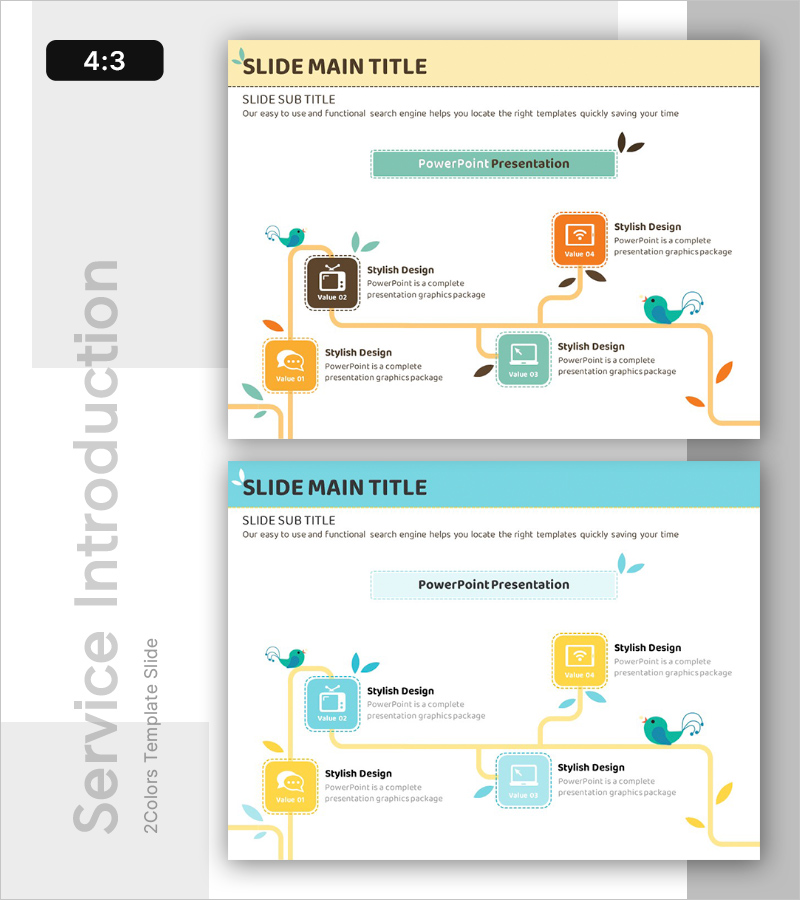
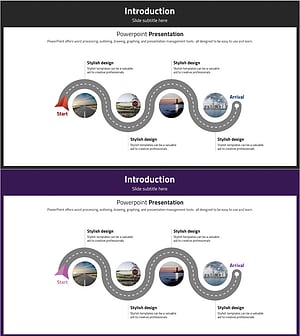
A cluster diagram PowerPoint slide optimized for introducing user-centric social platforms and integrated services. The design features a central hub connected to four surrounding nodes via curved arrows, each node represented by a colored icon box in orange, teal, brown, and yellow tones. Organic leaf and bird illustrations enhance the interconnected ecosystem feel. The 2-slide set offers multiple color variations to match your brand guidelines. All text fields are fully editable, making it ready for immediate use in presentations and pitch decks.
Usage Points
-
Main Usage
Visualize the core features of a social platform or user-centric program by radiating from a central hub to surrounding nodes. Clearly communicate interconnected relationships and integrated service concepts through a hub-and-spoke network structure.
-
How to Use
Replace the central 'PowerPoint Presentation' text with your service name. Update the four surrounding node labels with your key features or functions. Select the color version that best matches your brand identity and apply consistently throughout your presentation.
-
Recommended For
IT and social media company service introductions, startup pitch decks, digital platform strategy presentations, user experience (UX) explanation materials, and marketing presentations requiring network visualization.
-
Slide Structure
Central hub (1 node) connected to four surrounding nodes via curved arrows. Each node features a colored icon box in orange, teal, brown, and yellow. Organic leaf and bird illustrations emphasize ecosystem connectivity. 4:3 aspect ratio, 2-slide set.
Related Products
-
Introduction to Each Application and Program – Informative Presentation
#Product/Service Introduction #Diagram #Product/Service Introduction
-
Diagram Introducing the Space Business Program – Exploring the Future
#Product/Service Introduction #Diagram #Product/Service Introduction
-
Introducing the Mobile App Service – Innovation and Utilization
#Product/Service Introduction #Diagram #Other
-
Introduction to Navigation Program App
#Product/Service Introduction #Diagram #Product/Service Introduction
