



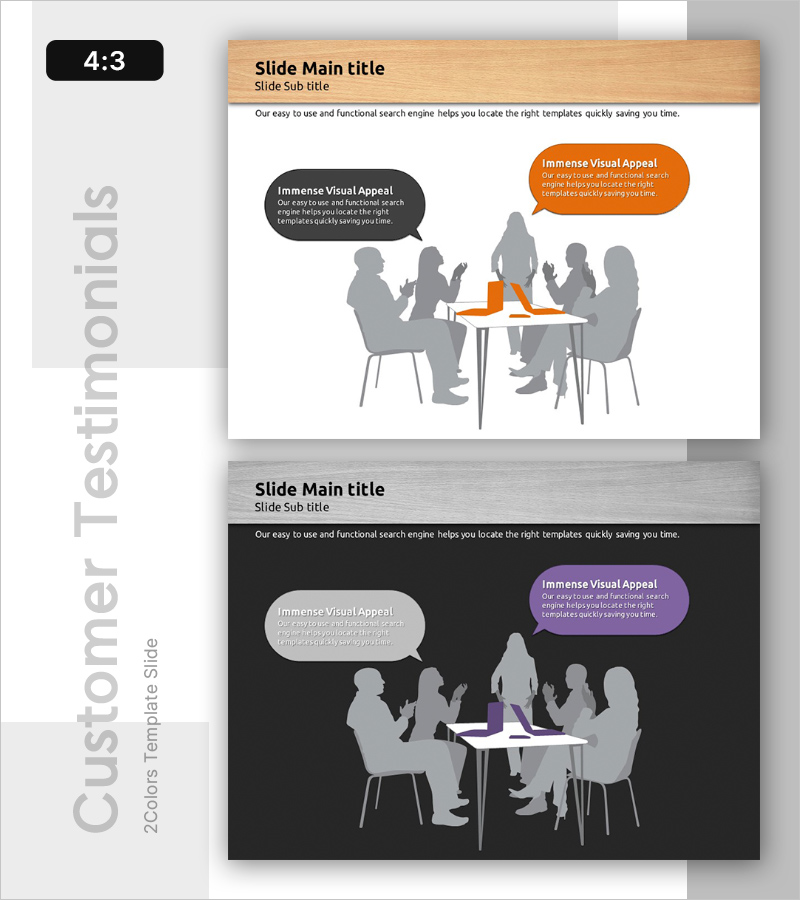
User Feedback and Evaluations Slide
RB0200018_6
- Last Update 03/08/2025
- File Size 4.2MB
- # of Slides 2
- File Format PPTX
- Slide Ratio 4:3
- Color
Keywords
- #Content-Based Slides
- #Design-Based Slides
- #Customer Success Stories
- #Text Box
- #Other
- #Customer Testimonials and Feedback
- #Customer Cases and Success Stories
- #Speech Bubble
- #Silhouette
- #4:3
- #customer feedback PowerPoint slide
- #user evaluation presentation
- #customer voice slide
- #feedback collection PPT
- #how to present customer feedback in PowerPoint
About the Product
A professional PowerPoint slide designed to present customer feedback and user evaluations effectively. Features silhouettes of people in a meeting setting with two contrasting callout bubbles in orange and dark gray, creating visual emphasis for customer insights. Provided in 4:3 aspect ratio with 2 slide variations: a light wood-tone version and a dark background version, allowing flexible integration into different presentation themes. Ideal for showcasing customer satisfaction, user reviews, feedback collection results, and customer-centric insights in business presentations.
Usage Points
-
Main Usage
Present customer feedback, user evaluations, and satisfaction survey results to stakeholders. The meeting silhouette and callout design emphasizes the customer voice, making it effective for communicating customer-centric insights to investors, executives, and team members.
-
How to Use
Use the light-tone slide for positive feedback and success stories; use the dark-tone slide for improvement areas or critical feedback sessions. Place primary feedback in the orange callout and supporting comments in the gray callout to create visual contrast and emphasis.
-
Recommended For
Marketing team customer research presentations, product team user feedback sharing, executive reports on customer satisfaction metrics, customer success case studies, quality improvement meetings, and stakeholder feedback sessions.
-
Slide Structure
2-slide set with each slide containing a title and subtitle area at the top, a central meeting silhouette image, and two text input callout bubbles positioned left and right. Both light and dark background versions are included for flexible document styling.
Related Products
-
Satisfaction with Elderly Welfare Programs – Customer Success Story
#Customer Success Stories #Text Box #Other
-
Customer Reviews and Feedback Slides – Stylish Customer Insights
#Market and Competitor Analysis #Customer Success Stories #Text Box
-
Gradient PowerPoint Wide Template – Customer Success Stories
#Customer Success Stories #Text Box #Other
-

Optimized Template for Presentations – Efficient Information Delivery
#Market and Competitor Analysis #Customer Success Stories #Text Box
