



Optimized Template for Presentations – Efficient Information Delivery
RB0800028-1_32
- Last Update 03/23/2025
- File Size 0.2MB
- # of Slides 2
- File Format PPTX
- Slide Ratio 4:3
- Color
Keywords
- #Content-Based Slides
- #Design-Based Slides
- #Market and Competitor Analysis
- #Customer Success Stories
- #Text Box
- #Other
- #Customer Analysis
- #Customer Testimonials and Feedback
- #Speech Bubble
- #Silhouette
- #4:3
- #silhouette PowerPoint slide
- #dialogue layout presentation
- #two-person speech bubble slide
- #conversation PowerPoint design
- #team collaboration slide template
About the Product
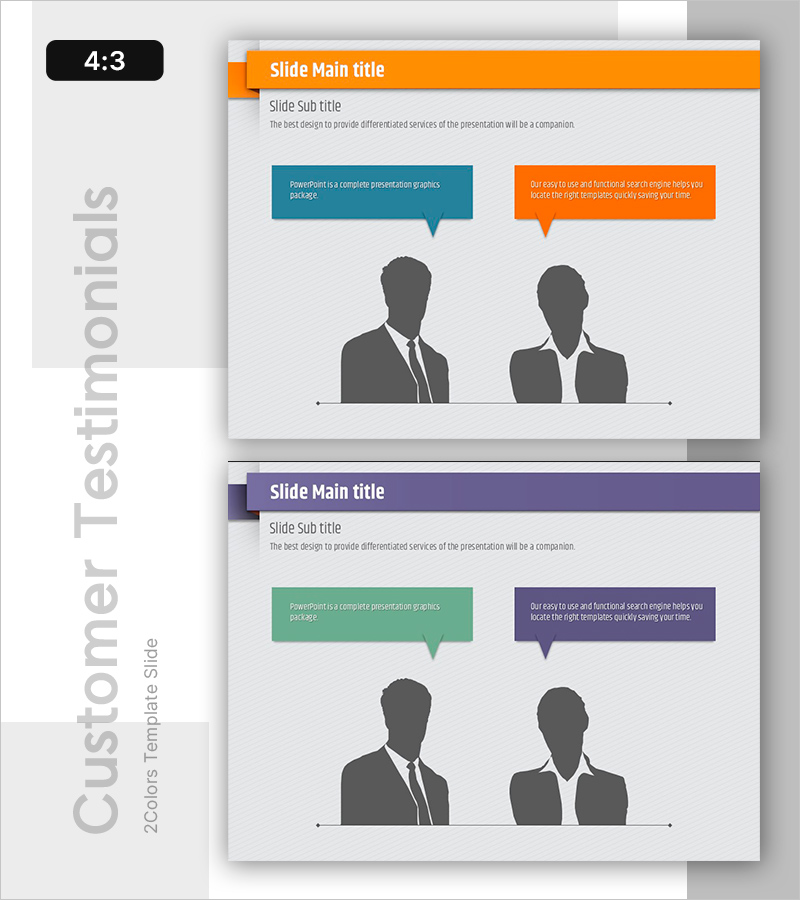
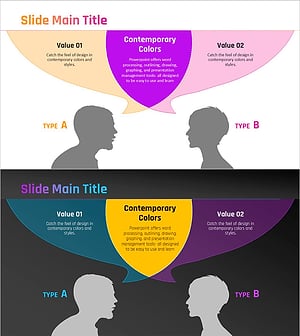
A 2-slide PowerPoint presentation featuring two-person silhouettes in a dialogue format with dual speech bubbles on opposite sides. The design uses contrasting color pairs—orange and teal, green and purple—to represent opposing viewpoints or collaborative discussion. Male and female silhouettes face each other, creating an intuitive visual representation of conversation, teamwork, and idea exchange. Provided in 4:3 aspect ratio PPTX format with clearly defined text input areas for immediate use in business presentations. Ideal for company introductions, customer feedback scenarios, team collaboration sections, and any presentation requiring visual representation of interpersonal interaction.
Usage Points
-
Main Usage
Visually represents conversation, opinion exchange, and collaborative relationships between two individuals. Effectively communicates team interaction, customer feedback collection, and partnership cooperation in company introduction sections. Silhouette format protects privacy while representing typical business scenarios and professional interactions.
-
How to Use
Enter opposing viewpoints or feedback in the dual speech bubbles on each side of the slide. Place one perspective in the orange speech bubble and the contrasting view in the teal, green, or purple bubble to emphasize comparison. Add the discussion topic or collaboration theme in the title area to clarify presentation context and enhance audience understanding.
-
Recommended For
Ideal for company introduction presentations covering team collaboration, customer success stories, and partner feedback sections. Also suitable for marketing proposals presenting customer insights, business proposals showing mutual cooperation structures, and educational seminars depicting discussion scenarios. Effective whenever representing generic business professionals without specific demographic identification.
-
Slide Structure
Orange header bar at top for title and subtitle input, two silhouettes centered in the middle, dual speech bubbles (orange-teal or green-purple) positioned on opposite sides. Each speech bubble functions as an independent text input area with baseline guides for alignment. Both slides share identical structure with only color combinations varying between the two layouts.
Related Products
-
Customer Reviews and Feedback Slides – Stylish Customer Insights
#Market and Competitor Analysis #Customer Success Stories #Text Box
-
User Feedback on Medical Business Slide – Visually Clear Customer Analysis
#Market and Competitor Analysis #Customer Success Stories #Text Box
-
Silhouette Slides for Customer Reviews and Feedback
#Customer Success Stories #Text Box #Other
-
Gradient PowerPoint Wide Template – Customer Success Stories
#Customer Success Stories #Text Box #Other
