



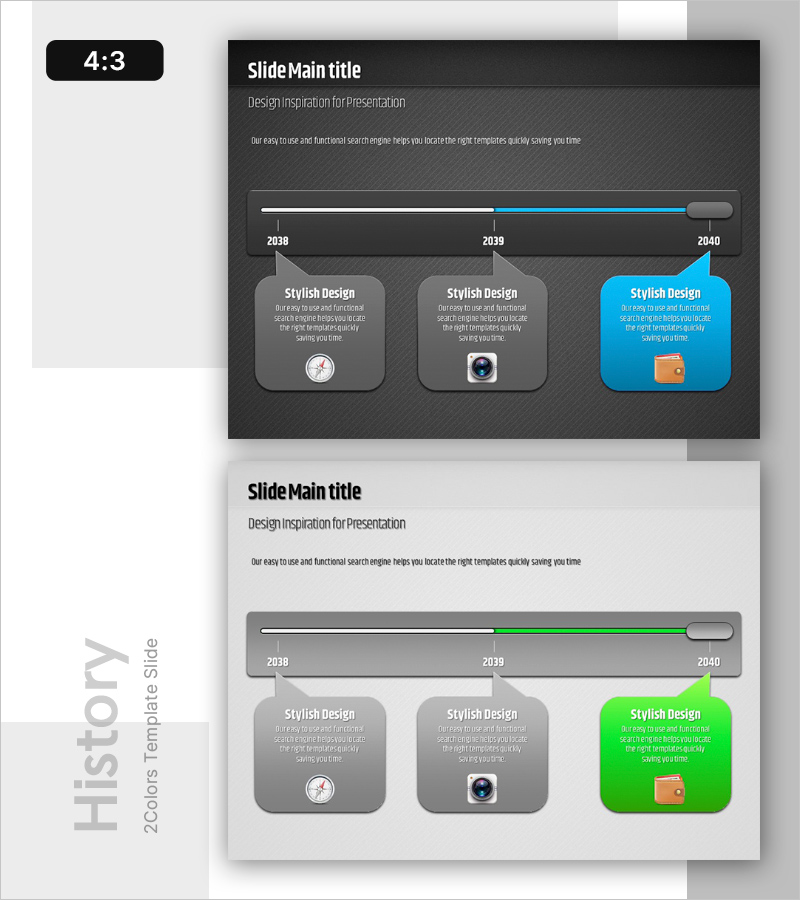
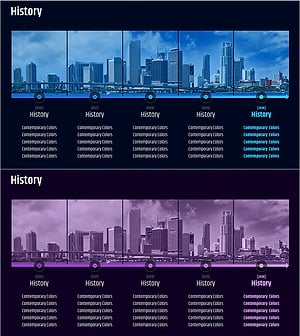
History Speech Bubble Diagram - Visual Timeline Representation
RB0200008_3
- Last Update 03/08/2025
- File Size 2.9MB
- # of Slides 2
- File Format PPTX
- Slide Ratio 4:3
- Color
Keywords
- #Content-Based Slides
- #Design-Based Slides
- #Company Introduction
- #Business Management
- #Diagram
- #Text Box
- #Other
- #History
- #Implementation Plan
- #Cluster
- #Chain Diagram
- #Speech Bubble
- #4:3
- #timeline speech bubble diagram PowerPoint
- #company history timeline slide
- #business development stages diagram
- #how to create timeline presentation in PowerPoint
About the Product
A timeline speech bubble diagram PowerPoint slide that visually represents company history and business development milestones. Provided in two color versions (dark gray and white backgrounds), it displays three key timepoints from 2038 to 2040 with speech bubble callouts. Each stage includes icons and descriptive text, making it immediately applicable for company introductions, business management presentations, and organizational change announcements. Available in 4:3 aspect ratio PPTX format, fully editable in all PowerPoint versions.
Usage Points
-
Main Usage
Visualizes company history, business development stages, and organizational evolution in chronological order to clearly communicate growth trajectory to audiences. Speech bubble callouts emphasize key achievements or changes at each timepoint, enhancing information delivery impact.
-
How to Use
Apply in company introduction presentations' history sections, business management reports explaining development processes, and new employee onboarding materials introducing organizational background. Replace speech bubble text and icons with your own content for immediate presentation use.
-
Recommended For
Company introduction specialists, business management teams, marketing planners, employee training coordinators, and executives explaining organizational changes. Particularly valuable when effectively communicating company growth stages or business expansion processes to audiences.
-
Slide Structure
Two-slide set featuring dark gray background version and white background version. Each slide contains a horizontal timeline bar (2038–2040 with three timepoints) and three speech bubble callouts below (each with icon, title, and descriptive text). The rightmost speech bubble is highlighted in accent colors (blue or green) for emphasis.
Related Products
-
Text Box History Diagram Template – Company Introduction and Business Strategy
#Company Introduction #Business Strategy #Diagram
-
Step-by-Step Aging Process Diagram – Business Strategy
#Business Strategy #Business Management #Diagram
-
Architectural History Roadmap – Development Through Clusters and Connections
#Company Introduction #Business Management #Diagram
-
Major Growth Process History Slide
#Company Introduction #Business Management #Diagram
