



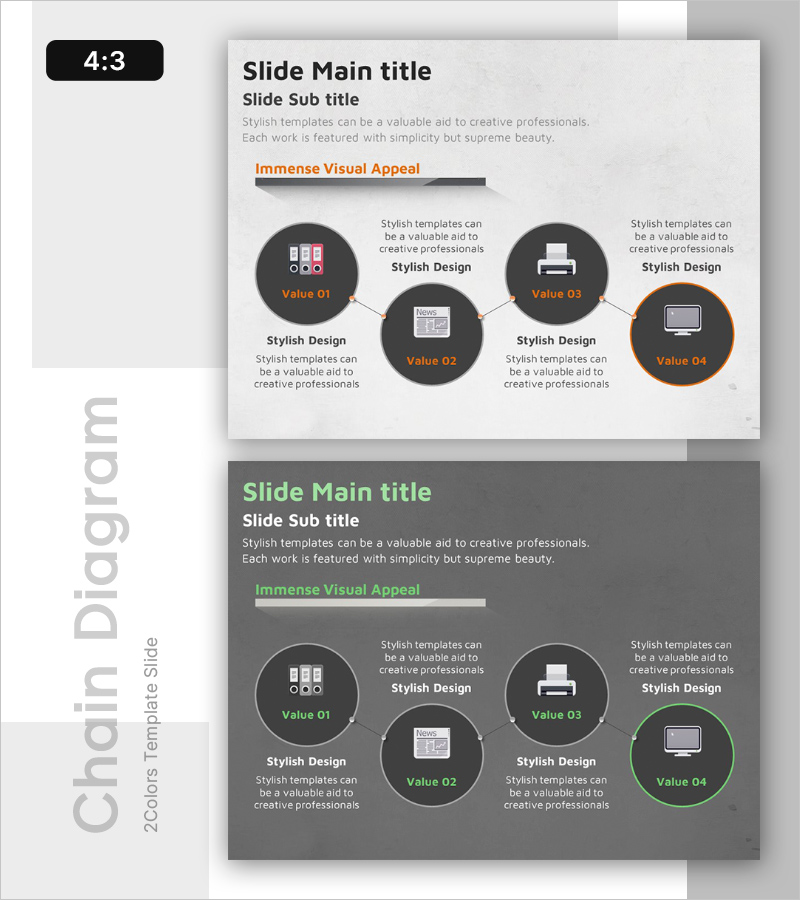
Practice System Diagram - Business Promotion Strategy Visualization
RB0100039_5
- Last Update 03/05/2025
- File Size 0.8MB
- # of Slides 2
- File Format PPTX
- Slide Ratio 4:3
- Color
Keywords
- #Content-Based Slides
- #Design-Based Slides
- #Business Strategy
- #Business Management
- #Diagram
- #Implementation Framework
- #Execution Plan
- #Cluster
- #Closed Cluster Diagram
- #Chain Diagram
- #4:3
- #cluster diagram PowerPoint
- #central diagram slide template
- #4-node connection diagram
- #business structure diagram PowerPoint
- #organizational chart slide
- #relationship diagram presentation
About the Product
A central cluster diagram PowerPoint slide featuring a core element at the center connected to four related items arranged in a circular pattern. This presentation template includes two color versions (light and dark) with dark gray backgrounds and orange accent colors. Each node contains an icon area and text input field for customization. Ideal for visualizing business promotion strategies, organizational structures, core value systems, and relationship hierarchies. Available in 4:3 aspect ratio PPTX format for immediate editing and professional presentations.
Usage Points
-
Main Usage
Visualizes the relationship between a central concept and surrounding elements, making complex organizational structures, business strategies, and value systems immediately clear. Perfect for executive briefings, strategic presentations, organizational restructuring announcements, and vision-sharing sessions where intuitive communication of interconnected concepts is essential.
-
How to Use
Enter your core concept (organization name, strategy name, or core value) in the central node, then add supporting details in the four surrounding nodes. Customize node icons to match your context and adjust colors to emphasize priority levels. Choose between light or dark background versions based on your presentation environment and document tone.
-
Recommended For
Executive and C-level strategy presentations, organizational restructuring explanations, employee onboarding and company introductions, marketing teams presenting brand value systems, project managers mapping stakeholder relationships, consulting firms presenting business models, and strategic planning sessions.
-
Slide Structure
One central dark gray circular node (Value 02) connected to four surrounding dark gray circular nodes (Value 01, 03, 04, 02) with orange accent border on one node. Each node includes an icon area and text input field. Connecting lines between central and peripheral nodes represent relationships. Two color versions provided: light background (white) and dark background (gray).
Related Products
-

Effective Diet Method - Realizing Through Step-by-Step Planning
#Business Strategy #Business Management #Diagram
-
Preparation Procedure for the Wedding Hall – Roadmap for Weddings
#Business Strategy #Operational Plan #Diagram
-
Flower Wide PowerPoint Composition – Diverse Services and Action Plans
#Business Management #Technical Approach #Diagram
-
Blue Chain Diagram – Strategic Mindset for Business Initiatives
#Business Strategy #Business Management #Diagram
