



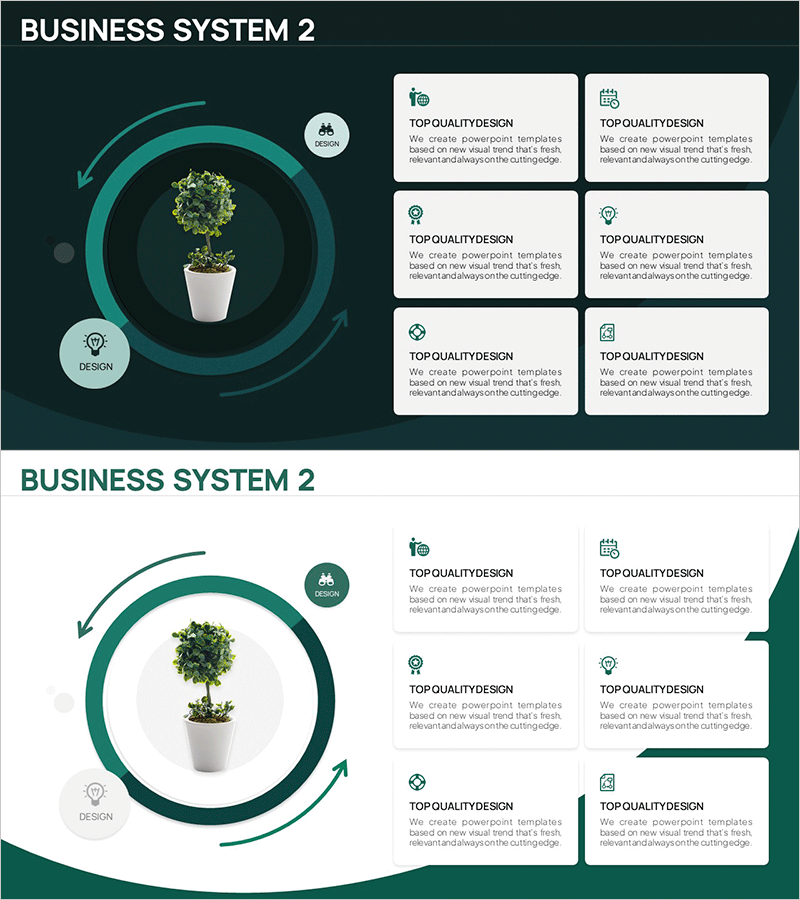
Business System Configuration Diagram – For Efficient System Design
RM0800002_9
- Last Update 02/28/2025
- File Size 3.3MB
- # of Slides 2
- File Format PPTX
- Slide Ratio 16:9
- Color
Keywords
- #Content-Based Slides
- #Design-Based Slides
- #Product/Service Introduction
- #Technical Approach
- #Diagram
- #Program Introduction
- #System Architecture Diagram
- #Flow
- #Cluster
- #Circular Flow
- #Closed Cluster Diagram
- #16:9
- #closed-loop system diagram PowerPoint
- #circular structure slide
- #central node diagram
- #business system architecture PPT
- #system configuration PowerPoint template
About the Product
A closed-loop system diagram PowerPoint slide featuring a central node surrounded by six interconnected elements arranged in a circular pattern with bidirectional arrows. The design uses a teal circular frame with white text boxes and icons to represent system components and their relationships. This slide effectively visualizes business processes, system architecture, organizational structures, and interdependent workflows. The 16:9 format includes 2 slides ready for immediate customization and presentation.
Usage Points
-
Main Usage
Clearly visualizes the interconnections and circular relationships between key system components. The central node design emphasizes system completeness while the bidirectional arrows illustrate mutual dependencies and influence flows among all elements.
-
How to Use
Use in business plans, system proposals, organizational structure presentations, and process improvement meetings. Replace placeholder text with department names, functions, or process stages, and adjust colors to highlight priority areas and create visual emphasis.
-
Recommended For
Executives, business strategists, system engineers, management consultants, and training professionals explaining complex system structures. Particularly effective for depicting interdepartmental relationships, supply chain structures, and IT system architectures.
-
Slide Structure
Central circular frame with one core node and six surrounding text boxes connected by bidirectional arrows. Teal background with white text boxes and icons create visual hierarchy. Two-slide format allows presentation of multiple system configurations and variations.
Related Products
-
Slide Template for Product Marketing Plan and Program Introduction
#Product/Service Introduction #Business Strategy #Diagram
-
Illustration Cutlery Diagram - Product Introduction and Design Aesthetic
#Product/Service Introduction #Diagram #Product/Service Introduction
-
Design Field List – Inspiring Presentation Slides
#Product/Service Introduction #Diagram #Product/Service Introduction
-
Introduction to Medical Program Slide – Building Trust with Experts
#Product/Service Introduction #Diagram #Composition
