



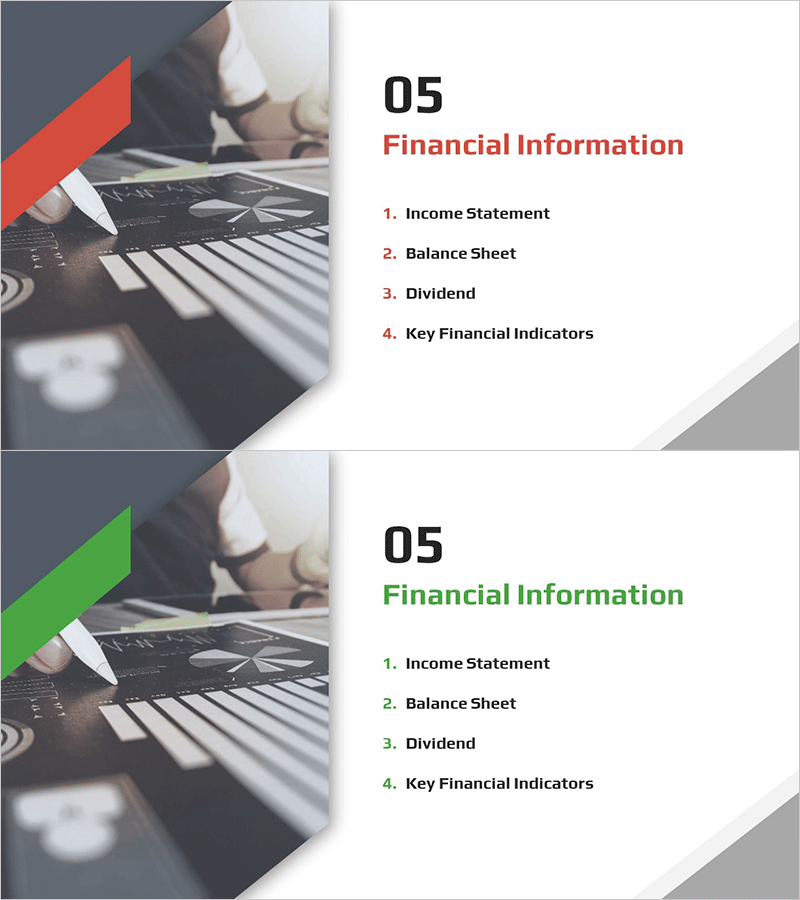
Diagonal Theme IR Template Section Slide
RM0600005_24
- Last Update 02/24/2025
- File Size 4.7MB
- # of Slides 2
- File Format PPTX
- Slide Ratio 16:9
- Color
Keywords
About the Product
A section divider slide designed for IR materials and financial reports. Features a diagonal geometric shape in red and green on the left side, with title and agenda items aligned on the right. This 2-slide PowerPoint deck clearly marks the start of financial information sections such as income statements, balance sheets, and key financial indicators. Optimized for 16:9 widescreen format, it is ready to use in corporate presentations, investor briefings, and financial disclosure materials without additional design work.
Usage Points
-
Main Usage
Visually emphasizes the start of the financial information section and redirects audience attention. Placed before income statements, balance sheets, and key financial indicators to clearly mark section boundaries and organize information flow.
-
How to Use
Insert before the financial information section in IR decks, financial reports, and investor presentations. Customize by changing the diagonal shape colors (red/green) to match corporate branding or editing the right-side text area with section titles and agenda items.
-
Recommended For
CFOs, finance managers, and IR teams preparing financial disclosure materials, quarterly earnings presentations, and investor briefings. Also suitable for audit reports, annual financial reports, and corporate credit rating documents.
-
Slide Structure
Two-slide layout with each slide divided into left diagonal geometric shape (approximately 30% width) and right text area (approximately 70% width). The right side displays section number, section title, and a 4-item agenda list with clear information hierarchy.
Related Products
-

Automotive Technology Investment Attraction PPT Section Slide – Company Introduction
#Slide Type #Section Cover
-

Directional IR Template Section Slide – Emphasizing Business Status
#Slide Type #Section Cover
-

Section Divider PowerPoint Slide – Dark Numbered Intro
#Slide Type #Section Cover
-
Investment Attraction Presentation Template Section Slide
#Slide Type #Section Cover
