



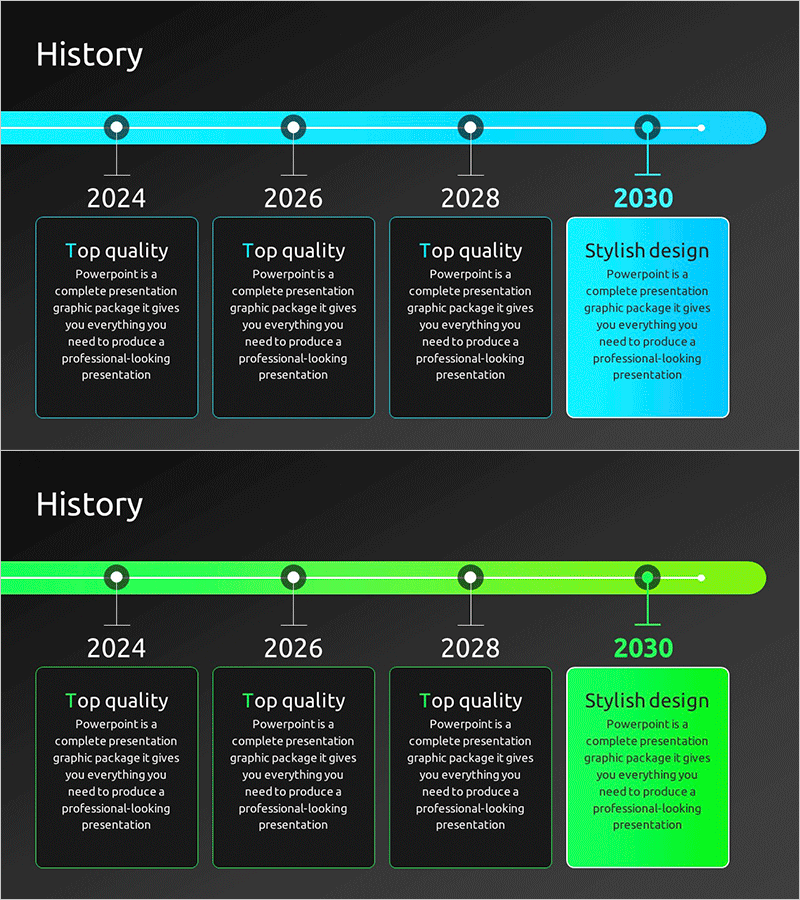
Key Achievement Timeline Diagram – Connecting Present and Future
RM0600002_5
- Last Update 02/23/2025
- File Size 1.1MB
- # of Slides 2
- File Format PPTX
- Slide Ratio 16:9
- Color
Keywords
- #Content-Based Slides
- #Design-Based Slides
- #Company Introduction
- #Business Management
- #Diagram
- #History
- #Implementation Plan
- #Cluster
- #Chain Diagram
- #16:9
- #timeline diagram PowerPoint
- #4-stage flow slide
- #business achievement presentation
- #chronological diagram template
- #company history PowerPoint slide
About the Product
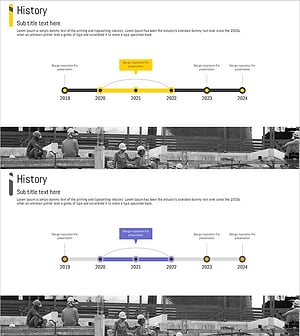
A 4-stage timeline diagram PowerPoint slide that visualizes business achievements and future strategy along a chronological flow. The horizontal timeline features four nodes arranged in sequence on a cyan background, each composed of circular icons and text boxes. This slide effectively illustrates the progression from current accomplishments to future vision, making it ideal for business reports, achievement presentations, company history introductions, and strategic planning decks. Includes 2 slides in 16:9 widescreen PPTX format, fully editable for immediate use.
Usage Points
-
Main Usage
Clearly presents corporate milestones, business progress stages, company history, and future strategy in chronological order. The sequential connection of four nodes creates an intuitive visual narrative from past accomplishments to future direction, enhancing credibility in investor presentations, annual reports, and company overview decks.
-
How to Use
Enter key dates, achievements, and milestones in each node's text box to showcase your company's development journey. The cyan background and circular icons convey professionalism, while the horizontal flow line emphasizes sequential progression. Customize colors and text freely to align with your brand identity and presentation theme.
-
Recommended For
Ideal for executives, business development teams, marketing professionals, and investor relations specialists presenting corporate achievements and strategic direction. Suitable for annual business reports, investor pitch decks, company introductions, employee onboarding materials, and business expansion announcements.
-
Slide Structure
2-slide set with cyan horizontal timeline as the central element. Four circular nodes are evenly spaced along the timeline, each with a text input area below for dates, achievements, or strategic points. Connection lines between nodes emphasize temporal continuity. Optimized for all screen sizes in 16:9 widescreen PPTX format with full editability.
Related Products
-
Concrete Theme History Diagram – Visualizing Company Development
#Company Introduction #Business Management #Diagram
-
Round Square History Diagram – Visual Representation of Historical Flow
#Company Introduction #Business Management #Diagram
-
Big Data Development Plan by Year Slide
#Company Introduction #Business Management #Diagram
-
Architectural History Roadmap – Development Through Clusters and Connections
#Company Introduction #Business Management #Diagram
