



Organizational Structure & Team Roles – Visualizing Company Overview
RM0600002_4
- Last Update 02/23/2025
- File Size 1.1MB
- # of Slides 2
- File Format PPTX
- Slide Ratio 16:9
- Color
Keywords
- #Content-Based Slides
- #Design-Based Slides
- #Company Introduction
- #Diagram
- #Company Overview
- #Organizational Chart
- #Structure
- #Tree Diagram
- #16:9
- #organizational chart PowerPoint slide
- #organizational structure diagram
- #team roles presentation
- #company overview org chart
- #radial diagram PowerPoint template
About the Product
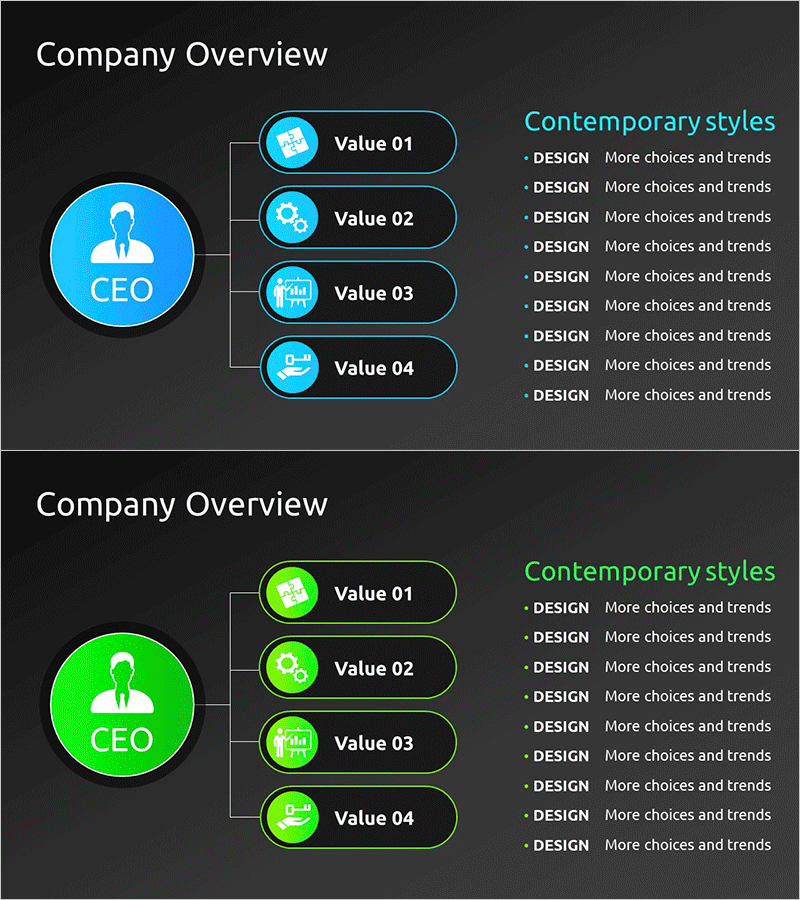
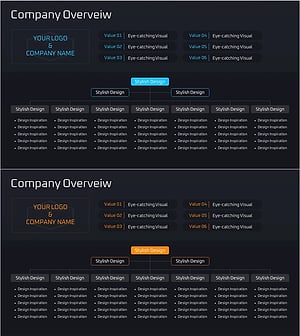
A radial organizational diagram PowerPoint slide that visualizes a 4-department structure centered on the CEO role. Bright blue and green circular icons represent each department, with a clear hierarchical flow radiating from the central CEO circle to four Value items. This 2-slide presentation template is ready to use for company overview presentations, organizational introductions, team role explanations, and various business communications. Formatted in 16:9 widescreen PPTX, fully editable in all PowerPoint versions.
Usage Points
-
Main Usage
Designed to present corporate organizational structure and departmental roles at a glance. The radial layout radiates from a central CEO circle to four departments (Value 01–04), clearly expressing hierarchical relationships and interdepartmental connections. Ideal for company introductions, organizational restructuring announcements, team role explanations, and other business presentations requiring clear organizational communication.
-
How to Use
Enter actual department names (Sales, Technology, Marketing, Operations, etc.) in each Value field, and add key functions or objectives for each department in the 'Contemporary styles' section on the right. Customize the color scheme by changing the central CEO circle and four department icons to match your company's brand colors. Flexibly adjust the number of departments by adding or removing nodes as needed.
-
Recommended For
Ideal for corporate executives, HR professionals, organizational restructuring teams, new employee training coordinators, and investor presentation facilitators explaining organizational structure. Particularly effective for company overview documents, business plans, organizational introductions, team-building presentations, and any communication requiring visual representation of organizational hierarchy.
-
Slide Structure
2-slide composition with consistent layout across both slides. Left side features a CEO-centered circular icon; center displays four department nodes in oval shapes with individual icons; right side contains the 'Contemporary styles' text area. Two color variations—blue-toned and green-toned—are provided for flexible theme selection.
Related Products
-
Company Overview Organization Chart Diagram
#Company Introduction #Diagram #Company Overview
-
Founder and Key Management Organization Chart
#Company Introduction #Diagram #Company Overview
-
Corporate Core Structure Diagram – Effective Organization Chart
#Company Introduction #Diagram #Company Overview
-
Management Organization Chart Diagram – Company Overview and Structure
#Company Introduction #Diagram #Company Overview
