



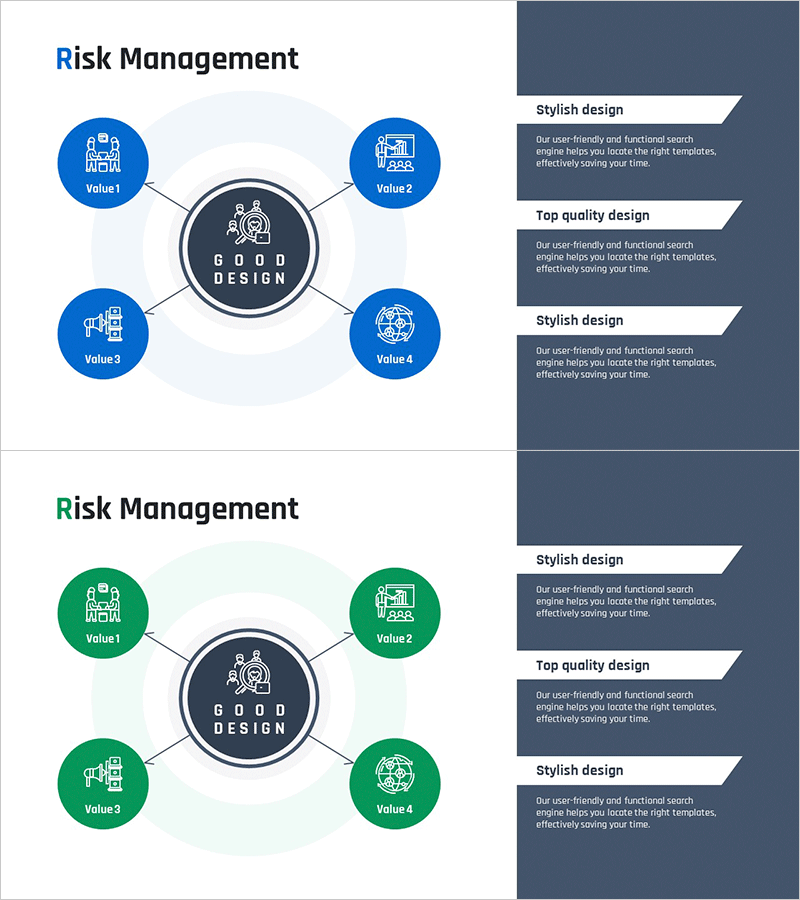
Risk Management Radial Diagram – Optimal Format for Decision Support
RM0500008_23
- Last Update 02/22/2025
- File Size 0.3MB
- # of Slides 2
- File Format PPTX
- Slide Ratio 16:9
- Color
Keywords
- #Content-Based Slides
- #Design-Based Slides
- #Operational Plan
- #Diagram
- #Risk Management
- #Post-Implementation Management & Maintenance
- #Spread
- #Centralized Diagram
- #16:9
- #radial diagram PowerPoint slide
- #risk management presentation template
- #center expansion diagram
- #4-value diagram
- #operational planning PowerPoint
- #how to create radial diagram in PowerPoint
About the Product
A radial diagram PowerPoint slide that expands four directional values from a central risk management concept. This presentation template features a center hub with four surrounding nodes labeled Value 1 through Value 4, each equipped with icons and editable text areas. Available in two color versions—blue and green—the slide uses a 16:9 widescreen format across 2 slides. Ideal for organizational risk assessment, operational planning, and strategic decision-making presentations, this template enables immediate customization and deployment.
Usage Points
-
Main Usage
Visualizes organizational risk management strategy by expanding from a central concept to four distinct value areas. Effectively communicates risk factors, operational objectives, and strategic priorities while clearly establishing center-to-periphery relationships for decision-making support.
-
How to Use
Enter your core concept (risk management, strategic goal, etc.) in the central circular node. Add specific items to the four outer nodes, select either the blue or green color version to match your organization's branding, and customize icons and text for your presentation. The template is fully editable and ready for immediate use.
-
Recommended For
Recommended for executives, risk management professionals, strategic planning teams, and operations managers. Suitable for business plans, operational planning documents, risk management reports, and strategic decision-making meetings. Works well in corporate presentations, board meetings, and organizational strategy sessions.
-
Slide Structure
Central circular hub (GOOD DESIGN text) connected to 4 outer circular nodes (Value 1–4, each with icon) via straight connecting lines. Blue version features dark blue nodes on light background; green version uses dark green nodes. All nodes include editable text input areas for customization.
Related Products
-
Management System Diagram – Operating Plan Visualization
#Operational Plan #Diagram #Capital Investment Plan
-
Product Service After Service and Maintenance Plan – Flow Diagram for Operational Efficiency
#Operational Plan #Diagram #Risk Management
-

The Importance of Vitamin Nutrition – Effective Information Delivery through Diagrams
#Operational Plan #Diagram #Risk Management
-
Cosmetics Circulation System Infographic PowerPoint
#Operational Plan #Diagram #Business Processes
