



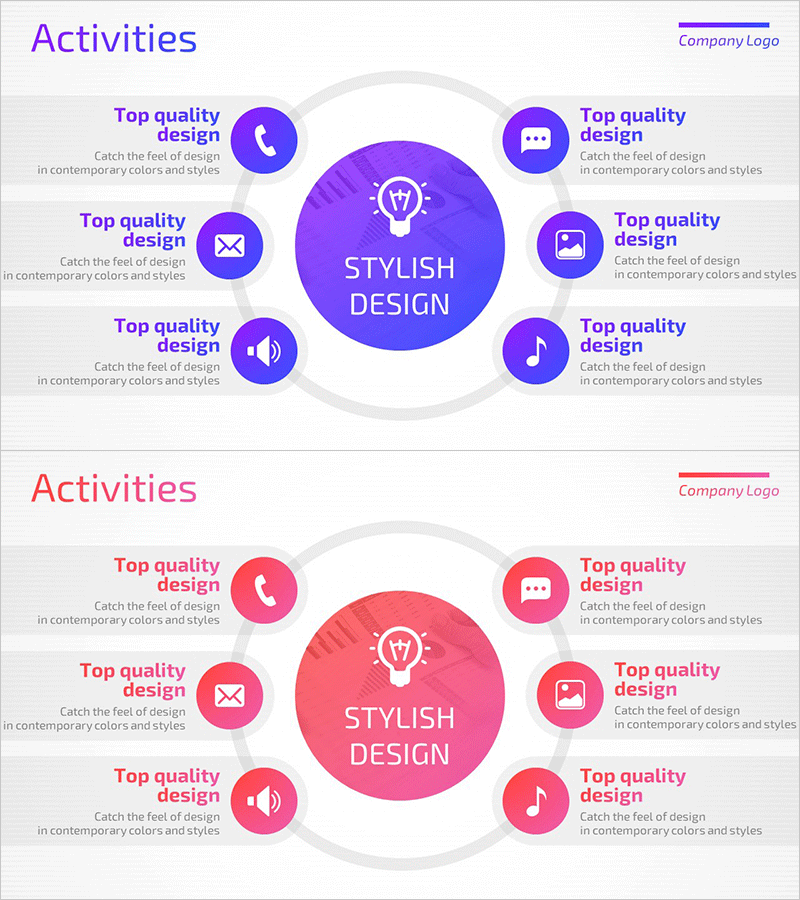
Mobile App Service Activity Area – Harmonizing Business and Design
RM0300016_6
- Last Update 02/11/2025
- File Size 1.8MB
- # of Slides 2
- File Format PPTX
- Slide Ratio 16:9
- Color
Keywords
- #Content-Based Slides
- #Design-Based Slides
- #Company Introduction
- #Business Introduction
- #Diagram
- #Business Areas
- #Business Areas
- #Cluster
- #Spread
- #Chain Diagram
- #Centralized Diagram
- #16:9
- #radial diagram PowerPoint slide
- #central hub diagram
- #activity area presentation
- #business process visualization
- #service structure PPT template
- #how to create radial diagram in PowerPoint
About the Product
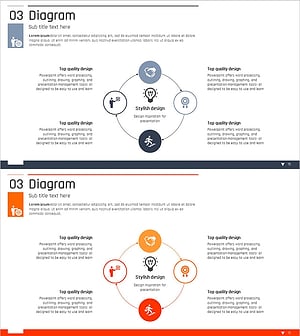
A PowerPoint slide featuring a radial diagram with a central concept hub connected to 8 surrounding activity areas. The design uses a purple gradient background with a central circle containing a lightbulb icon, surrounded by 6 functional icons (phone, message, image, sound, music) arranged in a circular pattern. Each icon is labeled with descriptive text, enabling clear visualization of business service functions and operational domains. The 2-slide set includes both purple and pink color versions for flexible presentation styling.
Usage Points
-
Main Usage
Visualize mobile app or web service core functions and operational domains through a radial structure, enabling audiences to grasp the complete service architecture at a glance. Ideal for business model explanations, service introductions, organizational role mapping, and process flow presentations across diverse corporate contexts.
-
How to Use
Replace the central lightbulb icon and text with your core concept, then update the 8 surrounding icons and labels to match your activity areas. Customize text boxes with detailed descriptions aligned to your presentation narrative. Colors can be adjusted to match corporate branding or presentation themes while maintaining the radial structure.
-
Recommended For
IT and app development company service presentations / Startup business model pitches / Marketing team customer touchpoint analysis / Organizational structure and role explanations / Product feature mapping / Process flow documentation / Strategic planning meetings and workshops
-
Slide Structure
2-slide set with identical layouts in different color schemes. Each slide contains 1 central circular hub (lightbulb icon with text) connected to 8 surrounding circular icons (phone, message, image, sound, music, etc.) via gray connector lines. Descriptive text labels are positioned adjacent to each icon, creating a balanced radial composition.
Related Products
-
Mobile Security Service Diagram
#Company Introduction #Business Introduction #Diagram
-
Business Area Flower Diagram – Ideal for Company Introductions
#Company Introduction #Business Introduction #Diagram
-
Atomic Structure Science Diagram – Visualizing the Essence of Science
#Company Introduction #Business Introduction #Diagram
-
Business Area Diffusion Diagram – Connection and Cluster
#Company Introduction #Business Introduction #Diagram
