



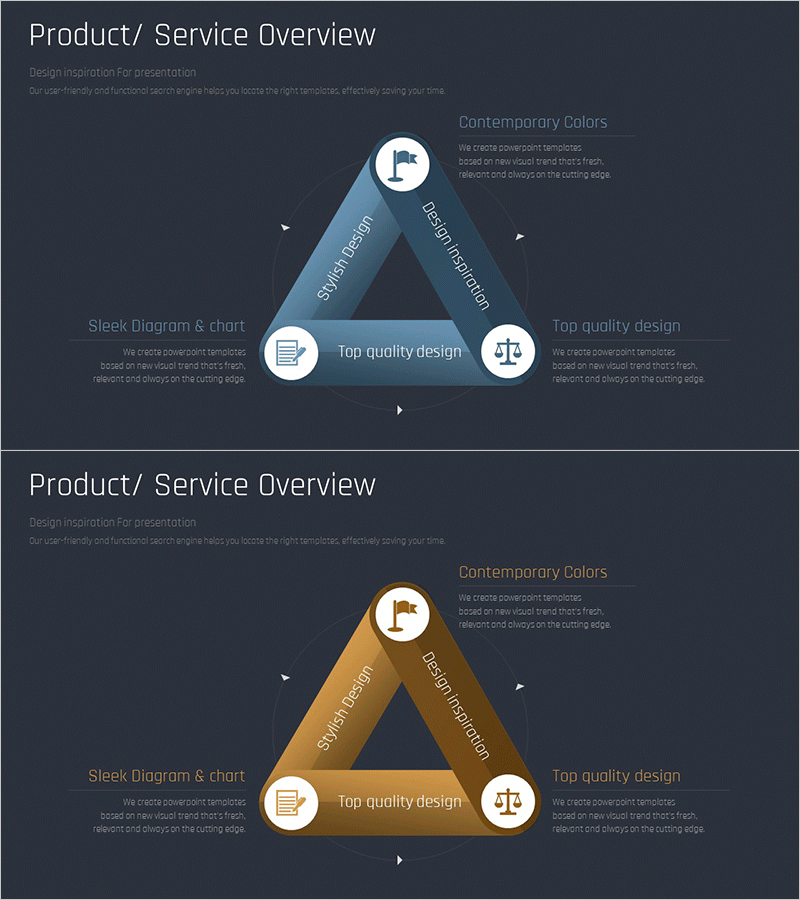
Premium Diagram for Business Overview Visualization – Stylish Design
RM0300015_15
- Last Update 09/11/2025
- File Size 0.3MB
- # of Slides 2
- File Format PPTX
- Slide Ratio 16:9
- Color
Keywords
- #Content-Based Slides
- #Design-Based Slides
- #Product/Service Introduction
- #Diagram
- #Features
- #Composition
- #Flow
- #Cluster
- #Circular Flow
- #Chain Diagram
- #16:9
- #connection diagram PowerPoint
- #3-node diagram slide
- #business overview template
- #relationship diagram PPT
- #how to create connection diagram in PowerPoint
About the Product
A radial connection diagram PowerPoint slide designed to visualize business overview and relationships between key elements. The diagram features a central hub connected to three surrounding nodes, each with icon placeholders and text input areas. Two color versions are provided: a professional blue tone and a warm gold tone. This slide template is ideal for presentations where you need to clearly show how three key concepts, products, or strategies relate to a central theme. Fully editable and ready to customize with your own content.
Usage Points
-
Main Usage
Visualize business overview, product-service-strategy relationships, or any three-element connection to a central concept. The radial layout ensures balanced visual hierarchy and clearly communicates how peripheral elements relate to the core idea.
-
How to Use
Simply click on each text area to add your titles and descriptions. Icons can be replaced to match your content theme. Choose between the blue or gold color version depending on your presentation tone. The 2-slide set allows you to present multiple relationship scenarios or comparative analyses.
-
Recommended For
Business strategy presentations, product portfolio overviews, marketing plans, organizational structure explanations, investor pitch decks, and consulting reports. Ideal for executives, strategists, marketers, product managers, and business consultants who need to communicate multi-element relationships clearly.
-
Slide Structure
2-slide template featuring a radial connection diagram on each slide. Central node with icon and text label connected to three outer nodes via relationship lines. Each node includes icon placeholder and editable text area. Includes both blue-tone and gold-tone color versions for flexible presentation styling.
Related Products
-
Mobile Service Characteristics Triangle Diagram – Features and Composition
#Product/Service Introduction #Diagram #Features
-
Key Ingredient Analysis Slide – Product/Service Value Proposition
#Product/Service Introduction #Diagram #Features
-

Legal Advice Area Diagram – Effective Flow Presentation
#Product/Service Introduction #Diagram #Product/Service Introduction
-
Heart Health Status Analysis – Health and Vision
#Product/Service Introduction #Diagram #Features
