



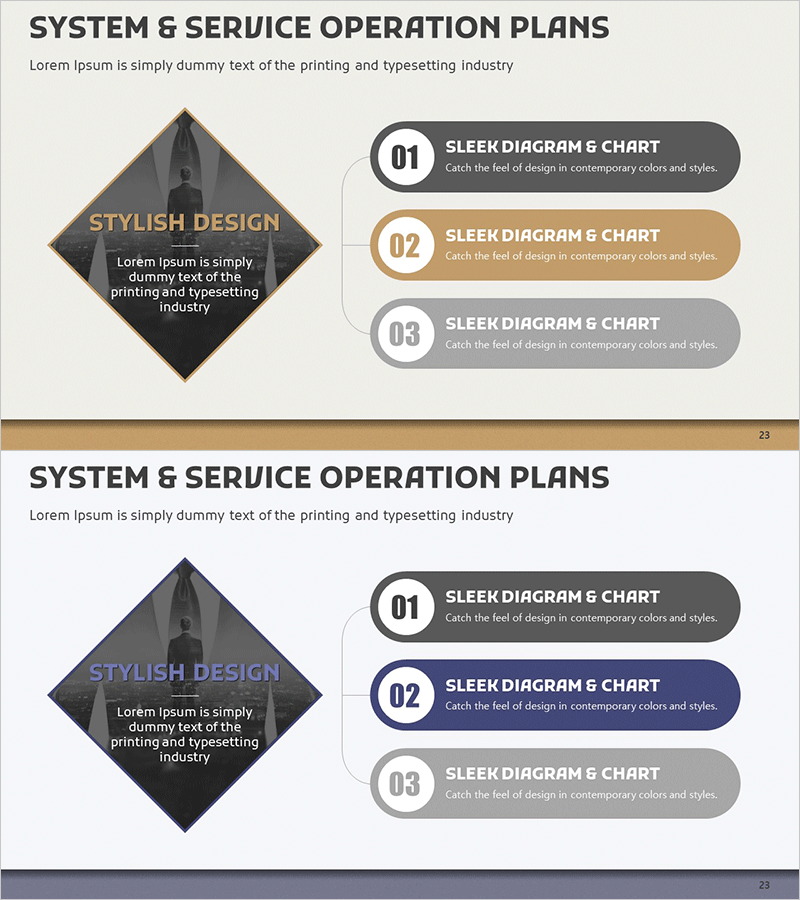
Service Operation Plan Diagram – Business Strategy and Goal Setting
RM0200007_22
- Last Update 02/03/2025
- File Size 1.5MB
- # of Slides 2
- File Format PPTX
- Slide Ratio 16:9
- Color
Keywords
- #Content-Based Slides
- #Design-Based Slides
- #Business Vision and Strategy
- #Business Management
- #Technical Approach
- #Diagram
- #Business Goals
- #Implementation Plan
- #Structure
- #Cluster
- #Tree Diagram
- #Chain Diagram
- #16:9
- #connection diagram PowerPoint
- #3-step diagram slide
- #service operation plan template
- #business strategy diagram
- #operation plan PPT slide
About the Product
A 3-step connection diagram PowerPoint slide designed for business strategy and goal-setting presentations. Features a diamond-shaped central element on the left with three connected items on the right, optimized for service operation plans, business management, and strategic planning presentations. The gold, gray, and white two-tone color scheme conveys professionalism and credibility. Delivered in 16:9 widescreen format with 2 slides ready for immediate use. Clear text input areas for each item make it easy to apply to executive reports, business plan presentations, and strategic planning meetings.
Usage Points
-
Main Usage
Visualizes three key elements—service operation plan, business strategy, and goal setting—in a hierarchical, interconnected structure. The diamond-shaped central element highlights the core concept, while three items on the right organize supporting details. Ideal for executive briefings, business plan presentations, and strategic planning sessions.
-
How to Use
Enter your core topic (e.g., service operation objectives) in the central diamond box, then fill the three right-side items with detailed strategies, implementation plans, or performance metrics. Double-click each text area to edit content and adjust colors to match your brand guidelines. The 2-slide format allows you to repeat or modify the structure for multiple topics.
-
Recommended For
Executives, business managers, marketing planners, consultants, and project managers presenting business strategies, operation plans, and goal-setting initiatives. Particularly suited for executive reports, business plans, and strategic planning meetings requiring balanced presentation of three key elements.
-
Slide Structure
2 slides total. Each slide features a diamond-shaped central element (1 text input area) on the left and three connected item boxes (1 text input area each, 3 total) on the right. Gold, gray, and white two-tone color scheme with connecting lines and numbered indicators to clarify step-by-step relationships.
Related Products
-
Exercise Equipment and Infographic Elements – Innovative Business Strategy
#Business Vision and Strategy #Technical Approach #Diagram
-
Product Feasibility Diagram – Ideal for Business Planning
#Business Management #Technical Approach #Diagram
-
Business Idea Development Stage – Efficient Service Development Plans
#Business Management #Technical Approach #Diagram
-
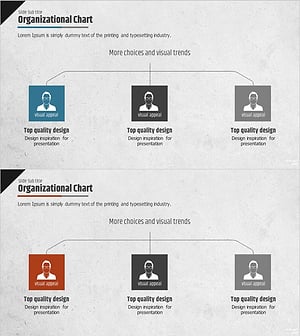
Man Silhouette Organization Chart – Visual Organization Structure Overview
#Company Introduction #Technical Approach #Diagram
